FREE Time Tracking Software for Virtual Assistants
Track every client. Every task. Every billable minute.
- No Credit Card Required
- Free for up to 10 Users per Workzone









From automatic tracking to client ready timesheets, every feature is built to simplify how you manage clients and bill your time.
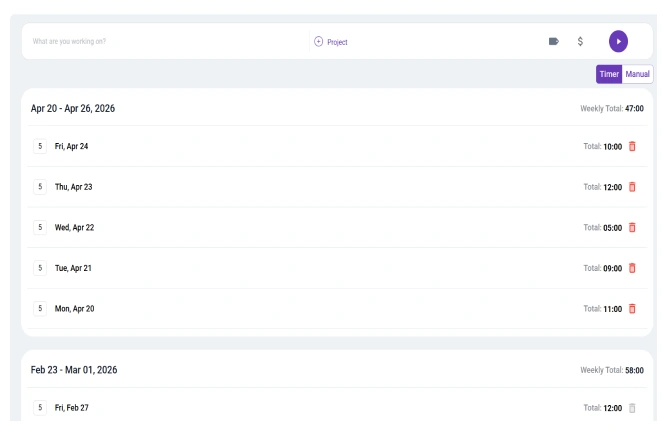
Start tracking with one click and let the system record your time in real time. No manual logs and no messy spreadsheets, just clean automatic tracking designed for virtual assistants. If you are comparing tools, explore our guide to the best time tracking apps.
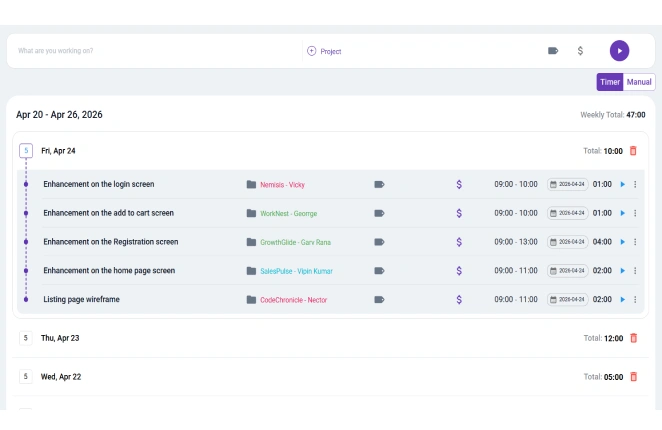
Switch between clients and tasks without losing clarity. Categorize every entry so your day stays structured and easy to review, especially when managing multiple projects as a freelancer.
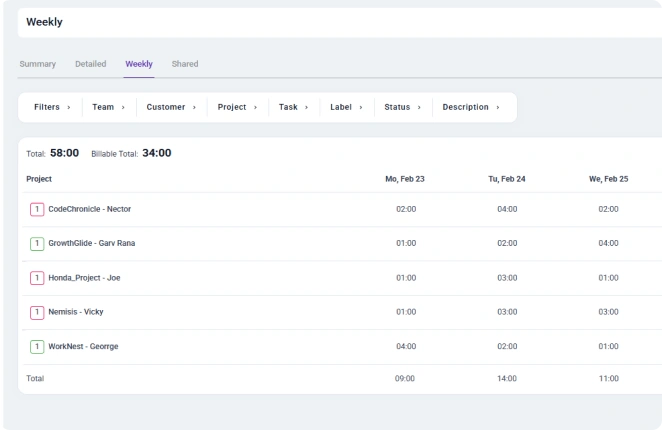
Instantly mark work as billable or non billable to prevent undercharging and improve invoice accuracy. Understand the difference between billable vs non billable hours to maximize your income.
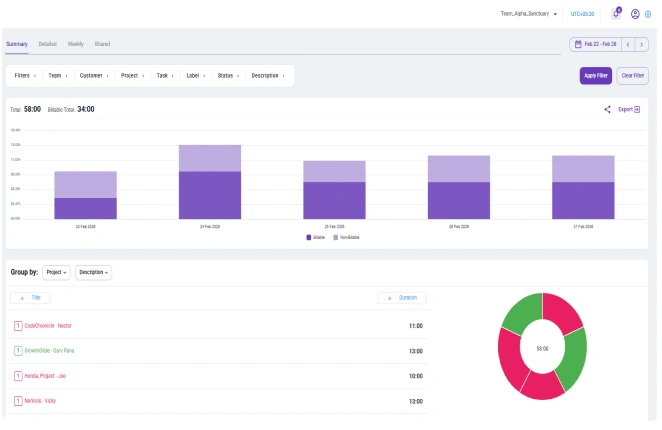
View detailed reports that show where your time goes across clients and tasks. Learn how to calculate productivity to make smarter decisions about your workload.
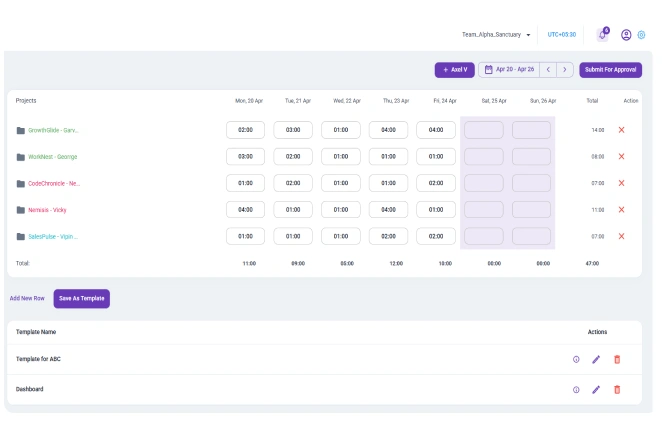
Export clean professional timesheets that are ready to send to clients without extra formatting. Improve billing accuracy with our guide on how to bill clients.
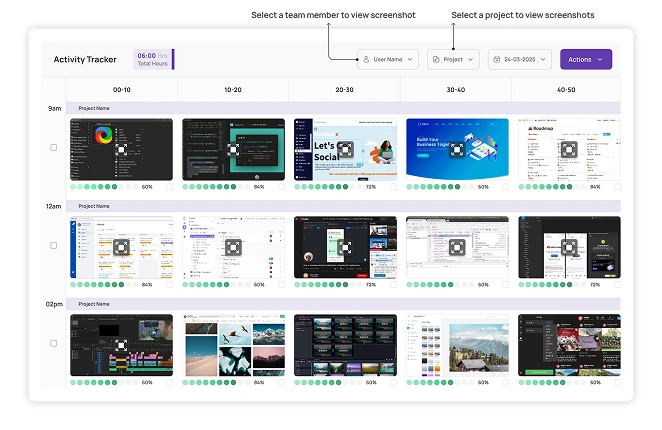
Track task activity clearly to maintain transparency and build client trust. Discover how time tracking improves transparency and accountability
Whether you are working from home, a cafe, or while traveling, your time tracking stays synced across all devices. Log hours instantly and keep every client account up to date in real time.
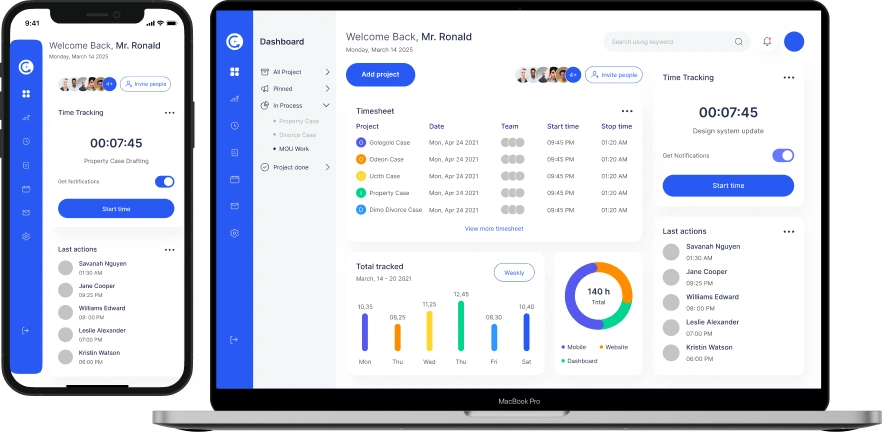
Virtual assistants do not work like corporate teams. Your day moves between clients, priorities, and deadlines and your tools should move with you.
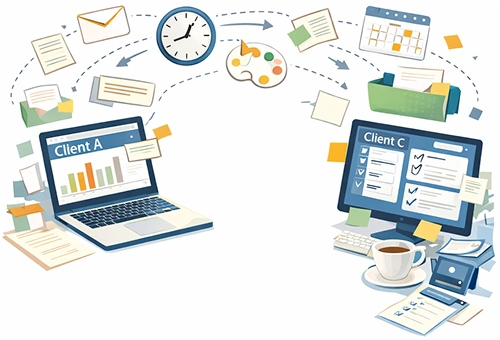
Jumping between tasks and projects should not mean losing track of your time. If you regularly handle multiple accounts, learning how to manage multiple projects at once as a freelancer can make a huge difference.

Quick edits, urgent messages, unexpected requests. These small moments feel minor but they add up. Following practical time tracking tips helps ensure those minutes are not lost.

You worked all day but at invoice time it feels unclear. Knowing how to calculate billable hours protects your effort and your income.
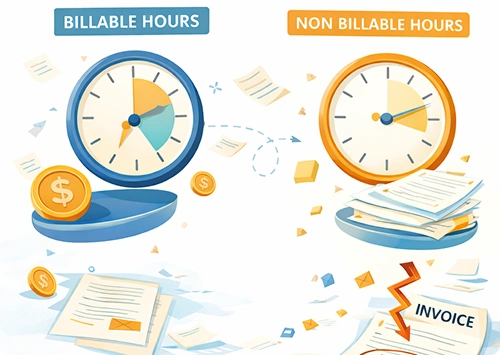
When you estimate instead of track, you risk unpaid work. Understanding the difference between billable vs non billable hours helps you price your services accurately.
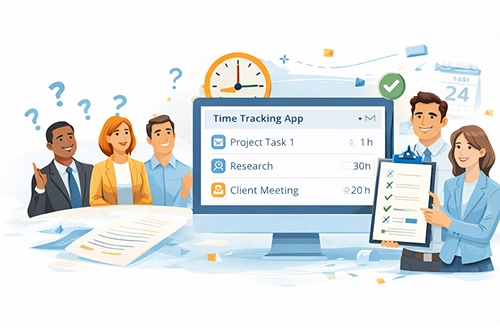
Clear documentation builds transparency and accountability with clients. Learn how time tracking apps promote transparency and accountability in professional relationships.

Multiple deadlines and shifting priorities can quickly feel overwhelming. Practical time management strategies help you stay structured without burning out.

From switching between clients to preparing accurate invoices, Clockdiary keeps your time organized so nothing goes uncounted.
Getting started is simple. No complex setup. No team configuration. Just clarity from day one.
1

Sign up in seconds and access your personal workspace built for client based work.
2

Organize your clients and tasks so every minute of work is structured and easy to track.
3

Switch between clients effortlessly and record time without interrupting your workflow.
4

Export attendance data in secure formats, ensuring compatibility with payroll systems and facilitating detailed performance analysis.

Varun Mehta
Freelance Virtual Assistant
Switching between Slack, email, and project tools made it easy to forget small tasks. This tool helped me capture everything. My billing is now accurate and stress free.
Feb 15, 2026


Emma Johnson
Executive Virtual Assistant
Switching between Slack, email, and project tools made it easy to forget small tasks. This tool helped me capture everything. My billing is now accurate and stress free.
Jan 28, 2026


Daniel Brooks
Remote Operations Assistant
Most time trackers felt too corporate. This one fits how I actually work. It is simple, clean, and keeps my client records organized.
Jan 20, 2026

Aisha Khan
Administrative Virtual Assistant
Clients often ask for detailed breakdowns. Having clear logs has made my work look more professional and transparent.
Jan 10, 2026

Maria Lopez
Freelance Project Coordinator
I realized I was losing small pockets of time every day. Tracking properly helped me recover those lost minutes and increase my monthly revenue.
Dec 27, 2025

Isabella Lewis
Virtual Assistant Agency Owner
As my VA team expanded, I needed better visibility without micromanaging. This gave us structure without adding pressure.
Dec 17, 2025

Emily Carter
Social Media Virtual Assistant
Managing content calendars, client revisions, and last minute requests used to feel overwhelming. Now my workday feels structured and I no longer worry about missing logged time.
Nov 27, 2025

Rohan Patel
Freelance Virtual Assistant
Before this, I spent hours reviewing notes before sending invoices. Now everything is clear and documented. It saves time and removes billing confusion completely.
Nov 17, 2025
Absolutely. Clockdiary is designed for client based work. You can organize your time by client, project, and task so your records stay clear and structured throughout the day.
When you rely on memory, small tasks often go uncounted. Clockdiary keeps a clear record of your work so you can calculate billable hours accurately and invoice with confidence.
Yes. You can generate professional timesheets and share them with clients whenever needed. Clear documentation helps reduce confusion and builds long term trust.
Yes. Whether you are working from your laptop, desktop, or mobile device, your time entries stay updated so nothing is lost when switching devices.
Yes. Clockdiary works well for independent virtual assistants and also supports small remote teams who need visibility and structure without complexity.
Stop losing billable minutes. Stay organized across every client, track your work clearly, and invoice with complete confidence every time.