How to Track Developer Productivity: Metrics, Frameworks & Best Practices
 Kapil Garg |
Updated: April 13, 2026
Kapil Garg |
Updated: April 13, 2026
- What Is Developer Productivity
- Key Frameworks for Tracking
- Top Metrics to Track
- How to Track Developer Hours
- Step-by-Step Setup Guide
- Common Mistakes to Avoid
- How clockdiary Helps
- Frequently Asked Questions
- Final Thoughts
If you manage an engineering team, you've probably felt the pressure to show how your developers are performing. The challenge? Learning how to track developer productivity isn't like tracking sales numbers. Code quality, collaboration, focus time, and delivery speed all play a role. And using the wrong metrics can actually damage your team's morale.
This guide walks you through the right approach: which frameworks to use, which metrics actually matter, how to calculate employee productivity accurately, and how time tracking ties everything together with real context.
Whether you're a first-time engineering manager or an experienced VP looking to build a more data-driven team, you'll find a practical, step-by-step path here.
- Developer productivity spans three distinct levels: system, team, and individual, and each requires different metrics.
- DORA metrics (deployment frequency, lead time, change failure rate, and MTTR) are the industry benchmark for engineering performance.
- The SPACE framework adds the human dimensions that raw activity data misses entirely, including satisfaction, flow, and collaboration.
- Time tracking reveals where developer hours actually go, giving essential context to every other metric you collect.
- A focused setup with 3 to 5 core metrics beats trying to track everything at once and creates clearer, faster decisions.
What Is Developer Productivity (And Why It's So Hard to Measure)
Developer productivity is the rate at which an engineering team delivers reliable, high-quality software while maintaining a sustainable working pace. Simple enough to define, but notoriously difficult to measure in practice.
The reason is that software development is collaborative, creative, and deeply contextual. A developer who writes 1,000 lines of code in a week isn't necessarily more productive than one who writes 200 lines of clean, well-tested, well-documented code that solves the actual problem. Effort doesn't equal output, and output doesn't always equal value.
Why Lines of Code and Commits Don't Tell the Whole Story
For years, teams tried to measure productivity through activity metrics: commits per day, lines of code written, tickets closed. These numbers are easy to pull from your tools, but they're dangerously misleading when used in isolation.
Goodhart's Law sums it up well: when a measure becomes a target, it ceases to be a good measure. When developers know they're being judged on commit counts, they game the metric without improving actual output. Senior engineers who spend time mentoring junior teammates, reviewing pull requests, and unblocking the team will score low on activity metrics while delivering enormous value to the organization.
The goal isn't to count outputs. It's to understand outcomes. A developer who deletes 500 lines of unnecessary legacy code and simplifies a complex module has contributed more than someone who adds 1,000 lines of redundant logic.
Worth knowing: Google's own research teams have found that traditional quantity-based metrics consistently fail to capture the work that matters most, especially architectural decisions, mentoring, documentation, and debugging complex systems.
The Three Levels: System, Team, and Individual
McKinsey's research on software engineering identifies three distinct levels where productivity should be measured separately, because the metrics that work at one level often don't translate to another.
System level covers how well your engineering infrastructure and delivery pipeline performs overall. Metrics like deployment frequency and lead time for changes live here. They tell you how smoothly code moves from development to production.
Team level covers how effectively your group collaborates and ships together. Cycle time, sprint velocity, and defect rates are useful signals here. They reflect the health of your team's workflows and processes.
Individual level covers each developer's contribution. This is the trickiest level and should never rely on raw activity counts alone. One-on-one feedback, code review participation, and qualitative assessment are far more accurate than dashboard scores.
Key Frameworks for Tracking Developer Productivity
Rather than picking metrics at random, high-performing engineering teams use structured frameworks to ensure they're measuring the right things. Three have become the industry standard in 2025: DORA, SPACE, and DX Core 4.
DORA Metrics: The Industry Benchmark
The DevOps Research and Assessment (DORA) team, led by Dr. Nicole Forsgren, identified four metrics that consistently separate elite engineering organizations from average ones. These are system-level metrics: they tell you how well your entire delivery process works, not how hard individual developers are working.
Deployment Frequency
Deployment frequency measures how often your team successfully pushes code to production. High-performing teams deploy frequently in small batches, reducing risk and getting value to customers faster. Low-performing teams deploy infrequently in large releases, which concentrates risk and slows feedback.
Lead Time for Changes
Lead time tracks the duration from a developer's first commit to that change reaching production. It captures the end-to-end speed of your delivery pipeline. According to the DORA 2025 report, elite teams achieve lead times under one hour for 9.4% of their changes. If your lead time is measured in days or weeks, there's a bottleneck worth investigating.
Change Failure Rate
Change failure rate is the percentage of deployments that cause a production incident, service degradation, or require an immediate rollback. It balances deployment frequency: a team that deploys often but breaks production constantly isn't actually high-performing. Elite teams keep this rate below 5%.
Mean Time to Recovery (MTTR)
MTTR measures how quickly your team restores full service after a production failure. Fast recovery is a sign of good incident management, clear runbooks, and resilient system design. It's not just about avoiding failures; it's about recovering gracefully when they happen.
The SPACE Framework
Researchers from Microsoft and GitHub developed the SPACE framework to capture productivity dimensions that DORA metrics alone can't see. It stands for five interrelated dimensions of developer productivity.
Satisfaction and well-being asks whether developers feel fulfilled by their work, their team, and their tools. Burned-out developers with poor job satisfaction inevitably become less productive over time, regardless of what any metric shows.
Performance focuses on whether the team's output meets quality and reliability standards. Is the code shipping? Is it stable? Are customer problems actually getting solved?
Activity covers quantifiable work outputs: builds triggered, deploys completed, code reviews done, pull requests merged. This is the dimension most teams over-index on. SPACE treats it as one input among five.
Collaboration and communication looks at how effectively team members work together. Knowledge sharing, onboarding speed, and review quality are proxies for this hard-to-quantify dimension.
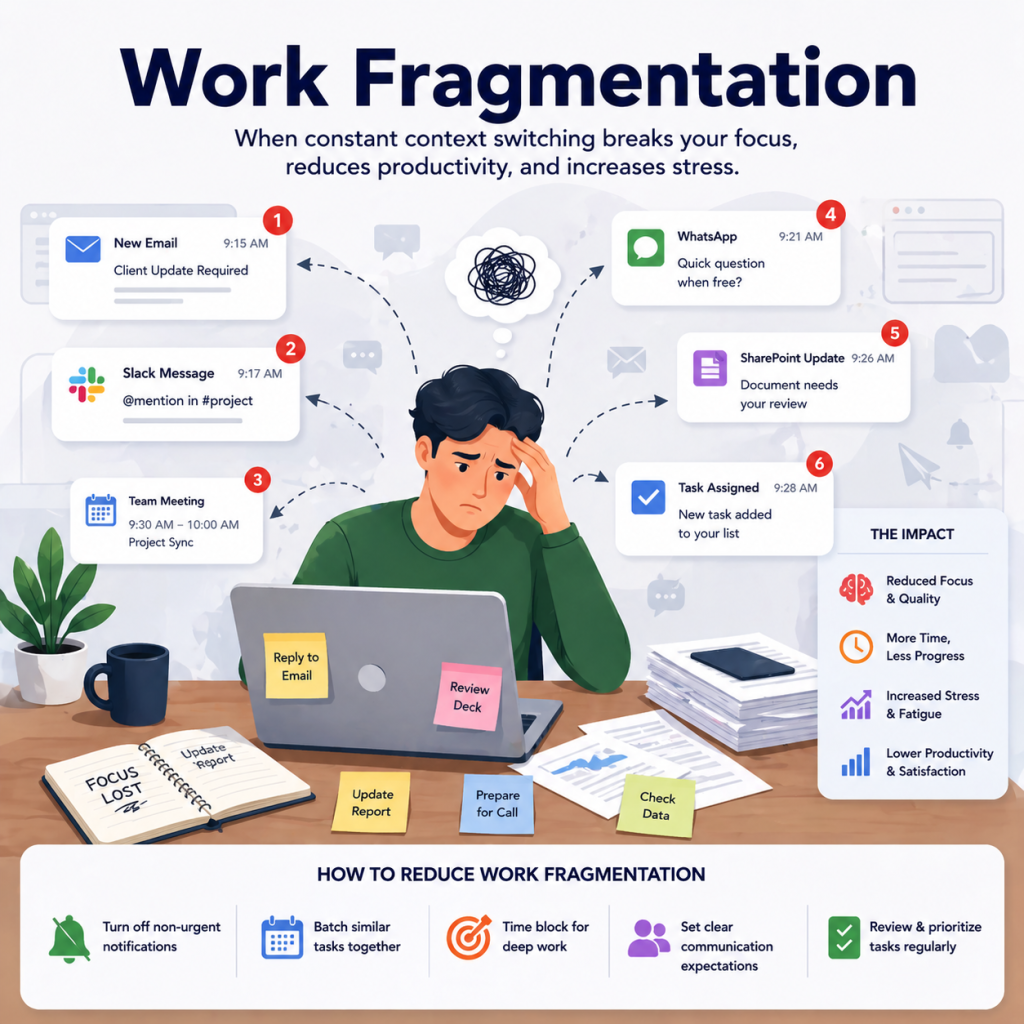
Efficiency and flow measures whether developers can work in sustained focus blocks without constant interruptions and context switches. Each unplanned context switch costs 20 to 30 minutes of recovery time, making flow one of the highest-leverage dimensions to protect.
The key insight from SPACE: No single dimension tells the whole story. A team can have high activity but poor satisfaction, fast deployment but low flow, or great performance metrics alongside rising burnout. Use a mix across all five.
DX Core 4: A Newer Approach
DX Core 4 consolidates DORA, SPACE, and DevEx research into four practical dimensions: speed, effectiveness, quality, and impact. It introduces a Developer Experience Index (DXI) that scores 14 factors influencing daily developer workflow efficiency, giving teams a single composite score to track over time. For organizations that want one unified framework covering all bases, DX Core 4 is worth exploring alongside the more established standards.
Top Developer Productivity Metrics to Track
Once you have a framework in mind, it's time to pick your specific metrics. Here are the ones that give the clearest signal across velocity, quality, and developer experience. Knowing the employee utilization rate of your engineering team is a good complement to these technical metrics, especially for resource planning.
Velocity and Flow Metrics
Cycle Time
Cycle time measures how long it takes from starting a piece of work to deploying it to production. It captures the full development lifecycle for a given change. A high cycle time often points to bottlenecks in code review, unclear requirements, or slow testing pipelines rather than individual developer speed.
Track cycle time at the team level and watch for trends over time. A sudden spike in cycle time for tasks that are normally fast is usually a signal that something structural is broken: a flaky test suite, a reviewer bottleneck, or an unclear definition of done.
Sprint Velocity
Sprint velocity tracks the volume of story points (or equivalent units) your team completes per sprint. Its real value is as a planning tool: measuring velocity over several sprints establishes a reliable baseline for predicting future capacity. Avoid comparing individual developer velocity, as story point estimates vary widely and create perverse incentives.
Code Quality Metrics
Defect Escape Rate
The defect escape rate measures the percentage of bugs that make it to production before being caught in testing or review. Mature teams target escape rates below 2%. A rate climbing above 10% is a clear signal to invest in automated test coverage or tighten your review process. Track by severity too: one critical production outage matters more than ten minor UI glitches.
Code Review Turnaround Time
Code review turnaround time tracks how quickly pull requests get reviewed and merged after submission. Long review queues slow down the entire team and fragment developer focus. Tracking this metric helps you identify whether some team members are carrying a disproportionate review load, or whether the review process itself needs clearer standards.
Developer Experience Metrics
Experience metrics capture the human side of productivity: how developers feel about their work, their tools, and their team environment. These don't live in dashboards; they come from direct feedback.
Key signals to collect regularly include developer satisfaction scores from anonymous pulse surveys, time spent in meetings versus coding each week, context switching frequency (how often developers get pulled off a task mid-flow), and time to first commit for new hires as a proxy for onboarding effectiveness.
How to Track Developer Hours and Focus Time
Why Time Tracking Is Underrated in Engineering
Most engineering teams track deployments and code quality, but skip time tracking entirely. That's a missed opportunity. Time data gives every other metric the context it needs to be actionable. Cycle time tells you a task took three days. Time tracking tells you whether those three days included 12 hours waiting for a code review, two days blocked by unclear requirements, or one afternoon lost to back-to-back meetings.
With a solid work hours tracker in place, engineering managers can spot patterns that dashboards never reveal: which projects consistently run over their estimates, which developers are buried in meetings, and where focus time is regularly interrupted before it can compound into meaningful output.
Deep Work Hours vs. Meeting Hours
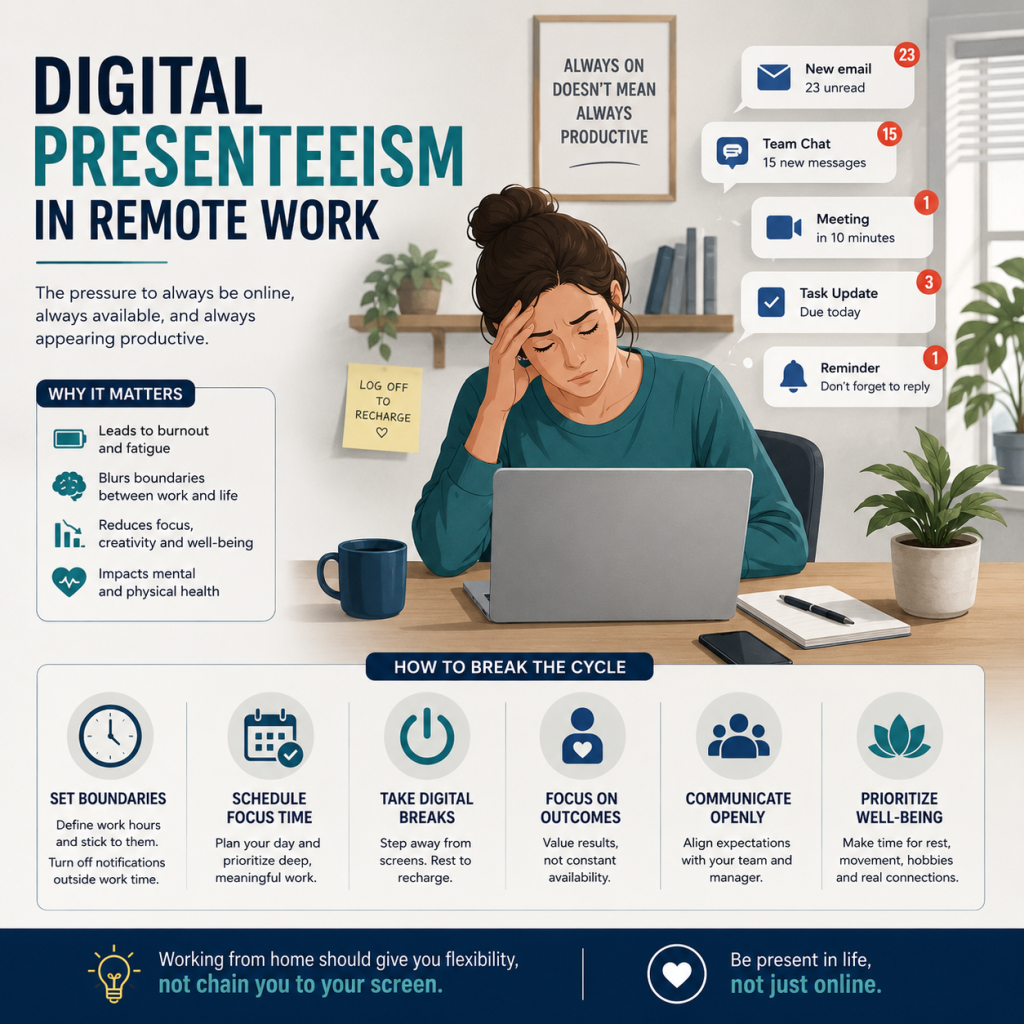
Writing complex logic, designing system architecture, and debugging tricky performance issues all require uninterrupted focus blocks of at least 90 minutes. These aren't tasks you can pick up and put down between meetings. Interruption is expensive: research consistently shows that each unplanned context switch costs 20 to 30 minutes of recovery time before a developer regains full concentration.
When meeting load exceeds 40% of a developer's week, both code quality and delivery speed drop. Tracking the split between deep work time and meeting time lets managers protect focus blocks before burnout sets in, rather than responding after it does.
What a Healthy Split Looks Like
A reasonable starting target for most development roles: 60 to 65% of working time in deep work (coding, design, architecture), 15 to 20% in collaboration (code reviews, planning sessions, async communication), and under 20% in meetings and administrative tasks. These benchmarks vary by seniority and role. Senior engineers and tech leads will naturally spend more time in collaboration. Treat these percentages as directional guides rather than rigid targets.
Time per Project and Task Type
Tracking time at the project and task level reveals whether your team's effort distribution actually matches your stated priorities. If a maintenance and bug-fix project is consuming 40% of total engineering hours but your roadmap treats it as a low-priority background task, that's a misalignment worth surfacing in your next sprint review. Project-level time data also improves estimation accuracy over time: when you can see that similar tasks historically take X hours, your sprint planning becomes far more reliable.
Step-by-Step: Setting Up Developer Productivity Tracking
Knowing which metrics to use is only half the challenge. Here's how to actually set up a tracking system that your team will trust and use consistently, without it feeling like a surveillance operation.
-
1
Define Your Business Goals First
Start with outcomes, not metrics. What does your organization need from engineering right now: faster delivery, fewer production incidents, better code quality, or lower developer churn? Your goals should determine your metrics, not the other way around. A team optimizing for rapid iteration needs different measures than one maintaining a high-reliability financial platform.
-
2
Pick 3 to 5 Core Metrics
Resist the urge to track everything at once. Too many metrics create noise and make it difficult to know what to act on. Pick a balanced mix: one delivery speed metric (cycle time or deployment frequency), one quality metric (change failure rate or defect escape rate), and one experience metric (developer satisfaction scores or meeting load percentage).
-
3
Set Up Your Toolstack
Your toolstack needs to cover three areas: code-level tracking (GitHub, GitLab, or Bitbucket for commit, PR, and deployment data), project tracking (Jira, Linear, or similar for sprint velocity and cycle time), and time tracking (clockdiary's project time tracker for hours per task and project). Connect them so data flows without manual reporting effort from your developers.
-
4
Establish a Baseline
Before you can optimize, you need to know where you stand. Run your chosen metrics for at least two to four sprints before drawing any conclusions. Baselines also protect against misreading seasonal variation: a slowdown during a major product launch is completely different from a structural workflow inefficiency, and you can only tell the difference with historical context.
-
5
Review and Iterate Regularly
Set a regular cadence: a brief weekly metrics check-in at the team level, and a monthly trend review with engineering leadership. Share results with your developers, not just management. When developers see their own data presented transparently, they engage with it constructively. Celebrate improvements publicly, and treat regressions as questions to investigate together rather than reasons to assign blame.
Common Mistakes That Kill Developer Productivity Tracking
Even well-intentioned teams make predictable mistakes when they start measuring developer productivity. Here are the three most damaging ones and how to avoid them.
Tracking Too Many Metrics at Once
Teams that track 15 or more metrics end up paralyzed. There's always a metric moving in the wrong direction, which creates confusion about what to prioritize and can trigger reactive changes that solve the wrong problem. Start narrow. Nail down your three to five core metrics, get comfortable acting on them, and add more only once you have the operational maturity to do something useful with the additional data.
Using Metrics as a Surveillance Tool
Individual-level tracking creates resentment and erodes the psychological safety your team needs to take creative risks, report problems early, and do the invisible high-leverage work that makes software excellent. Use metrics to understand system and team health, not to monitor who is working the hardest. Time tracking promotes transparency and accountability best when it's used to surface patterns, not to police individuals. Aggregate team-level data is far more useful and far less damaging than individual scorecards.
A practical rule: If a metric could be used to punish a developer for doing the right thing for the team, it shouldn't be on your dashboard. Metrics should empower your team, not expose them to unfair judgment.
Ignoring Qualitative Feedback
Numbers tell you what is happening. Developer surveys and one-on-ones tell you why. If cycle time is rising, a pulse survey might reveal that unclear requirements are the root cause, something no dashboard can show you. If defect rates are climbing, an honest team retrospective might surface a cultural reluctance to flag risky code for review. Build in a regular qualitative feedback loop alongside your quantitative tracking, and treat both as equally important sources of information.
How clockdiary Helps Engineering Teams Track Productivity
Time Tracking Built Around How Developers Actually Work
clockdiary is a time tracking tool built for teams that need to understand where hours actually go, without heavy administrative overhead. Developers log time against projects and tasks with minimal friction, using one-click timers that run quietly in the background while they stay in their flow state.
You can track billable versus non-billable hours, log time by project, and organize work across any sprint structure. clockdiary integrates smoothly with the tools your team already uses, so time data appears where it's most useful without requiring developers to switch contexts just to log their work.
For distributed and remote engineering teams, clockdiary's remote employee monitoring features help managers maintain visibility without micromanagement, tracking activity patterns and project progress asynchronously across time zones.
Project-Level Visibility for Engineering Managers
Engineering managers using clockdiary get project-level dashboards that show exactly how hours are being distributed across the team and across initiatives. You can instantly see if one project is consuming far more time than originally estimated, identify which team members are carrying an unsustainable load, and compare planned versus actual hours to improve the accuracy of future sprint planning.
clockdiary's timesheet app makes it easy to run weekly or monthly reports that connect engineering effort to business outcomes. Combined with your DORA metrics and code quality data, clockdiary's time visibility gives you the full picture: how long things take, why they take that long, and precisely where to make targeted improvements.
Frequently Asked Questions
Q: How do you measure the productivity of a developer?
Developer productivity is best measured using a combination of delivery metrics (like cycle time and deployment frequency), code quality metrics (like defect escape rate and change failure rate), and qualitative signals (like developer satisfaction scores and one-on-one feedback). Avoid relying on single activity metrics like lines of code or commit counts, as they're easily gamed and don't reflect actual value delivered.
Q: What are DORA metrics for developer productivity?
DORA metrics are four system-level performance indicators developed by the DevOps Research and Assessment team: deployment frequency (how often code ships to production), lead time for changes (time from first commit to production), change failure rate (percentage of deployments causing incidents), and mean time to recovery (how quickly the team restores service after a failure). Elite engineering teams are defined by high deployment frequency and low lead time, combined with a low change failure rate and fast recovery time.
Q: How do you track developer hours?
Developer hours are best tracked using a lightweight time tracking tool where developers log time against specific projects and tasks, rather than just total hours worked. Tools like clockdiary allow one-click timers, project-level categorization, and manager dashboards without requiring heavy manual entry. The goal is to see how effort is distributed across initiatives, not to monitor individual behavior.
Q: What is a good productivity metric for software developers?
Cycle time is often the best single metric for day-to-day developer productivity because it measures the full journey from work start to deployment. It captures bottlenecks in review, testing, and process without penalizing quality or collaboration. Pair it with change failure rate to ensure speed isn't coming at the cost of stability, and you have a well-balanced starting picture.
Q: How do you evaluate developer performance without micromanaging?
Focus on team-level metrics and qualitative conversations rather than individual dashboards. Regular one-on-ones, retrospectives, and anonymous developer surveys surface real issues without creating a culture of surveillance. When you do use individual-level data, use it to support developers (identifying blocked work, uneven workloads, burnout risk) rather than to rank or compare them publicly.
Q: What is the SPACE framework for developer productivity?
SPACE is a research framework developed by researchers from Microsoft and GitHub. It covers five dimensions of developer productivity: Satisfaction and well-being, Performance, Activity, Collaboration and communication, and Efficiency and flow. It was designed to address the shortcomings of purely quantitative metrics by incorporating the human and cultural dimensions that directly affect how well developers can do their best work.
Q: Is time tracking useful for software developers?
Yes, when implemented thoughtfully. Time tracking gives context to all other productivity metrics: it shows whether a long cycle time was caused by a blocked dependency, excessive meetings, or a complex technical problem. It also improves sprint planning accuracy over time and helps managers identify workload imbalances before they cause burnout. The key is using time data to support developers and improve processes, not to police working habits.
Final Thoughts
Tracking developer productivity well is one of the most valuable investments an engineering leader can make. But it only works when you measure the right things for the right reasons: to remove blockers, protect focus time, and help your team do their best work sustainably.
Start with a framework (DORA is a solid foundation), pick three to five metrics that connect directly to your business goals, and add time tracking to give every metric the context it needs to drive real decisions. Avoid the surveillance trap, listen to qualitative feedback, and celebrate progress publicly.
Your developers want to be productive. Your job is to remove whatever stands in their way, and that starts with actually seeing what those things are.
Start tracking with clockdiary for free and give your engineering team the time visibility they need to match effort with impact.