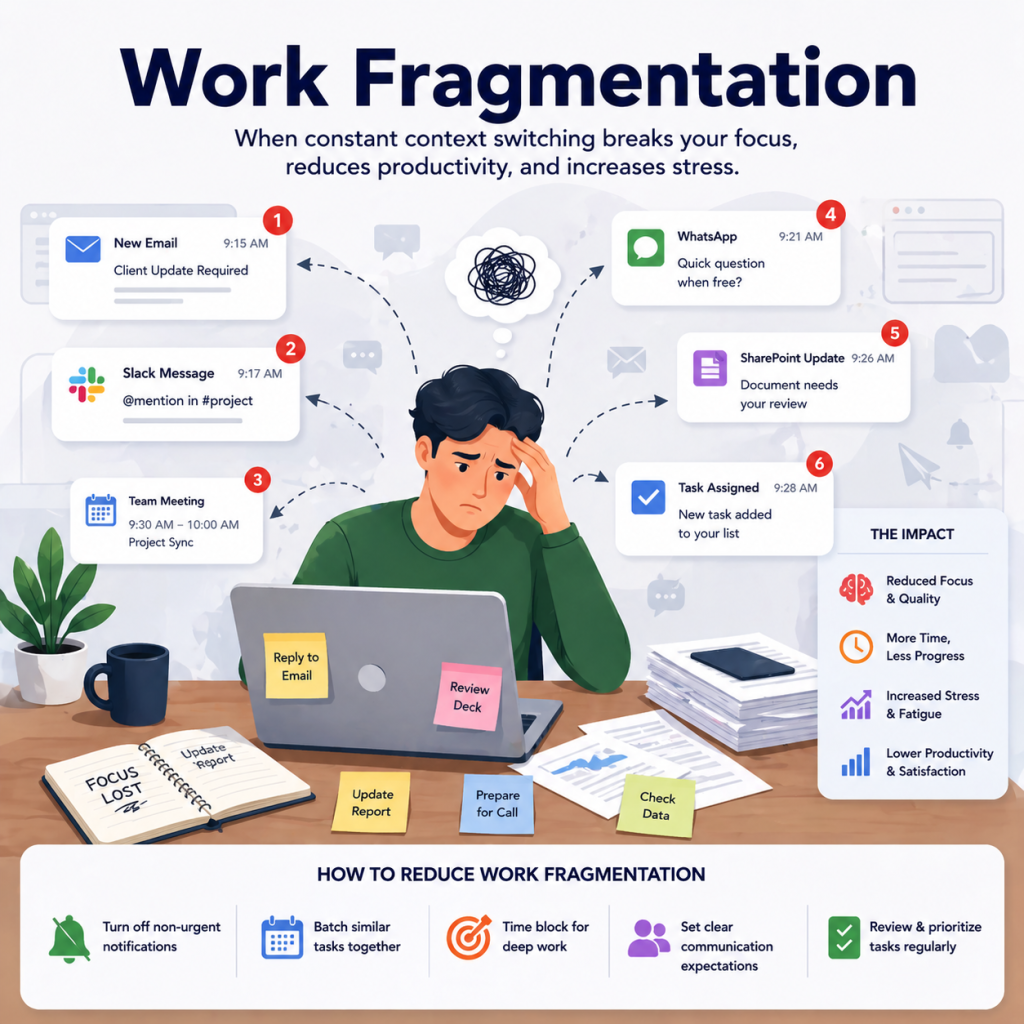
Have you ever ended a busy day wondering where all your time went? You did a lot, but the most important tasks still did not get done. Research shows that writing tasks down can increase task completion by up to 42 percent, simply because your mind is no longer trying to remember everything at once. That is where to-do list templates really help by turning scattered thoughts into clear, actionable priorities.
A to-do list template gives your day some structure. It helps you see what needs to be done, focus on priorities, and avoid feeling overwhelmed. Instead of rewriting tasks every day or relying on memory, ready made templates save time and make planning easier. They work well for daily routines, weekly planning, personal goals, school work, and professional tasks, just like using daily planner templates.
On this page, you will find free to-do list templates that are printable, customizable, and easy to use. Each template is created for a specific purpose, so you can choose what fits your routine and stay organized without making planning feel complicated.
What Is a To-Do List Template?
A to-do list template is a ready made layout that helps you list tasks in an organized and clear way. Instead of starting from a blank page every time, a template gives you a simple structure where you can write what needs to be done, track progress, and stay focused, similar to how basic task management software helps organize work.
Most to-do list templates include space for task names, notes, priorities, or deadlines. Some are very simple and focus only on listing tasks, while others are more detailed and support daily, weekly, or project planning. The goal is always the same: to help you manage tasks without confusion or stress.
Using a to-do list template makes planning faster and more consistent. You spend less time organizing and more time actually completing tasks, which is why templates work so well for both personal and professional use.
Why Use a To-Do List Template?
Using a to-do list template helps you plan your tasks in a clear and organized way. Instead of keeping everything in your head or scattered across notes, a template brings all your tasks into one place and makes planning feel less stressful, especially when combined with proven time management strategies.
It helps you see what needs attention first and keeps your focus on important tasks. This makes it easier to prioritize work and avoid distractions, which plays a big role in improving productivity at work.
Writing tasks down reduces mental load and makes daily planning easier. When tasks are clearly listed, your mind is free to focus on execution instead of remembering what to do next.
Ready made templates save time because you do not need to start from scratch every day. You can reuse the same structure and jump straight into planning.
Using the same format regularly builds a simple and consistent planning habit. Over time, this consistency makes task management feel more natural and less overwhelming.
Available To-Do List Template Formats
To-do list templates come in different formats so you can choose what works best for your routine. Whether you prefer printing your list or managing tasks digitally, these formats give you flexibility without changing how you plan.
PDF (Printable)
Printable to-do list templates are ideal if you like writing tasks by hand. You can print them and use them at your desk, at home, or on the go. Many people prefer printable formats because they are simple, distraction free, and easy to reuse.
Google Sheets
Google Sheets to-do list templates are great for online access and collaboration. You can update tasks from any device and share the list with others if needed. This format is helpful for team planning or for anyone who prefers cloud based tools and spreadsheet style task tracking.
How to Choose the Right To-Do List Template
Choosing the right to-do list template depends on how you plan your day and what kind of tasks you manage. A template should support your routine, not make planning feel complicated.
If you handle tasks day by day, a daily to-do list works best for quick planning and focus.
For bigger workloads, a weekly or monthly layout helps you see tasks over a longer period.
Simple templates are better for basic task tracking, while detailed ones help when priorities, deadlines, or notes are involved.
If you plan tasks for work, choose a format that allows easy updates and organization. For personal tasks, a simple printable layout may be enough.
The right template is the one that feels easy to use and fits naturally into your daily routine.
Download Free To-Do List Templates by Category
Not every to-do list works the same way for everyone. Some people need a simple list for daily tasks, while others need structured layouts for work, study, or long term planning. That is why these to-do list templates are grouped by category, similar to how different approaches are used in effective task management.
Each category below is designed around a specific use case, so you can quickly find a template that matches how you plan your tasks. All templates are free to use, easy to customize, and available in formats that fit both paper and digital planning.
Browse the categories, choose what fits your needs, and start organizing your tasks in a way that feels clear and manageable.
Simple To-Do List Templates
Simple to-do list templates are designed for people who want clarity without complexity. These templates focus on listing tasks in a clean and easy format so you can concentrate on completing work instead of organizing it. They are ideal for daily use and quick planning.
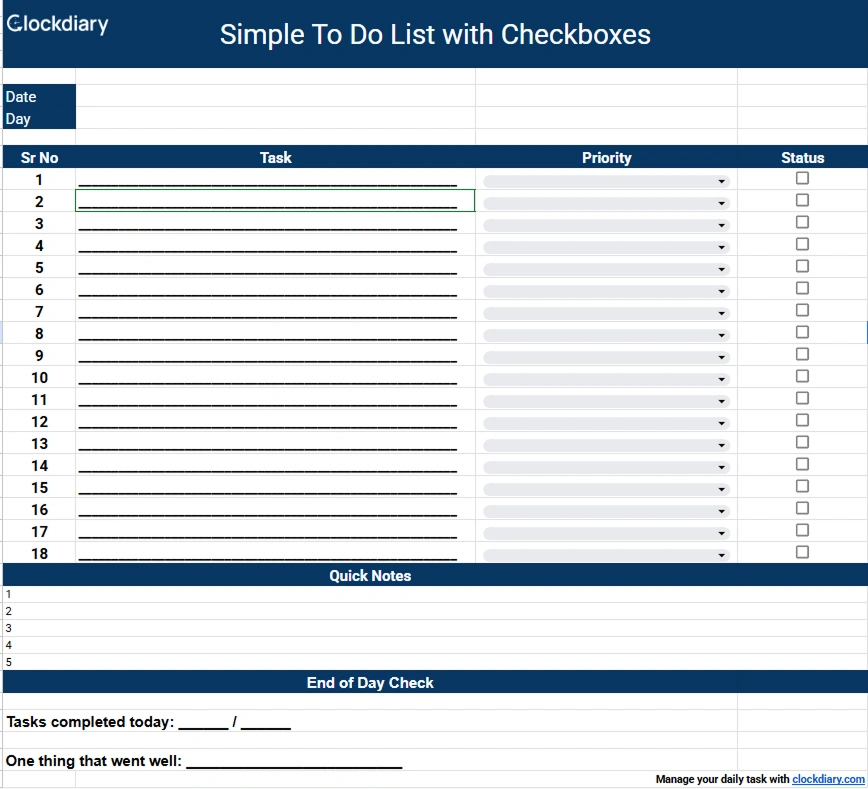
Simple To-Do List with Checkboxes
This template allows you to list tasks and mark them complete using checkboxes. It gives you a clear visual sense of progress and helps you stay motivated as you move through your list. Because it is very easy to use, it works well for both short and long task lists.
Who it is for: Beginners, personal task tracking, and anyone who wants a simple way to manage tasks without extra planning steps.
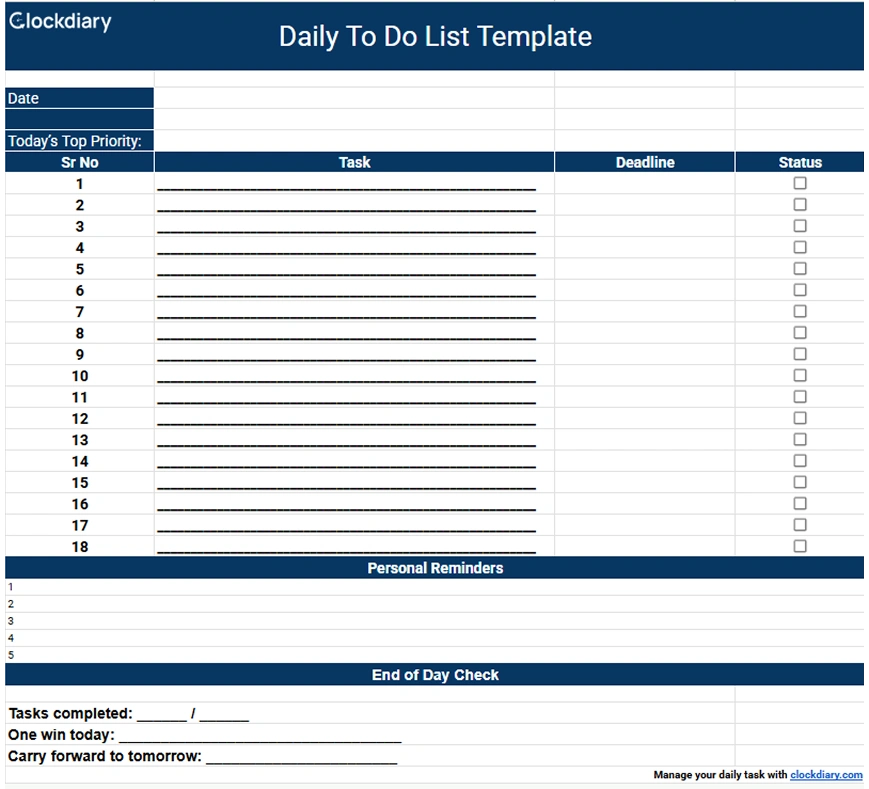
A daily to-do list template helps you focus only on what needs to be done today. It prevents your task list from becoming overwhelming and encourages realistic daily planning. This format is especially helpful when you want to start each day with a fresh and clear plan.
Who it is for: Everyday planning, daily routines, and people who prefer to reset their task list each morning.
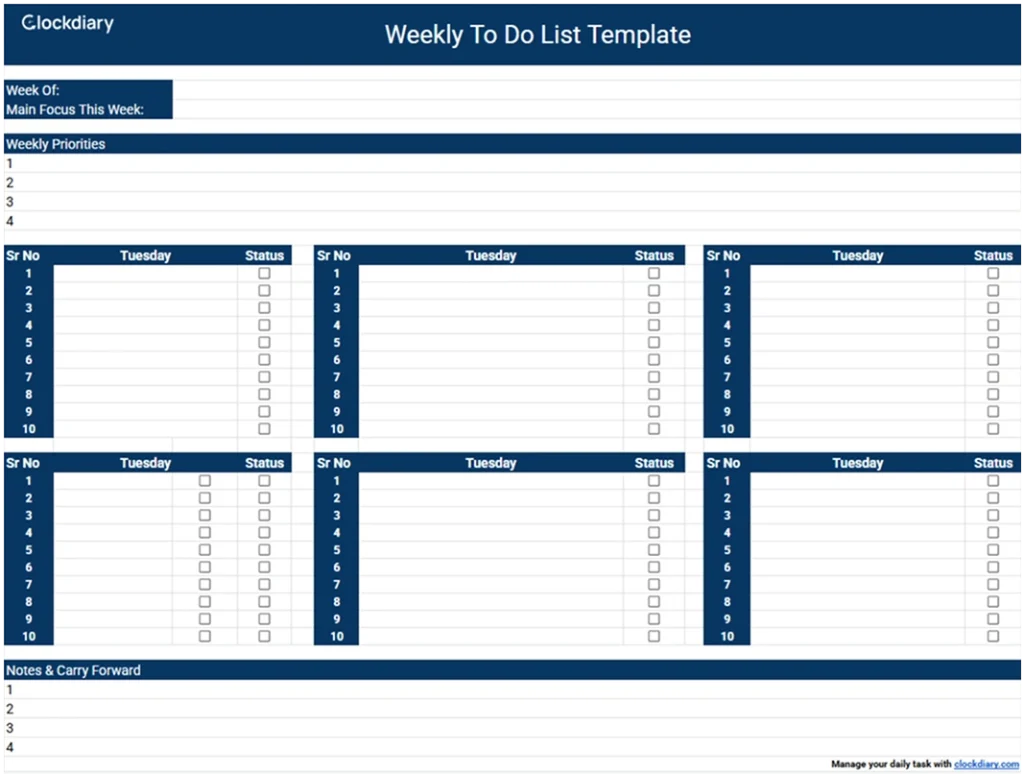
Weekly to-do list templates give you a broader view of your tasks across several days. Instead of planning one day at a time, you can spread tasks throughout the week and balance your workload more effectively. This helps reduce last minute stress and improves time awareness.
Who it is for: Weekly work planning, study schedules, and anyone managing tasks that span multiple days.
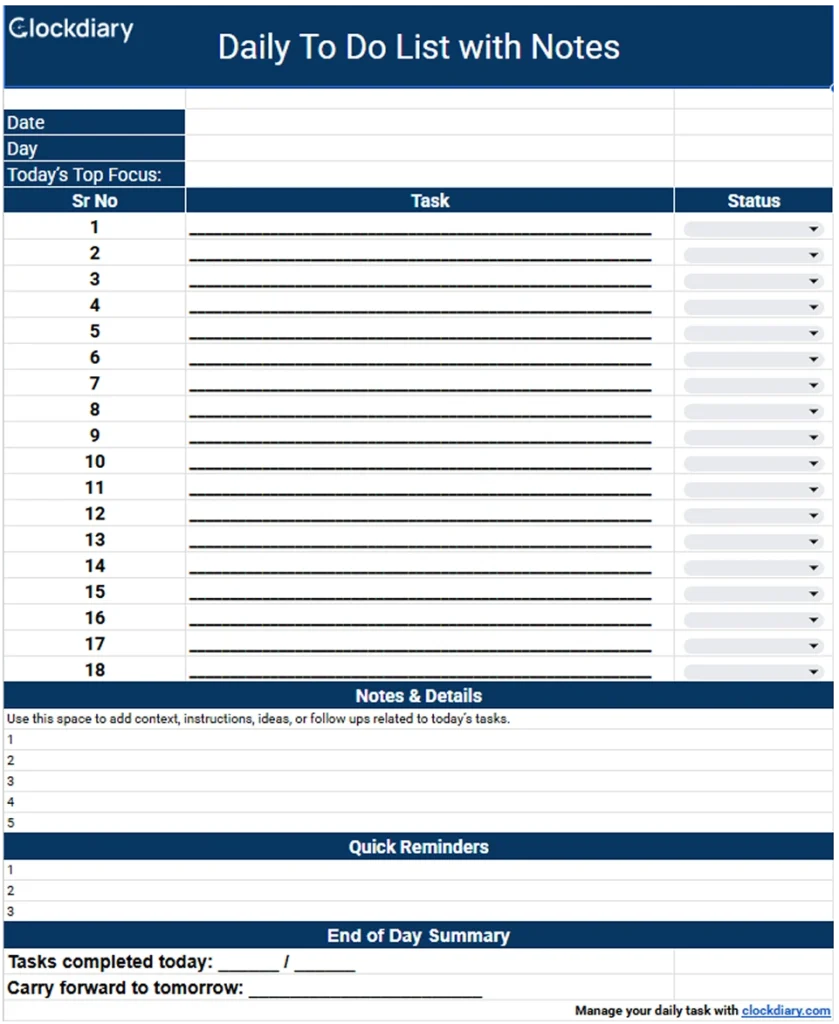
This template includes space for notes alongside each task. It allows you to add instructions, reminders, or small details that help you complete tasks correctly. This is useful when tasks are not self explanatory and need extra context.
Who it is for: Tasks that involve multiple steps, follow ups, or additional information.
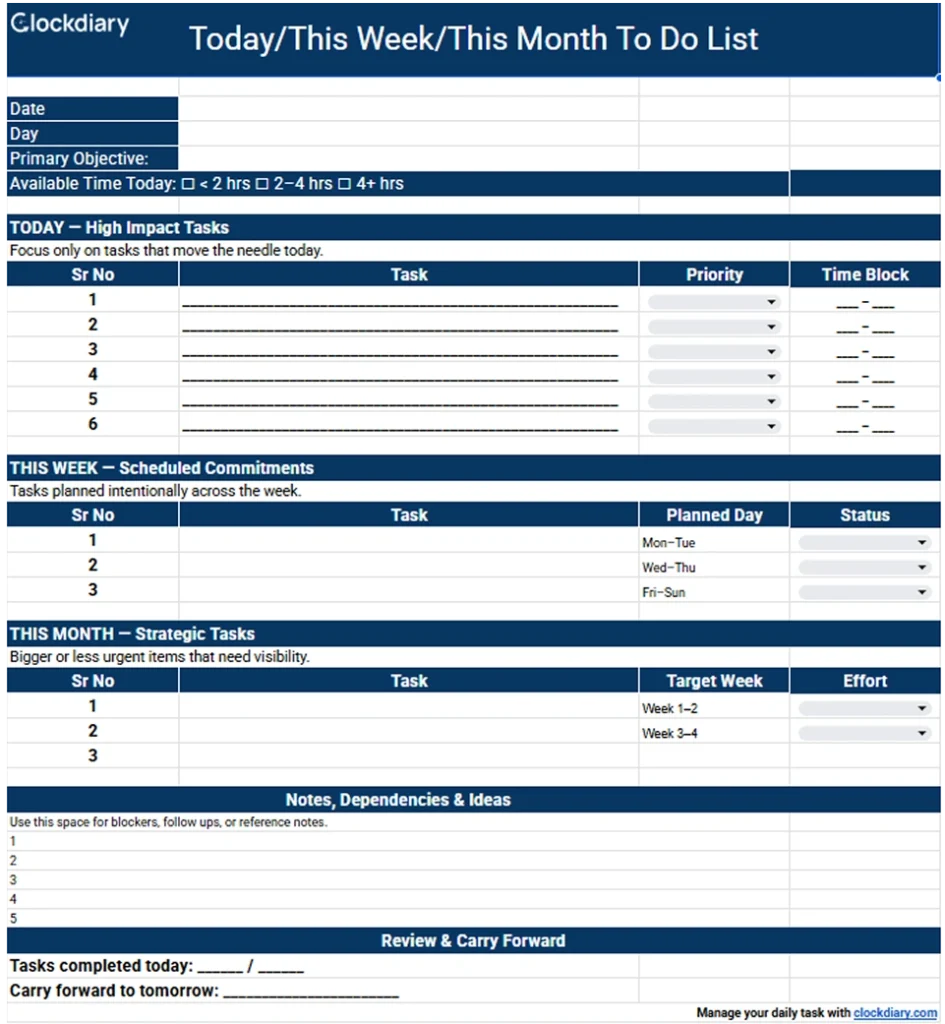
This layout separates tasks based on time frame so you can see what needs immediate attention and what can be done later. It helps you stay organized without mixing urgent tasks with longer term plans. This structure makes prioritization much easier.
Who it is for: Short and mid term planning with a clear overview of priorities and deadlines.
When tasks have deadlines, simple lists are often not enough. Deadline based to-do list templates help you plan work with clear time limits so nothing important gets delayed or forgotten. These templates are especially useful when you are juggling multiple tasks at once.
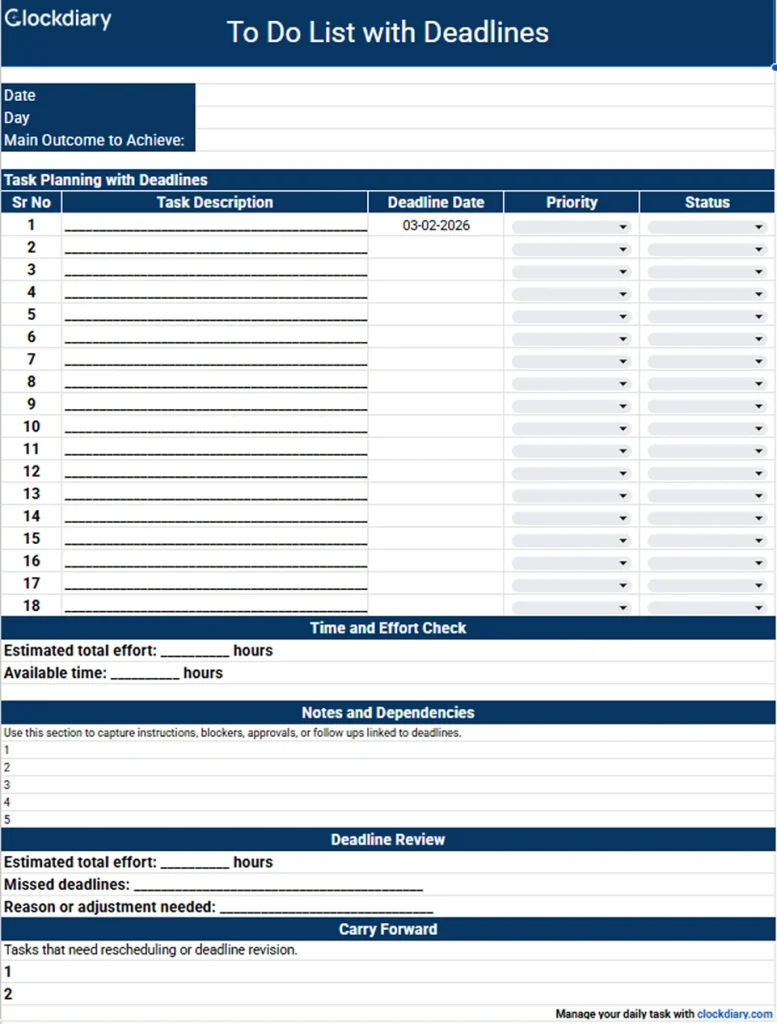
To-Do List with Deadlines
This template helps you attach a clear deadline to every task. Seeing clean due dates next to tasks makes planning more realistic and helps you stay accountable.
How this template helps:
Keeps deadlines visible at all times
Helps you plan tasks in the right order
Reduces last minute rush and missed tasks
How to use it:
Write each task clearly
Add a realistic deadline next to it
Review deadlines daily to stay on track
Who it is for: People managing deadline driven tasks, assignments, or time sensitive work.
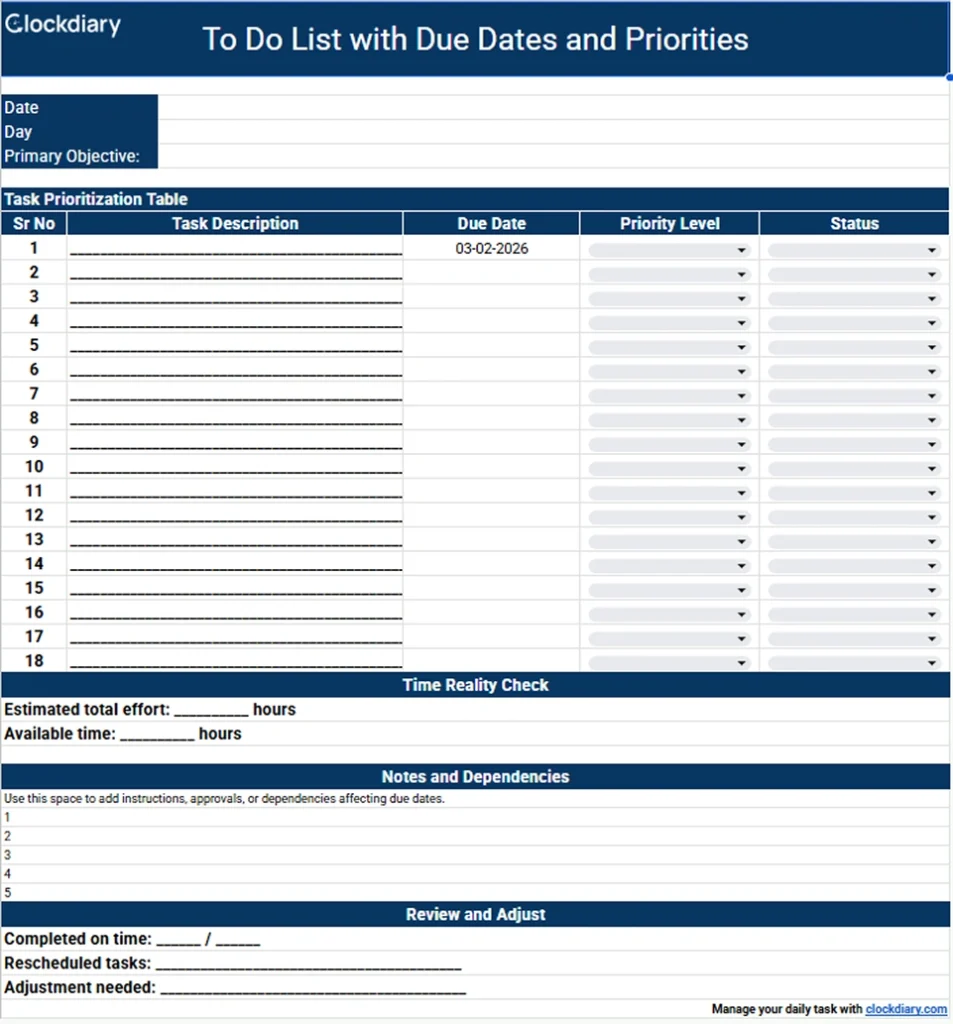
This template goes one step further by combining deadlines with task priority. It helps you understand not only when a task is due, but also how important it is.
How this template helps:
Separates urgent tasks from less important ones
Makes decision making faster
Helps balance workload across the day or week
How to use it:
Assign a priority level to each task
Add due dates for better planning
Focus on high priority tasks first
Who it is for: Busy professionals managing multiple tasks with different urgency levels.
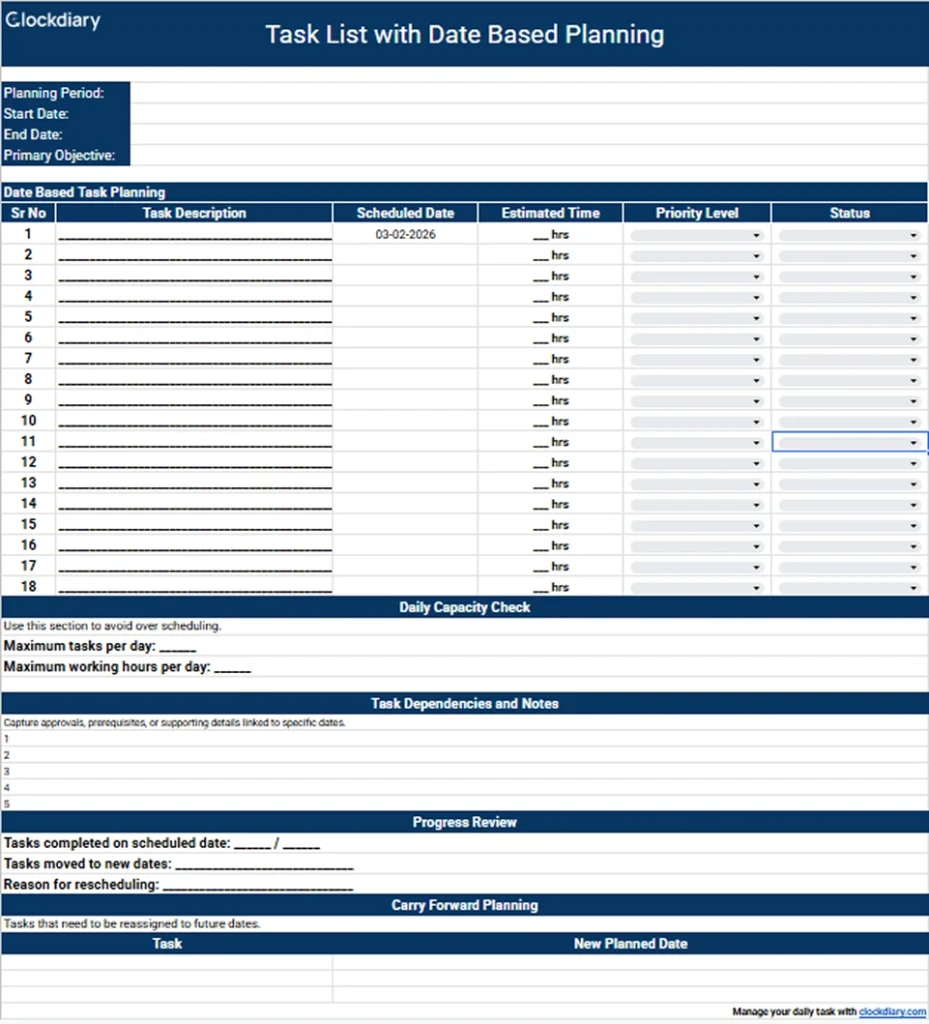
This template organizes tasks by specific dates instead of long lists. It helps you see what needs to be done on each day and keeps planning more structured.
How this template helps:
Gives a clear daily or weekly task view
Prevents overloading a single day
Improves time awareness
How to use it:
Assign tasks to specific dates
Spread work evenly across days
Adjust dates as priorities change
Who it is for: Anyone who prefers structured scheduling and date focused planning.
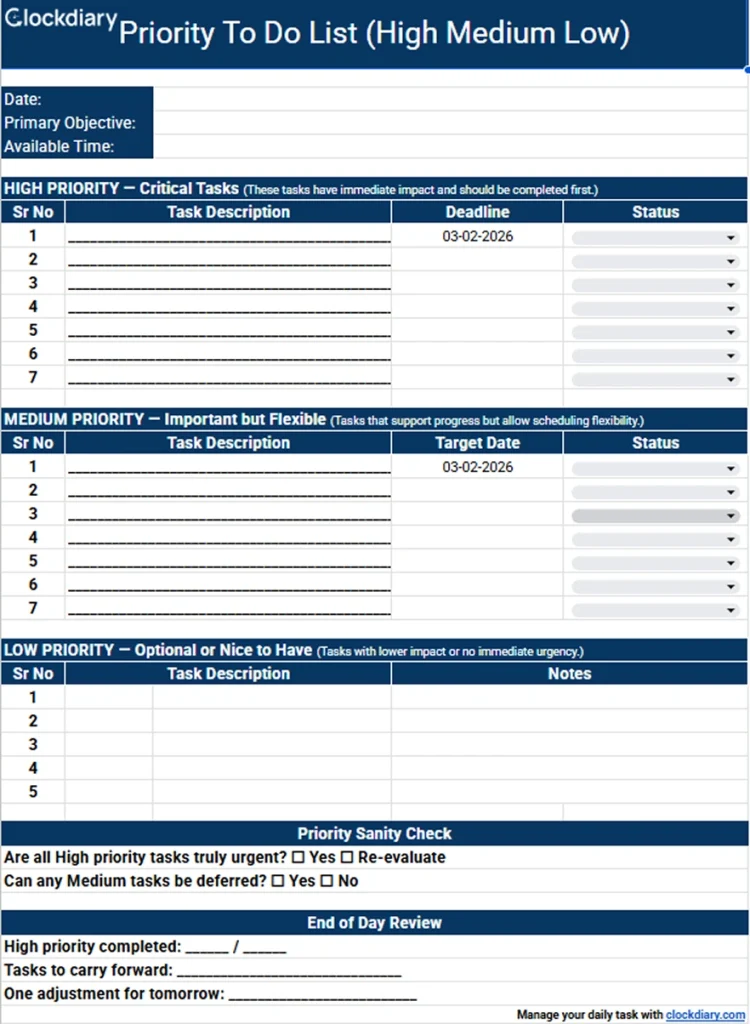
When everything feels important, it becomes hard to decide what to work on first. Prioritized to-do list templates help you sort tasks by importance so your time and energy go to what matters most.
Priority To-Do List (High Medium Low)
This template helps you group tasks based on importance. By clearly separating high, medium, and low priority work, you can focus on urgent tasks without ignoring long term responsibilities.
How this template helps:
Makes task importance easy to see
Reduces decision fatigue
Keeps less urgent tasks from blocking important work
How to use it:
Assign a priority level to each task
Start with high priority items
Review and adjust priorities as needed
Who it is for: People managing multiple responsibilities and needing a clear way to focus.
This template is based on a simple rule: plan one big task, three medium tasks, and five small tasks per day. It keeps daily planning realistic and achievable.
How this template helps:
Prevents overloading your day
Encourages balanced task planning
Improves consistency
How to use it:
Identify one major task
Add three medium and five small tasks
Adjust based on available time
Who it is for: People who want a simple and structured daily planning method.
Personal and home related tasks can quickly pile up if they are not organized. These to-do list templates help you manage everyday responsibilities in a simple and clear way, so home life feels more balanced and less stressful.
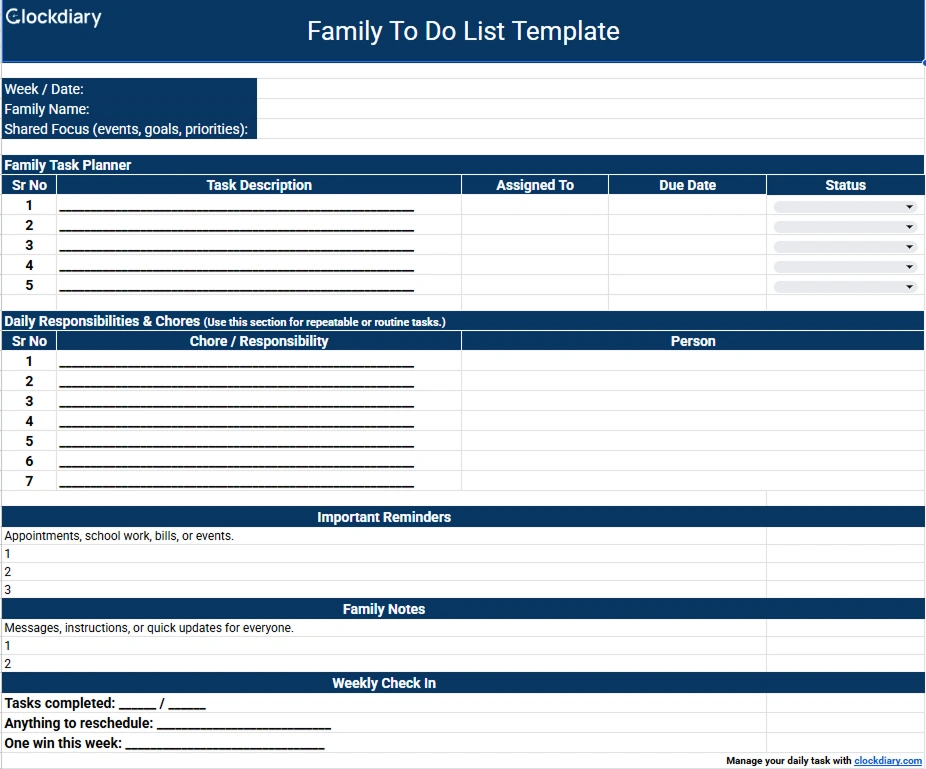
Family To-Do List Template
This template helps organize tasks that involve more than one person. It keeps everyone aware of what needs to be done and avoids confusion around shared responsibilities.
How this template helps:
Keeps family tasks in one place
Improves clarity around shared duties
Helps avoid missed responsibilities
How to use it:
List household tasks
Assign tasks if needed
Review the list together regularly
Who it is for: Families and households managing shared responsibilities.
A daily chores checklist helps you stay on top of everyday home tasks. It breaks down responsibilities into small, repeatable actions that are easy to follow.
How this template helps:
Keeps daily tasks organized
Prevents chores from piling up
Builds a simple daily routine
How to use it:
List recurring chores
Check off tasks as they are completed
Reset the list each day
Who it is for: Anyone managing regular household chores.
This template helps you plan cleaning tasks across the week instead of doing everything at once. It makes cleaning more manageable and less overwhelming.
How this template helps:
Spreads cleaning tasks across days
Helps maintain a clean home
Reduces stress around cleaning
How to use it:
Assign cleaning tasks to specific days
Follow the schedule throughout the week
Adjust tasks based on your routine
Who it is for: People who want a structured and consistent cleaning plan.
This template focuses on organizing spaces and removing unnecessary items. It helps you declutter step by step instead of trying to do everything at once.
How this template helps:
Breaks decluttering into smaller tasks
Helps you stay focused
Makes organizing more achievable
How to use it:
List areas to declutter
Work through one area at a time
Track progress as you go
Who it is for: Anyone looking to organize their home and reduce clutter.
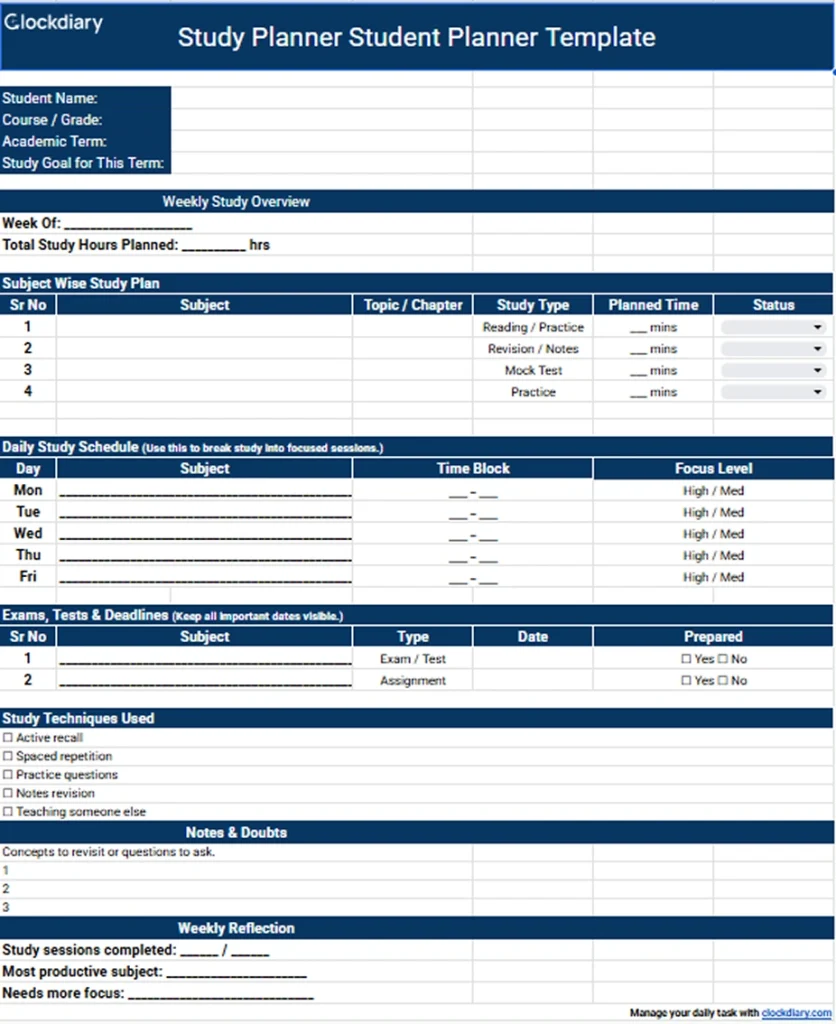
Students often juggle classes, assignments, exams, and personal tasks at the same time. These to-do list templates help students stay organized, manage deadlines, and plan study time more effectively without feeling overwhelmed.
Homework To-Do List
This template helps students keep track of homework and assignments for different subjects. It makes deadlines clear and helps avoid last minute rush.
How this template helps:
Keeps assignments organized by subject
Makes due dates easy to see
Reduces forgotten or late submissions
How to use it:
List assignments for each subject
Add due dates
Check off tasks once completed
Who it is for: School and college students managing regular homework and assignments.
Work related tasks often involve deadlines, meetings, and multiple responsibilities. These to-do list templates are designed to help you stay organized, manage workloads, and keep work tasks clear and structured throughout the day.
Work Schedule and Task List Template
This template combines task planning with work schedules. It helps you organize daily responsibilities while keeping track of what needs to be done during work hours.
How this template helps:
Keeps work tasks organized in one place
Helps balance workload across the day
Improves clarity around daily responsibilities
How to use it:
List work tasks for the day
Arrange them based on priority or time
Review progress before the workday ends
Who it is for: Office workers, remote professionals, and anyone managing daily work tasks.
How to Create a To-Do List Template in Excel or Google Sheets
Creating your own to-do list template in Excel or Google Sheets gives you full control over how you plan tasks. You can keep it simple or customize it based on how you work.
Essential columns
Start with the basics. Most to-do list templates work well with a few simple columns such as task name, priority, due date, and status. These columns help you understand what needs to be done and when.
Adding checkboxes
Checkboxes make it easy to track completed tasks. In Google Sheets, you can insert checkboxes directly into cells. This makes your list more interactive and helps you see progress at a glance.
Dropdown status fields
Dropdown menus help keep task statuses consistent. Instead of typing status manually, you can choose options like not started, in progress, or completed. This keeps your list clean and organized.
Sorting and filtering tasks
Sorting and filtering help you focus on what matters most. You can sort tasks by priority or due date, or filter the list to show only unfinished tasks. This makes daily planning faster and more efficient.
How to Use a To-Do List Templates Effectively
Having a to-do list template is helpful, but using it the right way makes the real difference. Small changes in how you plan tasks can improve focus and help you get more done without feeling overwhelmed.
Write tasks in a clear and actionable way so you know exactly what needs to be done.
Break large tasks into smaller steps to make them easier to start and finish.
Estimate how much time a task might take to avoid overloading your day.
Review your list daily and update it based on progress or changing priorities.
Using your to-do list regularly and keeping it realistic will make planning feel natural instead of forced.
Why To-Do Lists Work Better When You Track Time
A to-do list helps you decide what to work on, but time tracking helps you understand how your time is actually spent. When both are used together, task planning becomes more realistic, focused, and results-driven.
You get realistic estimates for daily planning Most people underestimate how long tasks take, which leads to unfinished work and rushed days. Tracking time shows how much effort tasks actually require, making it easier to plan your day using proven time management strategies.
You identify time-consuming and low-value tasks When you track time alongside your to-do list, patterns become visible. You can clearly see which tasks consume most of your day and which ones deliver results, helping you focus on work that truly improves productivity.
You improve focus and reduce distractions Tracking time creates a natural sense of accountability. When a task is timed, you are more likely to stay focused, avoid multitasking, and work with intention, which aligns closely with effective time tracking tips.
You prioritize tasks based on effort, not assumptions A simple to-do list shows priority, but time data shows impact. This makes it easier to decide what to do first and what can wait, supporting better task prioritization and smarter workload planning.
You build consistent and measurable work habits Over time, combining to-do lists with time tracking turns daily planning into a repeatable system. Instead of guessing where your time goes, you work with actual data and build habits that support long-term efficiency and balance.
How to Track To-Dos with Clockdiary
racking to-dos with Clockdiary starts by creating tasks and assigning them to specific projects so all your work stays organized in one place while you track time using a reliable time tracker.
As you begin working on a task, you can start the timer to record the exact time spent, which helps you understand how long different types of work actually take and build better daily planning habits.
Clockdiary allows you to track tasks in real time or log time manually, making it flexible for both structured workdays and variable schedules where tasks change frequently.
By reviewing tracked time against completed to-dos, you can spot patterns, identify distractions, and improve efficiency without relying on guesswork, which is why many users prefer using dedicated time tracking apps alongside task lists.
Over time, using Clockdiary to track to-dos helps you plan workloads more realistically, stay accountable to your priorities, and turn simple task lists into a consistent productivity system.
Does Google have a to-do list template?
Google does not offer a dedicated to-do list template, but you can create simple task lists using tools like Google Docs, Google Sheets, or Google Tasks. Many users prefer ready-made to-do list templates because they are faster to set up, easier to customize, and better suited for structured planning.
What is the best to-do list template format?
The best to-do list template format depends on how you plan to use it. Printable PDF templates work well for handwritten planning, Excel templates are ideal for structured tracking and sorting, and Google Sheets templates are best for digital access and collaboration. Choosing the right format helps you stay consistent with your planning routine.
What is the 1-3-5 rule?
The 1-3-5 rule is a simple task planning method where you focus on one big task, three medium tasks, and five small tasks in a day. This approach prevents overloading your to-do list and helps you set realistic daily goals, making it easier to complete important work without feeling overwhelmed.
What is the GTD to-do list method?
The GTD, or Getting Things Done method, is a productivity system that focuses on capturing all tasks, organizing them into clear categories, and breaking them into actionable steps. A GTD-style to-do list helps reduce mental clutter and supports better focus by clearly defining what needs to be done next. You can learn more about this approach in the detailed guide on the Getting Things Done method.
Daily vs weekly to-do list: which is better?
A daily to-do list is best for managing short-term tasks and building daily focus, while a weekly to-do list works better for planning ahead and balancing workloads across several days. Many people use both together by outlining priorities weekly and breaking them down into daily actions.
How do I create a checklist in Excel?
You can create a checklist in Excel by listing tasks in rows and adding checkboxes using Excel’s form controls or symbols. Excel also allows you to sort, filter, and track progress, which makes it useful for more detailed planning. For a step-by-step approach, Excel-based task planning works especially well alongside structured time tracking templates.
How do I prioritize tasks effectively?
Effective task prioritization starts with identifying what is urgent and what is important. Techniques like priority labels, effort-based sorting, or decision matrices help you focus on tasks that matter most. Clear prioritization reduces stress and supports better decision-making during busy days.
How do I track time spent on tasks?
You can track time spent on tasks by using a timer or logging time manually as you work through your to-do list. Tracking time helps you understand where your day goes and plan future tasks more accurately. Many people combine to-do lists with dedicated time tracking tools to improve focus and productivity.


 Kapil Garg