What Is Activity Tracking in Remote Work? A Complete Guide
 Kapil Garg |
Updated: April 20, 2026
Kapil Garg |
Updated: April 20, 2026
- What Is Activity Tracking in Remote Work?
- Types of Activity Tracking in Remote Work
- Key Benefits of Activity Tracking for Remote Teams
- Challenges and Ethical Considerations
- How to Implement Activity Tracking the Right Way
- How clockdiary's Activity Tracker Supports Remote Teams
- Frequently Asked Questions
- What Is Activity Tracking in Remote Work?
- Types of Activity Tracking in Remote Work
- Key Benefits of Activity Tracking for Remote Teams
- Challenges and Ethical Considerations
- How to Implement Activity Tracking the Right Way
- How clockdiary's Activity Tracker Supports Remote Teams
- Frequently Asked Questions
Managing a remote team comes with one persistent challenge: you can't see your team working. You're relying on trust, check-ins, and the occasional status update to know whether things are moving forward. That's where activity tracking in remote work comes in. It gives managers and team leaders a structured, data-backed view of how work is happening, without needing anyone to be physically present.
Whether you're running a fully distributed company or managing a hybrid workforce, understanding what activity tracking is, how it works, and how to use it ethically can make a real difference in team performance. In this guide, we'll walk through everything you need to know, including how a tool like clockdiary can make the whole process straightforward.
Key Takeaways
- Activity tracking in remote work refers to the use of software to monitor how employees spend their working hours, including time on tasks, app usage, and active vs. idle periods.
- It helps managers identify productivity bottlenecks, balance workloads, and provide data-driven feedback, without resorting to micromanagement.
- Ethical activity tracking requires transparency, clearly defined scope, and a focus on team-wide insights rather than invasive individual surveillance.
- The most effective remote monitoring tools combine activity tracking with time tracking, task management, and reporting in a single platform.
- clockdiary's built-in Activity Tracker gives remote teams real-time visibility into working patterns while keeping the experience simple and non-intrusive.
What Is Activity Tracking in Remote Work?
Activity Tracking Defined
Activity tracking in remote work is the practice of using software to monitor, record, and analyze how employees use their work time when they're not in a shared office. It typically captures data such as active working hours, applications used, websites visited, task progress, and idle time. The goal is not to spy on employees, but to replace the natural visibility that exists in a physical workplace with structured digital data.
In an office, a manager can see at a glance whether their team is engaged, whether someone is struggling with a task, or whether the workload is unevenly distributed. Remote work removes that visibility. Activity tracking restores it in a way that's objective, consistent, and not dependent on constant check-in meetings.
Important distinction. Activity tracking is not the same as surveillance. Done right, it focuses on work patterns and outputs rather than capturing every keystroke or screenshot every few minutes. The purpose is to support performance, not to watch employees.
Why It Matters for Remote Teams
Remote work has become a permanent fixture for a large portion of the global workforce. As of early 2025, nearly 80% of employees in jobs that can be done remotely are working either fully remote or in a hybrid arrangement. That's a significant portion of the workforce operating outside the direct line of sight of their managers.
Without some form of activity tracking, managers often fall into two traps: either they over-rely on meetings to stay informed (which drains everyone's focus time), or they assume things are fine until a deadline is missed. Neither approach is scalable, and neither is fair to the employees who are doing great work but receiving no recognition because their effort isn't visible.
Types of Activity Tracking in Remote Work
Not all activity tracking works the same way. Different tools capture different types of data, and knowing what each type covers will help you choose the right approach for your team.
Time and Hours Tracking
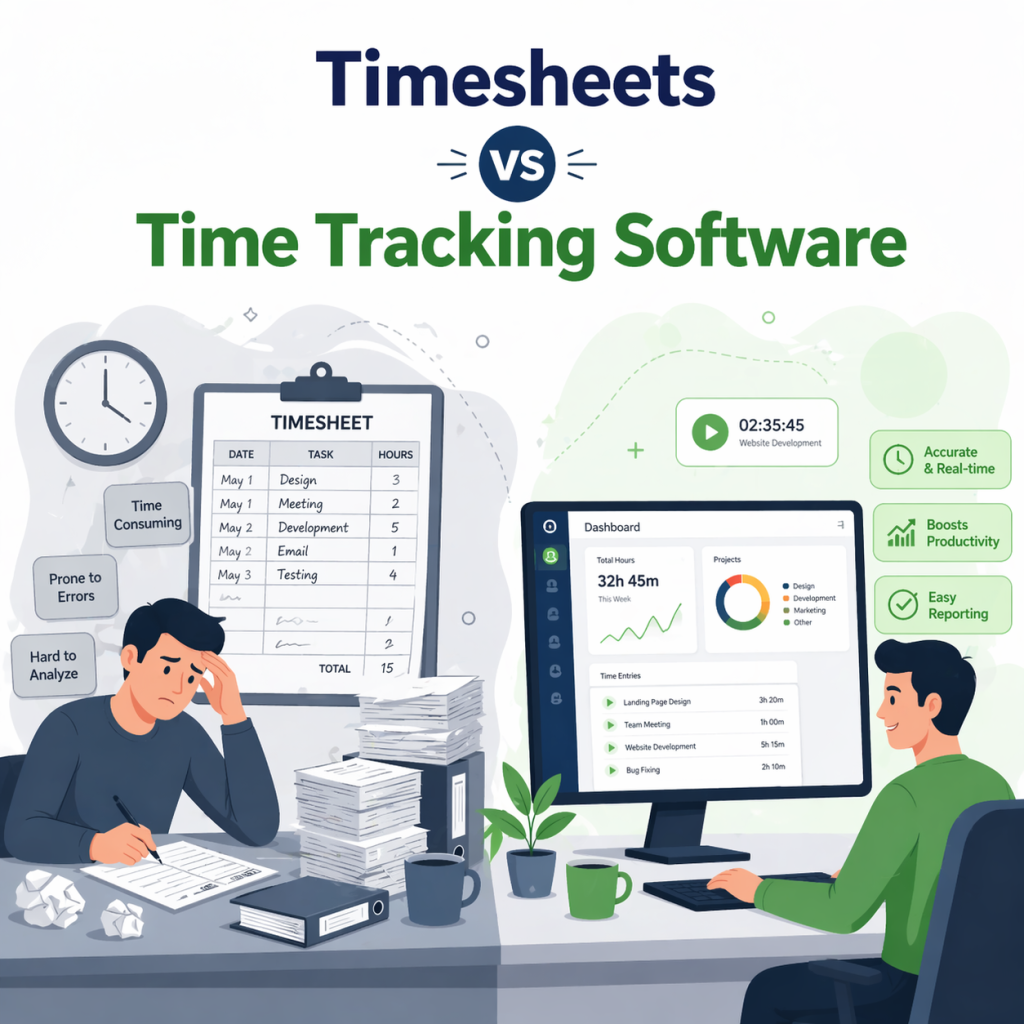
This is the most fundamental form of activity tracking. Time tracking records when an employee starts and stops working, how long they spend on specific tasks or projects, and their total hours in a day. It's the foundation of most remote monitoring strategies because it answers the most basic question: when is this person working, and for how long?
Time tracking data feeds into payroll, project billing, and performance assessments. It's also valuable for identifying overwork before it becomes burnout. If someone is consistently logging 10-hour days, that's a signal worth acting on before the problem gets worse.
App and Website Usage Monitoring
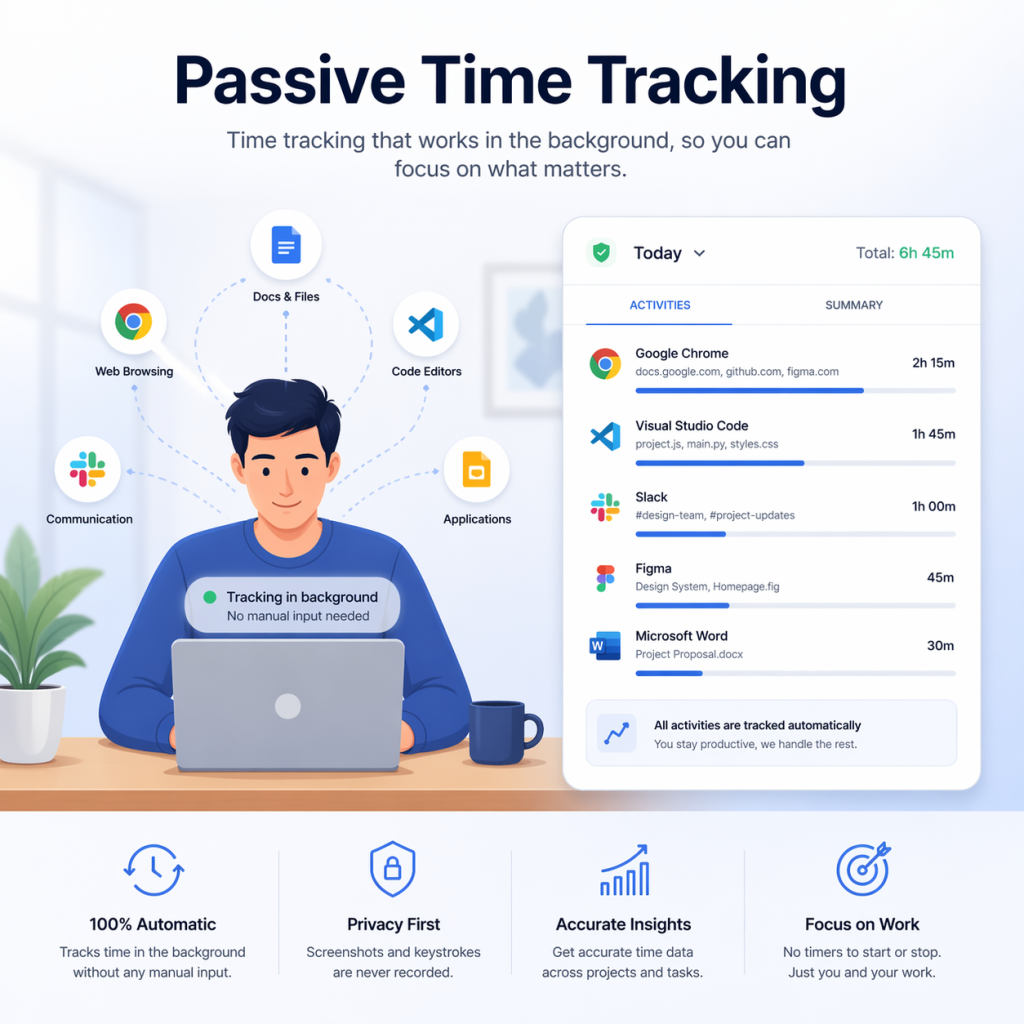
This type of tracking captures which applications and websites an employee uses during work hours. It shows whether someone is spending time in their project management tool, a coding environment, or a communication platform, or whether they're drifting toward social media, streaming services, or other non-work activities. This data is especially useful for identifying productivity patterns across a team and spotting which tools are actually being used versus which ones employees avoid.
App usage monitoring doesn't need to be invasive to be effective. Many teams use it at a category level rather than a specific URL level, which gives meaningful insight without crossing into surveillance territory.
Task and Project Tracking
Rather than tracking time at a general level, task-based activity tracking ties hours to specific deliverables. You can see not just that someone worked for six hours, but that they spent three of those hours on a particular feature build and two hours reviewing pull requests. This kind of output-focused tracking is widely considered the most effective approach because it connects effort to results.
When task tracking is combined with project timelines, managers can see whether work is progressing at the right pace and where bottlenecks are forming before they become serious issues.
Idle Time and Active Session Monitoring
Idle time monitoring distinguishes between when an employee is actively using their computer and when they are not. It helps separate genuine focus periods from time when the computer is on but work isn't happening. Some tools use mouse movement and keyboard activity to measure this, while others simply track active app windows.
Used carefully, idle time data can highlight natural work rhythms rather than judge employees for taking breaks. It can also reveal when someone is struggling to focus, which is a coaching opportunity rather than a disciplinary one.
Key Benefits of Activity Tracking for Remote Teams
When implemented thoughtfully, activity tracking delivers real, measurable value to both managers and employees. Here's what it actually does for remote teams.
Improved Productivity and Focus
Knowing that work activity is being tracked creates a natural accountability loop. Employees are less likely to drift toward distractions when they know their work patterns are visible. Research consistently shows that this effect is significant: remote workers experience a 35% to 40% productivity increase when workloads are balanced and distractions are minimized, according to data from ActivTrak.
Beyond individual focus, activity data helps teams identify patterns. If everyone's productivity dips between 2pm and 4pm, that might be the wrong time to schedule collaborative work. If one team member consistently has high active hours but low task completion, there may be an underlying workflow issue worth addressing.
Better Accountability Without Micromanagement
One of the biggest misconceptions about activity tracking is that it's just a digital version of standing over someone's shoulder. Done well, it's actually the opposite. Instead of managers having to ask "What are you working on?" every hour, the data answers that question automatically. This removes the need for constant check-ins and lets managers focus on actual coaching rather than status monitoring.
Employees also benefit. High performers get recognized for their effort because their work patterns are visible, not just their end results. And newer employees have a clearer picture of expectations because the data reflects what strong performance actually looks like in practice.
Data-Driven Decisions and Workload Balance
Activity data tells you things you can't learn from a status update. You can see which employees are consistently overloaded and which ones have capacity. You can identify which projects are taking longer than estimated and why. You can spot when someone's activity patterns shift sharply, which might signal burnout, disengagement, or a personal issue that needs attention.
All of this turns management from a reactive role into a proactive one. Instead of finding out about a problem when a deadline is missed, you catch it when the data shows warning signs. That's a far better position to be in, for the manager and for the employee.
Challenges and Ethical Considerations
Activity tracking is genuinely useful, but it also comes with real risks if handled carelessly. The challenges are worth taking seriously because getting this wrong can damage trust, morale, and even expose your company to legal liability.
Privacy Concerns and Legal Compliance
Different countries and states have very different laws governing employee monitoring. In the European Union, GDPR requires that monitoring be limited to what's necessary and proportionate, and employees must be clearly informed. In the United States, the rules vary by state, with some states requiring explicit notice before monitoring begins. In Canada, PIPEDA requires that the benefit of monitoring demonstrably outweighs the privacy cost.
Even where monitoring is legally permitted, collecting more data than you actually need is both risky and counterproductive. Keystroke logging, continuous screenshot capture, and webcam monitoring are examples of approaches that go beyond what most remote teams actually need and that tend to generate strong negative reactions from employees. Stick to work-relevant data collected only during work hours.
Legal tip. Before rolling out any activity tracking software, consult with a legal professional familiar with the employment and privacy laws in the jurisdictions where your employees are located. Requirements vary significantly across the US, EU, UK, Canada, and Australia.
Trust, Morale, and the Surveillance Trap
Even when activity tracking is implemented legally and with good intentions, it can backfire if it feels invasive to employees. A major American insurance company discovered this the hard way when it implemented monitoring software without adequate communication: 70% of its workforce reported feeling their privacy was being violated, and morale dropped significantly before the company overhauled its approach.
The difference between activity tracking that builds trust and tracking that destroys it often comes down to three things: transparency about what's being monitored, clarity about why it's being done, and giving employees access to their own data. When employees can see the same information their managers see, monitoring shifts from something that's done to them to something that supports them.
How to Implement Activity Tracking the Right Way
Getting activity tracking right isn't complicated, but it does require some deliberate planning. These four steps will set you up for a successful rollout that your team can actually get behind.
Step 1: Set Clear Goals and Scope
Before you choose a tool or write a policy, decide exactly what you're trying to achieve. Are you trying to improve project estimation accuracy? Reduce meeting overload by understanding where time actually goes? Identify who needs support and who's ready to take on more responsibility? The answers to these questions determine what you need to track and, just as importantly, what you don't need to track.
Define the scope explicitly: which devices will be monitored, during which hours, and which types of data will be collected. Anything outside that scope should be off-limits, and your policy should say so clearly.
Step 2: Communicate Transparently With Your Team
Tell your team what you're doing, why you're doing it, and how the data will be used before you turn anything on. Hold a team meeting or Q&A session where employees can ask questions. Share a written policy that explains exactly what's tracked, who can see the data, how long it's retained, and what it will and won't be used for.
This step is not just about legal compliance. It's the difference between a team that feels supported by their tools and a team that feels surveilled. An Accenture study found that 92% of employees are willing to have their work activity data collected as long as it's being used to improve their performance or well-being. Give people a good reason, and most of them will be on board.
Step 3: Choose the Right Tool
The best activity tracking tools for remote teams combine multiple capabilities in a single platform: time tracking, task management, activity monitoring, and reporting. Look for tools that collect only work-relevant data, give employees visibility into their own stats, are easy to use without constant manual input, and integrate with the project management tools your team already uses.
Avoid tools that require keystroke logging, continuous screenshots, or webcam monitoring unless there is a very specific, legally compliant reason to use those features. For most remote teams, these approaches generate more friction and resentment than insight.
Step 4: Review Data Regularly and Act on It
Activity tracking data is only useful if someone is actually looking at it and using it to make decisions. Set a regular cadence for reviewing reports, whether that's weekly for individual performance or monthly for team-wide trends. Share relevant insights with your team in a constructive way rather than using data as a gotcha mechanism.
The goal is continuous improvement, not punishment. If the data shows a pattern worth addressing, have a conversation. If it shows someone is doing exceptional work, recognize it. The data is a starting point for dialogue, not a substitute for it.
How clockdiary's Activity Tracker Supports Remote Teams
clockdiary was built with remote and hybrid teams in mind. The platform's Activity Tracker feature is designed to give managers the visibility they need without creating the kind of surveillance environment that undermines trust and morale. Here's how it works in practice.
Real-Time Activity Visibility
clockdiary's Activity Tracker monitors how your team members spend their working hours and surfaces that data in clear, actionable reports. You can see active working hours, categorized app and website usage, and time distribution across tasks and projects, all in one place. The data updates in real time, so you always have a current picture of how work is progressing rather than waiting until end-of-week reviews.
Managers can set up team-level dashboards that show aggregate activity data across the whole team, making it easy to spot when one person is overloaded while another has capacity. This workload balancing function is one of the most practically useful applications of activity tracking because it prevents burnout before it happens rather than addressing it after the fact.
Seamless Integration With Time Tracking
What makes clockdiary especially useful is that the Activity Tracker doesn't operate in isolation. It integrates directly with clockdiary's time tracking and timesheet features, so activity data automatically feeds into project timelines, billing records, and payroll calculations. You're not managing three separate tools; everything lives in one place.
Employees can also see their own activity data directly within clockdiary. This transparency turns tracking from a top-down monitoring exercise into something employees can use to improve their own habits and demonstrate their contributions. When team members can see their own productivity patterns, they often become their own best advocates for working more efficiently.
clockdiary also supports teams managing employees across time zones, with flexible schedule settings that ensure activity data is correctly attributed to each employee's local working hours. Whether your team spans two cities or five continents, the platform gives you a consistent view of how work is happening everywhere.
Frequently Asked Questions
Q: What is activity tracking in remote work?
Activity tracking in remote work refers to the use of software tools to monitor and record how remote employees spend their working hours. This typically includes tracking active work time, applications used, websites visited, task progress, and idle periods. The purpose is to give managers visibility into team performance and help identify productivity patterns, without requiring employees to be physically present in an office.
Q: Is it legal to track remote employee activity?
In most jurisdictions, employers can legally monitor employee activity on company devices during work hours, provided employees are informed about the monitoring. However, the specific legal requirements vary significantly. The EU's GDPR requires that monitoring be proportionate and necessary. Some US states require explicit prior notice. Canada, Australia, and the UK each have their own frameworks. Always consult a legal professional before rolling out monitoring software, especially if you have employees in multiple countries.
Q: How is activity tracking different from micromanagement?
Micromanagement involves constant, direct oversight of exactly what someone is doing and how they're doing it, which undermines autonomy and trust. Activity tracking, when done well, is outcome-focused and runs in the background without requiring employees to constantly report their status. The data informs coaching conversations and workload decisions rather than being used to control every minute. The key difference is intent and implementation: good activity tracking supports employees rather than surveilling them.
Q: What should remote activity tracking software include?
A good remote activity tracking solution should include time tracking, task and project-based time logging, app and website usage monitoring, idle time detection, and team-level reporting dashboards. It should also give employees access to their own data, integrate with existing project management tools, and avoid unnecessarily invasive features like keystroke logging or continuous screenshots. Ease of use matters too, since complicated tools tend to be abandoned quickly.
Q: How do I introduce activity tracking to my remote team without creating anxiety?
Be transparent and proactive. Explain what will be tracked, why, and how the data will be used before you roll out any new tool. Hold a team meeting or Q&A session to address concerns. Share a written policy that clearly defines the scope of monitoring. Give employees access to their own activity data so they can see exactly what their managers see. When employees understand the purpose and feel included in the process, they're far more likely to embrace tracking as a helpful tool rather than a threat.
Q: Does activity tracking actually improve remote team productivity?
Yes, when implemented thoughtfully. Research shows that remote workers experience meaningful productivity gains when activity is tracked and workloads are balanced as a result. The combination of natural accountability, better workload distribution, and data-driven coaching tends to improve both individual output and team-wide efficiency. The key is using the data constructively rather than punitively, which means acting on insights to support employees, not to monitor or discipline them.
Q: Can clockdiary track activity for remote employees in different time zones?
Yes. clockdiary supports distributed teams across multiple time zones. The platform allows you to configure working hours and time zones per employee or team, ensuring that activity data is correctly attributed to each person's local schedule. You get a consistent, comparable view of work across your entire remote workforce, regardless of where your team members are located.