Accurate time tracking directly impacts productivity, payroll accuracy, and business profitability. Studies show that inefficient time tracking can cost businesses up to 20 percent of productive work hours due to errors, manual reporting gaps, and unapproved overtime. That is why choosing the best free timesheet apps is no longer optional for growing teams.
With dozens of tools available, selecting the right solution can feel overwhelming. Some offer generous free plans but limit reporting features. Others provide advanced analytics but restrict user access. To simplify your decision, we analyzed and compared the 14 best free timesheet apps in 2026 based on free plan value, ease of use, reporting depth, integrations, mobile accessibility, and scalability.
Whether you manage a remote workforce, run a small business, oversee payroll, or track billable hours as a freelancer, this guide will help you identify the right free timesheet solution for your needs.
The 14 Best Free Timesheet Apps in 2026 (Tested & Compared)
Tracking employee hours should be simple and cost effective. The best free timesheet apps help businesses accurately record work hours, manage payroll, improve productivity, and streamline billing without increasing operational costs.
To help you choose the right solution, we analyzed 14 of the best free timesheet apps in 2026 based on usability, free plan limitations, reporting depth, integrations, mobile access, and overall value. This comparison highlights the strengths, limitations, and ideal use cases for each tool so you can select the one that fits your team’s needs.
Tool
Best For
Free Plan
Key Strength
Starting Price
Clockdiary
AI powered productivity tracking
Yes up to 10 users
AI based time tracking
$2.99 per user per month
Toggl Track
Freelancers and small teams
Yes up to 5 users
Simple real time tracking
$9 per user per month
Hubstaff
Remote workforce monitoring
Limited free plan
GPS and activity tracking
$4 per user per month
Time Doctor
Productivity analytics
Free trial
Detailed monitoring and reports
$6.70 per user per month
QuickBooks Time
Payroll and field teams
Free trial
Payroll and GPS integration
$8 per user per month plus base fee
Harvest
Invoicing and freelancers
Yes limited features
Time tracking with invoicing
$11 per user per month
ClickUp
Task and time management
Yes
All in one productivity suite
$7 per user per month
TimeCamp
Budget friendly tracking
Yes
Automatic time tracking
$1.49 per user per month
Jibble
Attendance and biometric tracking
Yes
Facial recognition attendance
$19.99 per user per month
Paymo
Agencies and project billing
Yes
Project management with billing
$3.90 per user per month
Buddy Punch
Overtime management
Free trial
Overtime calculations
$4.49 per user per month plus base fee
Deputy
Staff scheduling
Free trial
AI powered scheduling
$4.50 per user per month
Timely
AI automatic tracking
Free trial
AI time capture
$9 per user per month
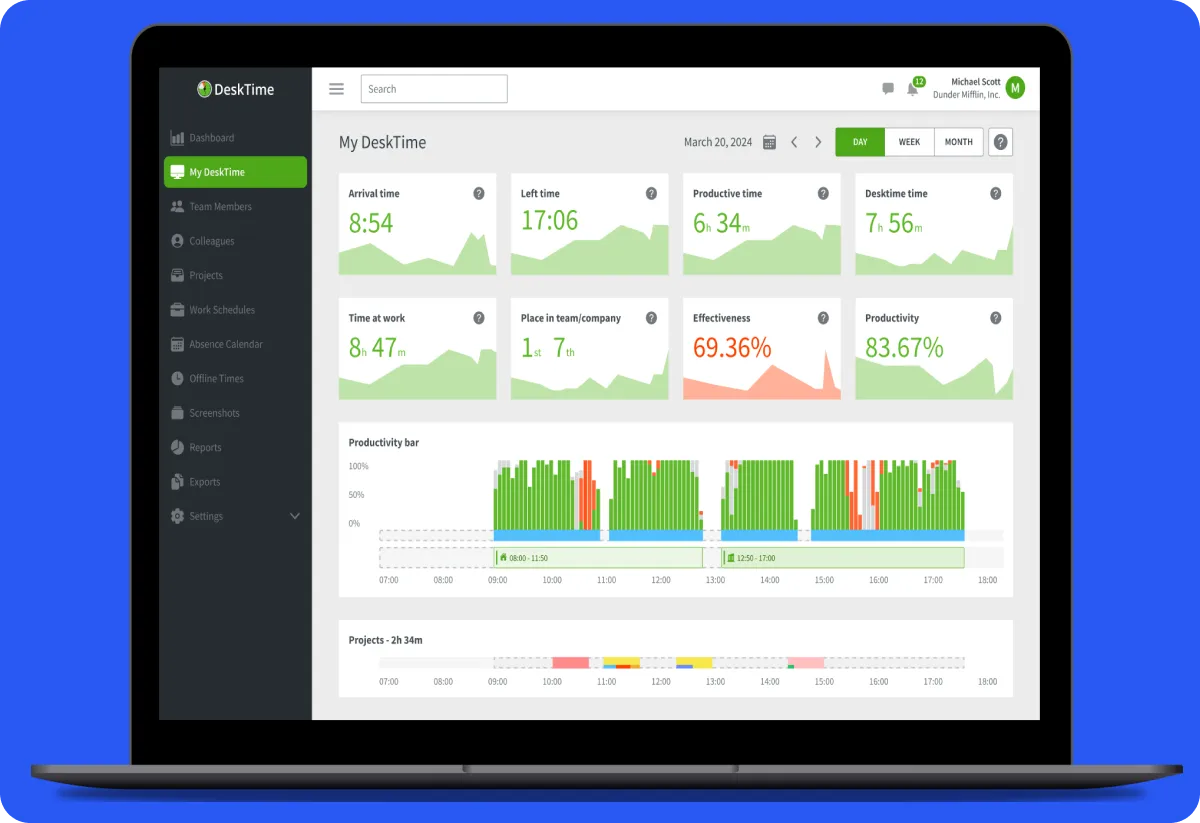
DeskTime
Automatic productivity tracking
Yes one user
App and web activity tracking
$7 per user per month
1. Clockdiary: AI-Powered Time Tracking with Activity Tracker
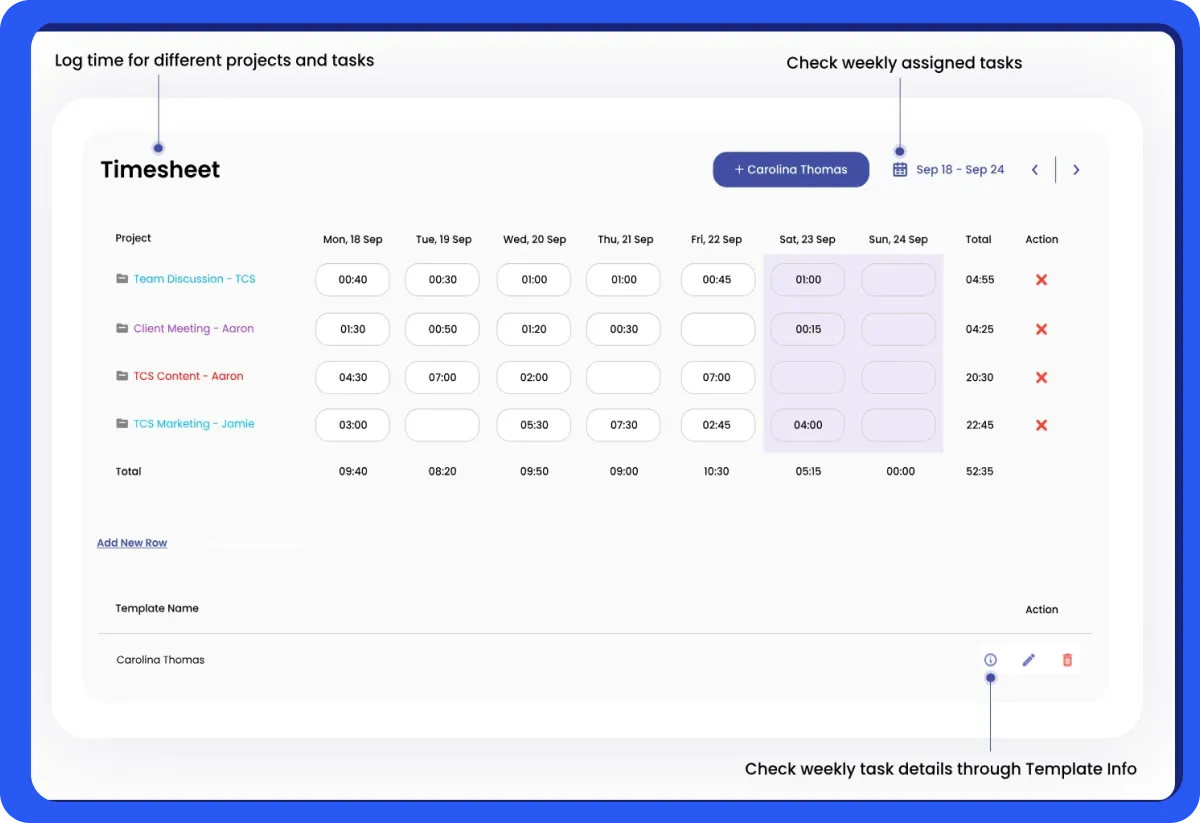
Clockdiary is the best time-tracking and timesheet app or software for small businesses, large organizations, and freelancers designed to enhance productivity for individuals and teams. Its AI-powered features streamline time management and provide insightful analytics like none other. If you are someone wondering, how can i track my work hours for free, this is the one for you.
Key Features:
Automatic and Manual Time Tracking: Clockdiary offers both automatic time tracking, monitoring app and website usage, and manual time entries, providing flexibility for diverse workflows.
Timesheets: Easily log and review work hours and calculate total hours worked with the help of a timesheet calculator, thereby ensuring accurate record-keeping and payroll processing. You can also lock timesheets to ensure logged hours are secured from accidental changes.
AI-Powered Smart Assistant: Clockdiary’s AI assistant recognizes tasks and suggests time entries, streamlining the tracking process.
AI Smart Screen Insights: Provides detailed analysis of time spent on various applications and websites, helping identify productivity patterns.
Track Employee Productivity by AI Rule Engine: Monitors employee activities and generates productivity reports based on predefined AI rules.
Project Management: Enables project and task allocation, budgeting, and progress tracking to ensure projects stay on course.
Billable and Non-Billable Hours Tracking: Functions as a billable hours tracker, aiding in accurate client billing and internal assessments.
Seamless Integrations: Seamlessly integrates with various project management tools like Slack, Trello, and Jira, enhancing workflow efficiency.
Customizable Reports: Generates detailed reports tailored to specific needs, aiding in project analysis and decision-making.
Mobile-friendly: Clockdiary is mobile-friendly, working on both iOS and Android, thus allowing time tracking from any location. This makes it one of the best free time-tracking apps for iPhone or Android.
Limitations:
Advanced Features Require Paid Plan: Some functionalities, such as AI-powered smart assistant and AI smart screen insights, are only available in the “Professional” plan.
Occasional Syncing Issues: Some users have reported occasional syncing problems with integrations.
Free Plan Snapshot:
Free Plan: Includes basic time tracking, timesheet for active work hours, capture screenshots of employee activity, accurate billing, and resource allocation.
Professional Plan: Starts at $2.99 per user/month or $29.99 per user/year, offering additional features like tracking employee productivity by AI Rule Engine and priority ticket handling.
Enterprise Plan: You can customize your plan as per your requirements.
Best for:
Clockdiary is ideal for freelancers, small to medium-sized businesses, and remote teams seeking a user-friendly free timesheet app with time-tracking and other essential features.
2. Toggl Track: Real-Time Productivity Tracking with Intuitive Interface
Toggl Track is a versatile timesheet app designed to enhance productivity through real-time monitoring and an intuitive interface. It caters to individuals and teams seeking efficient project management and insightful reporting.
Key Features:
Real-Time Tracking: Monitor tasks as they occur, ensuring accurate time allocation.
Cross-Platform Accessibility: Available on web, desktop, and mobile applications, allowing seamless tracking across devices.
Comprehensive Reporting: Generate detailed reports to analyze productivity and project progress.
Integrations: Connects with over 100 tools, including Asana, Trello, and Slack, streamlining workflows.
User-friendly Interface: Simplifies time tracking with an intuitive design.
Limitations:
Syncing Issues: Occasional discrepancies in timer synchronization across devices.
Manual Tracking Limitations: Some users prefer more automation in time entry.
Free Plan Snapshot:
Plan
Price (per user/month)
Features
Free
$0
Unlimited time tracking, projects, clients, and exportable reports for up to 5 users.
Starter
$9 (billed annually)
Everything in Free, plus billable rates, time rounding, and project time estimates.
Premium
$18 (billed annually)
All Starter features, plus fixed fee projects, timesheet approvals, project forecasts and analysis.
Enterprise
Custom Pricing
Includes Premium features with dedicated support and tailored solutions.
Best for:
Toggl Track is one of the best time-tracking apps for freelancers, small to medium-sized teams, and businesses seeking a user-friendly time-tracking solution with robust reporting and integration capabilities.
3. Hubstaff: Comprehensive Employee Monitoring for Remote Teams
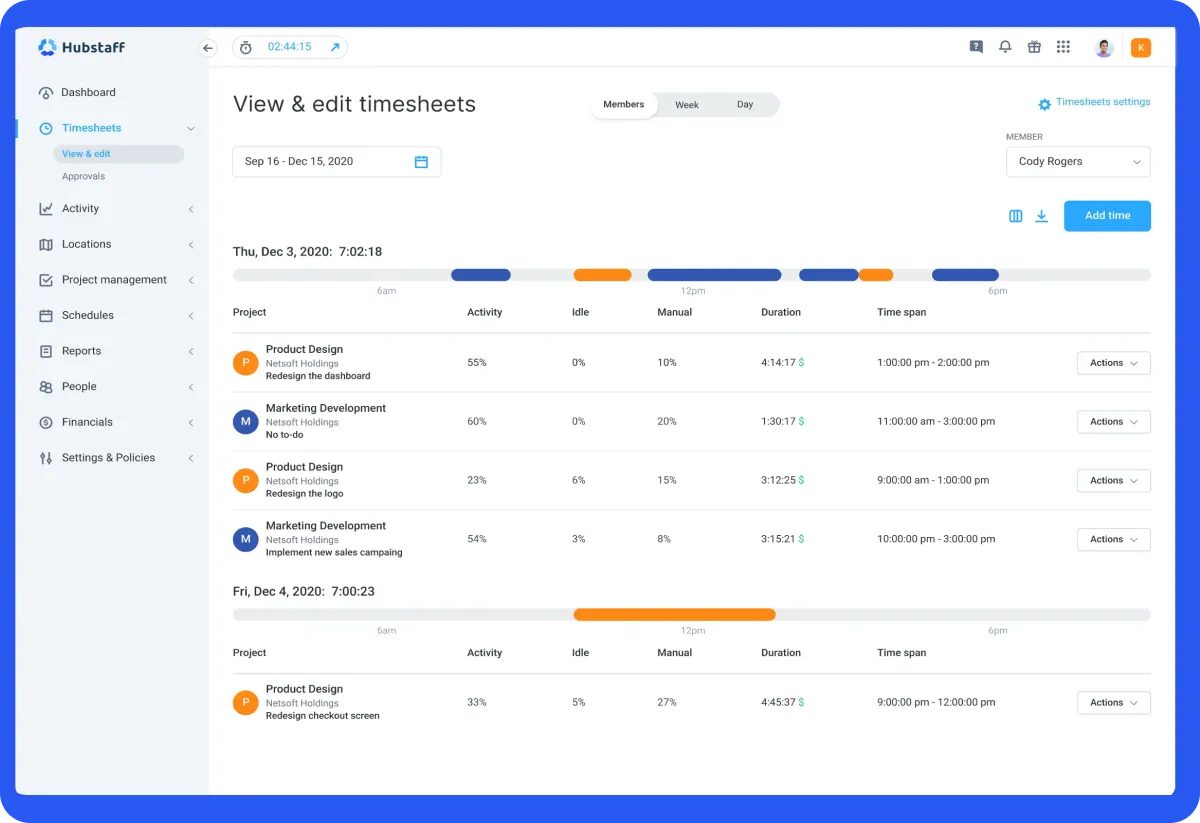
Hubstaff is a comprehensive employee monitoring cum free timesheet app tailor-made for remote teams, offering a suite of features to enhance productivity and streamline operations.
Key Features:
Time Tracking: Accurately records work hours, providing detailed timesheets for efficient project management.
Payroll: Automates payroll processes by integrating tracked hours with payment systems, ensuring timely and precise compensation.
Location Monitoring: Utilizes GPS tracking to monitor employee locations during work hours, ideal for field teams.
Screenshots: Captures periodic screenshots to provide insights into ongoing tasks and employee engagement.
Workforce Analytics Metrics: Delivers in-depth analytics on productivity, highlighting areas for improvement.
Limitations:
Potential Privacy Concerns: The depth of monitoring may raise privacy issues among employees.
Free Plan Snapshot:
Plan
Price
Features
Starter
$4/seat/month
Basic time tracking and productivity tools for small teams.
Enterprise
$25/seat/month
Advanced features, including payroll integration and enhanced reporting.
Best for:
Hubstaff is one of the best free timesheet apps for remote teams and businesses seeking detailed employee monitoring and streamlined payroll processes. Its robust features cater to organizations aiming to enhance productivity and maintain oversight of their distributed workforce.
4. Time Doctor: Detailed Productivity Analytics and Reporting
Time Doctor is one of the best free timesheet apps and productivity tools designed to provide detailed analytics and reporting for businesses aiming to optimize workforce efficiency. Its comprehensive features enable organizations to monitor employee activities and enhance overall productivity.
Key Features:
Time Tracking: Accurately records work hours, allowing for precise billing and payroll processing.
Productivity Analytics: Offers insights into time allocation, helping identify areas for improvement.
Project Management: Facilitates task assignment and progress tracking to ensure timely completion.
Integrations: Seamlessly connects with various tools, enhancing workflow efficiency.
Limitations:
Micromanagement Concerns: Extensive monitoring features may be perceived as intrusive, potentially affecting employee morale.
Potential Performance Impact: Some users have reported that the software can slow down computer performance.
Free Plan Snapshot:
Plan
Price (Per User/Month)
Features
Basic
$6.70
Time tracking, screenshots, timeline reports
Standard
$11.70
Includes all Basic features plus scheduling, leave and break tracking, and more.
Premium
$16.70
Adds advanced features like video screen captures, mouse jiggler & clicker detection.
Best for:
Time Doctor is one of the best free timesheet apps for businesses seeking detailed insights into employee productivity and time management. It’s particularly beneficial for remote teams and organizations aiming to enhance accountability and optimize workflows.
5. QuickBooks Time: Precise Time Tracking with GPS Functionality
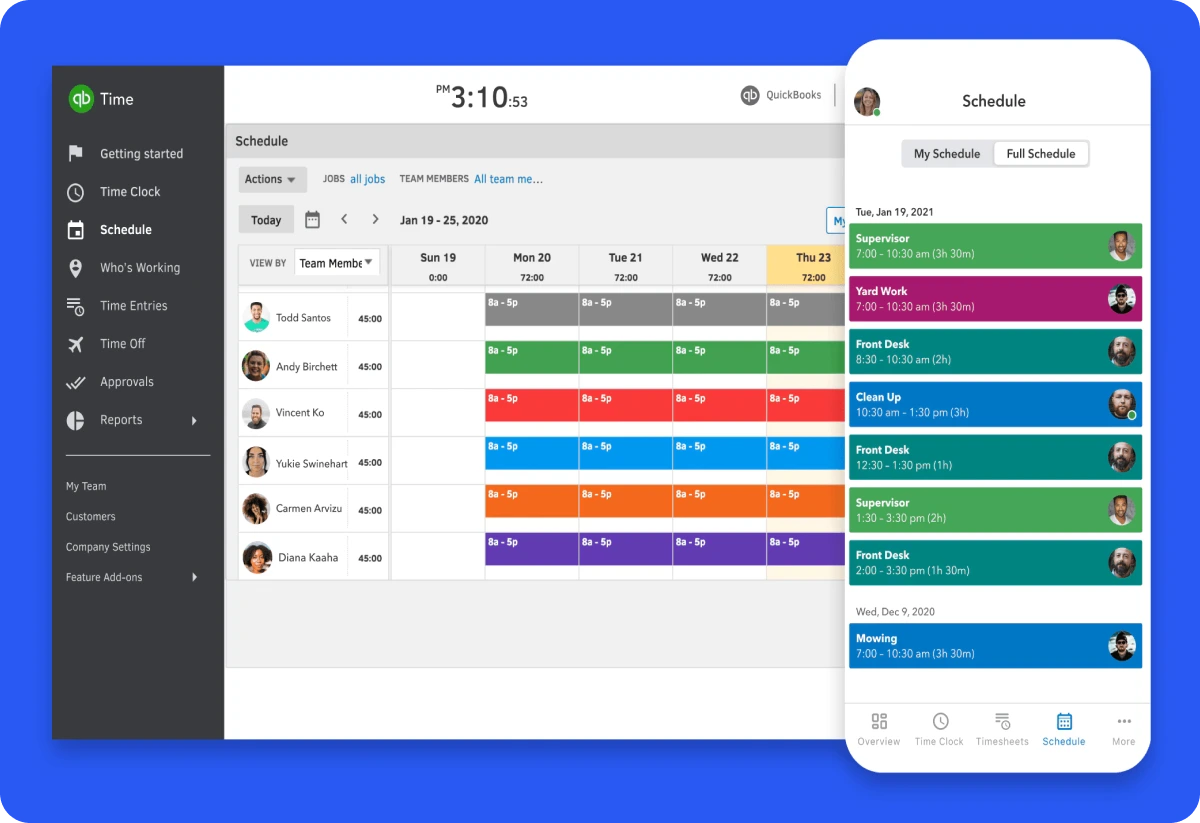
QuickBooks Time, formerly known as TSheets, is another best free timesheet app that offers precise tracking capabilities enhanced by GPS functionality. Designed to streamline workforce management, it caters to businesses seeking accurate timekeeping and location monitoring for their teams.
Key Features:
GPS Tracking: Enables real-time monitoring of employee locations during work hours, ensuring accountability and efficient dispatching.
Mobile Accessibility: Provides a user-friendly mobile app compatible with iOS and Android devices, allowing employees to clock in/out and track time from anywhere.
Integration Capabilities: Seamlessly integrates with various accounting and payroll systems, including QuickBooks, streamlining administrative processes.
Geofencing: Sets virtual boundaries to prompt employees to clock in/out upon entering or leaving job sites, enhancing timekeeping accuracy.
Limitations:
Premium Pricing: Some users find the subscription costs higher compared to other time-tracking solutions.
Mobile App Limitations: Occasional issues with the mobile application, such as syncing problems, have been reported by users.
Free Plan Snapshot:
Plan
Base Fee/Month
User Fee/Month
Features
Premium
$20
$8
Time tracking, GPS functionality, mobile app access, and integrations.
Elite
$40
$10
All Premium features plus geofencing, project tracking, and advanced reporting.
Best for:
QuickBooks Time is ideal for businesses of all sizes seeking precise time tracking combined with GPS functionality. It’s particularly a great free timesheet app for companies with mobile or remote workforces requiring accurate location-based timekeeping.
6. Harvest: Integrated Time Tracking with Invoicing Capabilities
Harvest is a comprehensive free timesheet app and invoicing solution designed to streamline project management and billing processes for businesses of all sizes. Its user-friendly interface and robust features make it a popular choice among professionals seeking efficiency and accuracy in time management and financial operations.
Key Features:
Simple Time Tracking: Harvest offers intuitive time tracking tools, allowing users to start and stop timers with a single click, ensuring accurate logging of hours across various projects and tasks.
Detailed Project Management: The platform provides comprehensive project tracking capabilities, enabling users to monitor progress, allocate resources effectively, and ensure projects stay within budget and on schedule.
Invoicing Capabilities: Harvest seamlessly converts tracked time and expenses into professional invoices, facilitating prompt and accurate client billing. It also supports online payments, expediting the payment process.
Limitations:
Limited Advanced Task Management: While Harvest excels in time tracking and invoicing, it lacks advanced task management features, which may require users to integrate with other project management tools for comprehensive task oversight.
Potential for User Error: Manual time entry can lead to inaccuracies if users input data incorrectly. For instance, entering “2.5” hours might be misinterpreted as 2 hours and 50 minutes instead of 2 hours and 30 minutes.
Free Plan Snapshot:
Plan
Price (Per User/Month)
Features
Free
$0
Basic time tracking for single users.
Pro
$11
Unlimited time tracking, invoicing, and project management features.
Premium
$14
Advanced features including expense tracking, reporting, and integrations.
Best for:
Harvest is one of the best free timesheet apps for freelancers, small to medium-sized businesses, and professional services firms seeking an integrated solution for time tracking and invoicing to enhance productivity and financial accuracy.
7. ClickUp: Comprehensive Task Management and Time Tracking
ClickUp is an all-in-one productivity platform designed to streamline task management and time tracking for teams of all sizes. It makes it to our list of best free timesheet apps with its robust features facilitating seamless collaboration, efficient project oversight, and precise time monitoring, making it a valuable tool for enhancing organizational productivity.
Key Features:
ClickUp Docs: Create and share documents within the platform, ensuring seamless collaboration and centralized information storage.
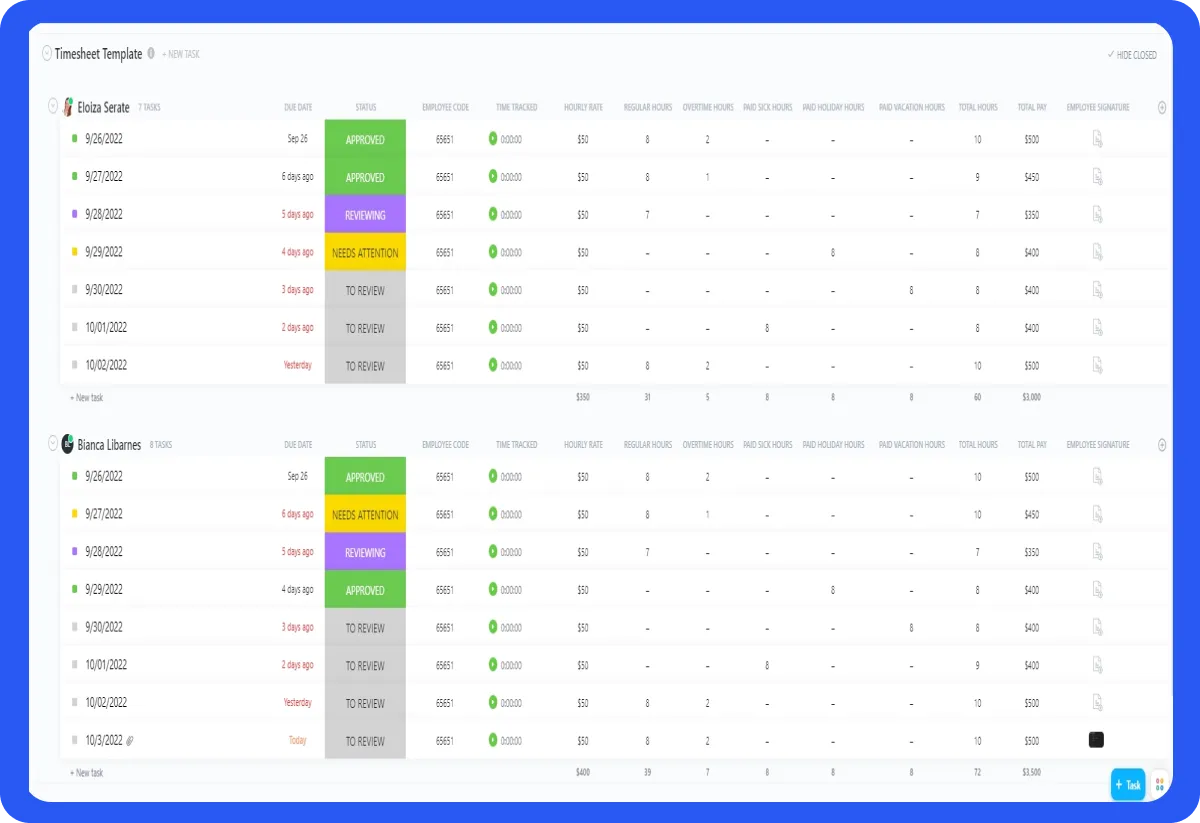
Task Assignments and Statuses: Assign tasks to team members, set priorities, and monitor progress with customizable statuses, facilitating clear accountability and workflow transparency.
Team Collaboration: Utilize features like real-time editing, comments, and mentions to ensure effective communication and teamwork.
Assigned Comments: Assign specific comments to individuals, ensuring critical feedback and tasks are addressed promptly.
Budget Tracking: Monitor project budgets and expenses to maintain financial oversight and ensure projects stay within allocated resources.
Limitations:
Learning Curve: The extensive features may require time for new users to fully adapt and utilize effectively.
Occasional Performance Issues: Some users report system-related bugs and a lack of intuitiveness in setting up tasks and subtasks.
Everything in Free Forever Plus: Unlimited Storage, Unlimited Integrations, Guests with Permissions.
Business
$12
Everything in Unlimited Plus: Google SSO, Unlimited Teams, Advanced Time Tracking, Goal Folders.
Enterprise
Custom Pricing
Everything in Business plus: White Labeling, Advanced Permissions, Dedicated Success Manager.
Best for:
ClickUp is one of the best free timesheet apps for teams and organizations seeking a unified platform that combines task management, collaboration, and project oversight. Its customizable features make it suitable for diverse industries and team sizes, from small startups to large enterprises.
8. TimeCamp: Cost-Effective Time Tracking with Billing Features
TimeCamp is a versatile time-tracking and billing software designed to help businesses monitor work hours, manage budgets, and streamline invoicing processes. Its user-friendly interface and comprehensive features make it one of the best free timesheet apps for organizations aiming to enhance productivity and ensure accurate client billing.
Key Features:
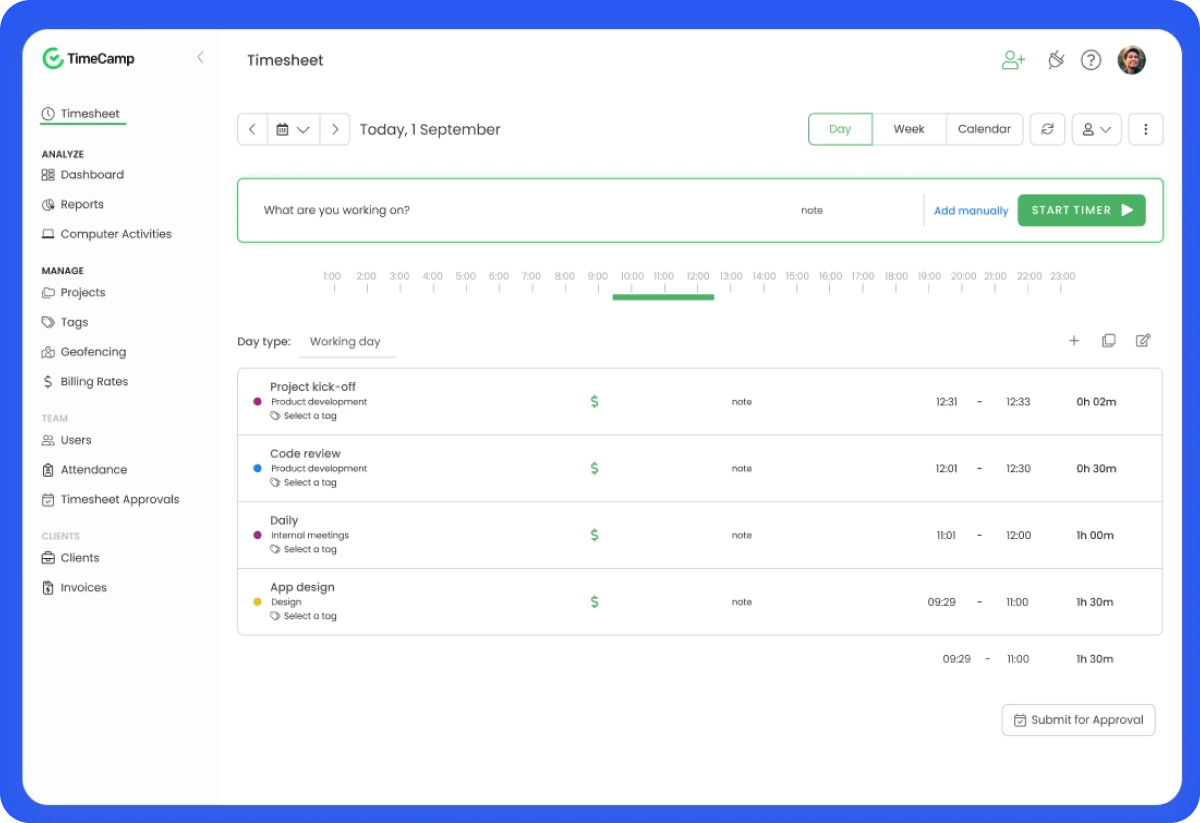
Time Tracking: TimeCamp offers automatic time tracking, capturing time spent on various tasks and projects to provide detailed insights into team activities.
Billing and Invoicing: Users can set custom billing rates, track billable hours, and generate invoices directly within the platform, ensuring accurate and timely client billing.
Reporting: The software provides comprehensive reporting tools, enabling users to analyze time usage, project profitability, and team performance.
Integrations: TimeCamp integrates with various project management and accounting tools, such as Trello and Xero, facilitating seamless workflow management.
Limitations:
Integration Limitations: Some users have noted challenges integrating TimeCamp with certain third-party applications, which may require additional workarounds.
Customization Constraints: While offering a range of features, the platform may lack advanced customization options for more complex workflows.
Free Plan Snapshot:
Plan
Price (Per User/Month)
Features
Free Forever Plan
$0
Unlimited users, unlimited projects, timesheets, and geofencing.
Starter
$1.49
Attendance, time-ff, and overtime tracking.
Premium
$2.99
Additional features like budgets and estimates, tracking billable time, and projects archiving.
Ultimate
$3.99
All premium features plus timesheet approvals, billing rates, and unlimited integrations.
Enterprise
$11.99
All Ultimate features plus priority support and SLA, self hosted instance, and set up sessions.
Best for:
TimeCamp is one of the best free timesheet apps for small to medium-sized businesses and freelancers seeking a cost-effective solution for time tracking and billing, aiming to enhance productivity and ensure accurate client invoicing.
9. Jibble: Facial Recognition for Attendance Verification
Jibble is a cloud-based timesheet app as well as a time-tracking and attendance management solution that leverages facial recognition technology to ensure accurate and efficient employee verification. Designed for businesses across various industries, Jibble streamlines attendance processes and enhances workforce management.
Key Features:
Employee Scheduling: Create and manage employee shifts effortlessly, ensuring optimal coverage and minimizing scheduling conflicts.
Punch-in Reminders: Automated notifications prompt employees to clock in and out, reducing instances of missed punches and enhancing timekeeping accuracy.
Timesheets: Generate comprehensive timesheets that detail hours worked, overtime, and breaks, simplifying payroll processing and compliance.
GPS Tracking: Monitor employee locations during work hours, ensuring tasks are performed at designated sites and enhancing accountability.
Reporting & Analytics: Access detailed reports and analytics to gain insights into attendance patterns, productivity metrics, and labor costs.
Limitations:
Privacy Concerns: The use of facial recognition and GPS tracking may raise privacy issues among employees, necessitating transparent policies and consent.
Dependence on Internet Connection: Requires a stable Internet connection for real-time data synchronization, which may be challenging in areas with limited connectivity.
Free Plan Snapshot:
Plan
Price (Per User/Month)
Features
Free
$0
Unlimited time tracking, facial recognition, and GPS tracking.
Premium
₹19.99
Advanced scheduling, geofencing, and multiple kiosk locations.
Ultimate
₹29.99
All premium features plus high-resolution screenshots, shift scheduling (coming soon), and live location tracking.
Best for:
Jibble is one of the best free timesheet apps for businesses seeking a cost-effective, feature-rich time-tracking solution with advanced attendance verification methods. It’s particularly beneficial for organizations with mobile or field-based employees, such as construction, retail, and healthcare sectors, where accurate attendance and location tracking are crucial.
10. Paymo Project Management: Integrated Project Management with Time Tracking
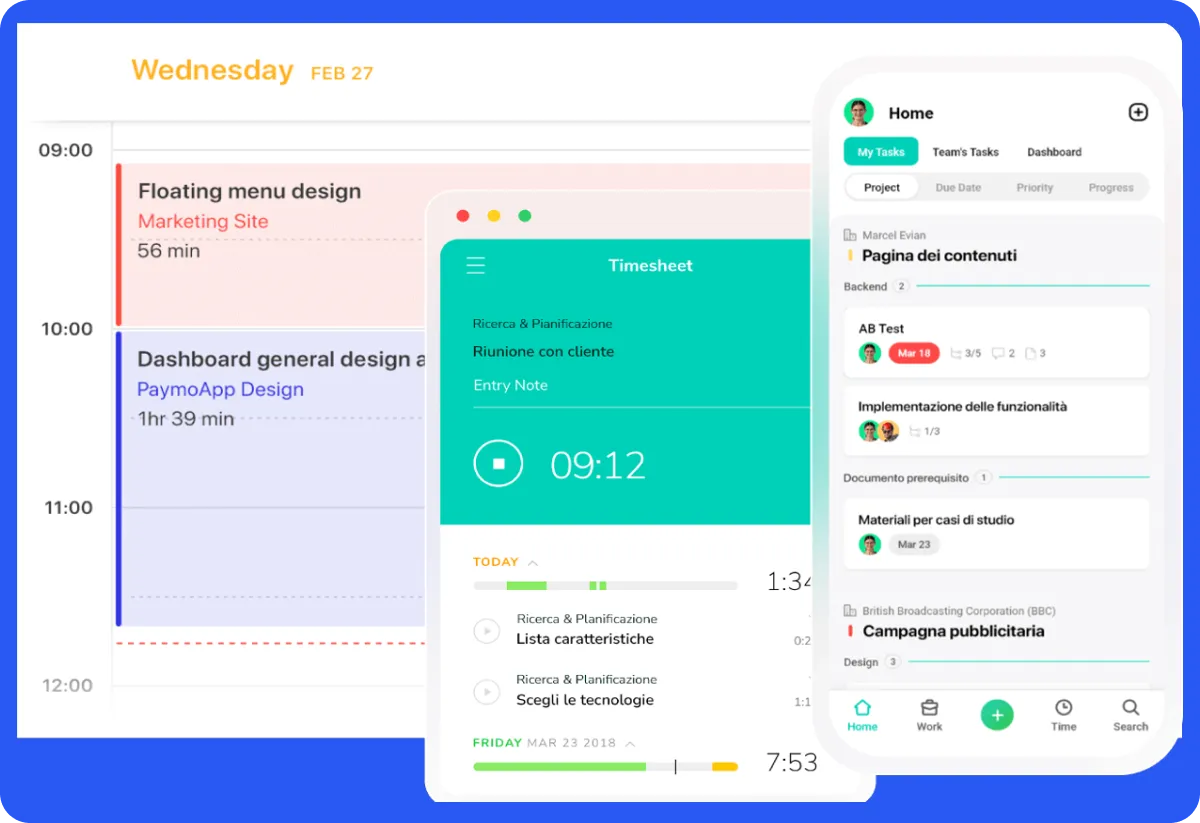
Paymo is a comprehensive project management tool designed to assist small to medium-sized businesses in efficiently managing tasks, tracking time, and facilitating seamless collaboration. This is one of those best free timesheet apps that combines essential project management features with robust time tracking and invoicing capabilities, offering an all-in-one solution for teams aiming to enhance productivity and streamline workflows.
Key Features:
Time Tracking: Paymo offers precise time tracking tools, including automatic time tracking and manual timesheets, enabling teams to monitor the time spent on tasks and projects accurately.
Gantt Charts: Visualize project timelines and dependencies through interactive Gantt charts, aiding in effective planning and scheduling.
Task Management: Organize tasks with customizable views such as List, Table, Board, and Calendar, allowing teams to manage workloads efficiently.
Resource Management: Allocate resources effectively by monitoring team availability and workload, ensuring optimal utilization.
Project Templates: Utilize predefined project templates to standardize processes and expedite project setup.
Limitations:
Limited Advanced Features: Some users note that while Paymo covers essential project management needs, it may lack certain advanced features required by larger enterprises.
Integration Limitations: There are reports of challenges with integrating Paymo into existing workflows due to limited third-party integrations.
Free Plan Snapshot:
Plan
Price (Per User/Month)
Features
Free
$0
Unlimited users, unlimited time tracking, 1GB storage.
Starter
$3.9
Additional features like unlimited clients and projects, task kanban view, and 5 GB storage.
Small Office
$6.9
Everything in Starter plus task spreadsheet view, active timers, project templates, and 50 GB storage.
Business
$10.9
Everything in Small Office plus employee scheduling & workload, employee leave management, online remote assistance, and 500 GB storage.
Best for:
Paymo is one of the best free timesheet apps for freelancers, small to medium-sized businesses, and teams seeking an integrated solution for project management, time tracking, and invoicing. Its user-friendly interface and comprehensive feature set make it suitable for those aiming to enhance productivity without the complexity of enterprise-level tools.
11. Buddy Punch: Simplifies Payroll with Overtime Monitoring
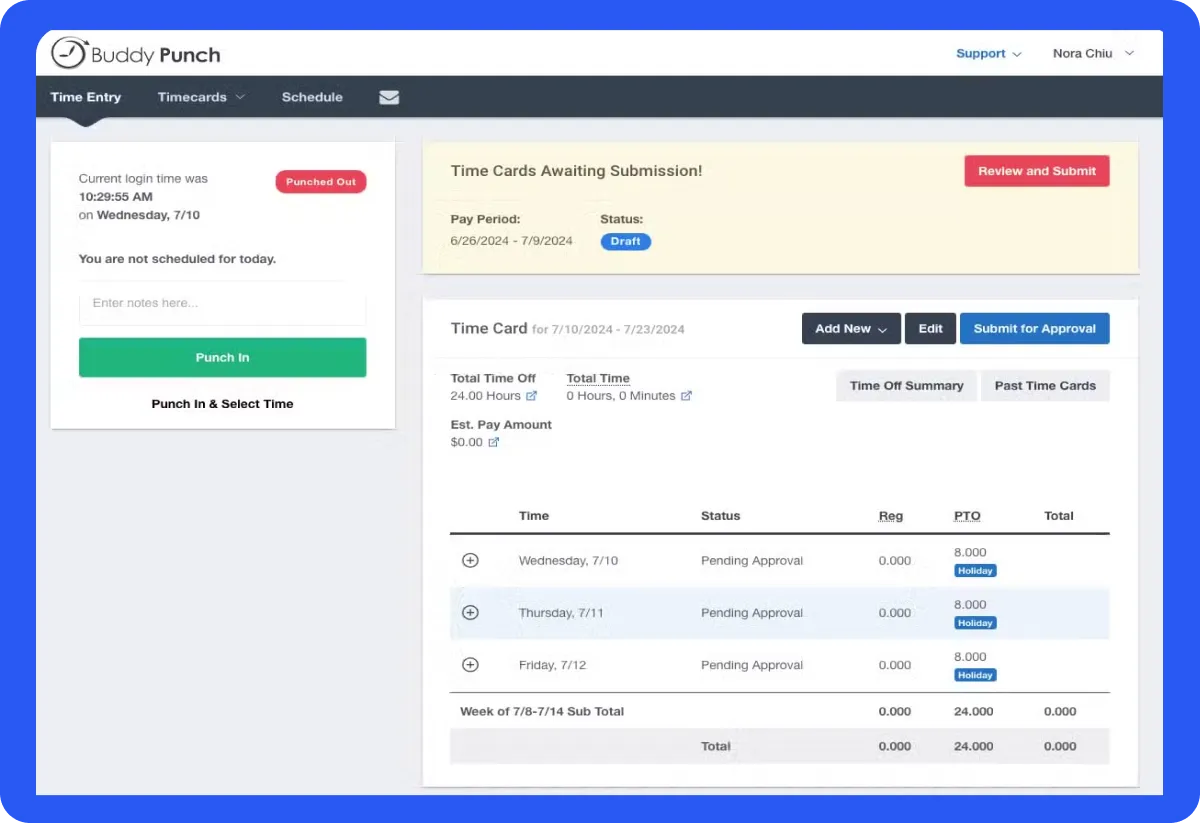
Buddy Punch is a cloud-based timesheet and time-tracking solution designed to streamline payroll processes by effectively monitoring employee hours and overtime.
Its user-friendly interface and robust features make it one of the best free timesheet apps for small businesses aiming to enhance workforce management.
Key Features:
Overtime Calculation: Automates overtime tracking to ensure accurate payroll processing.
GPS Tracking: Monitors employee locations during clock-ins, ensuring accountability for remote or field workers.
PTO Accrual Management: Manages paid time off, allowing employees to request leave and supervisors to approve seamlessly.
Job Costing: Assigns specific job codes to track time spent on various projects, aiding in precise project costing.
Facial Recognition: Enhances security by verifying employee identities during clock-ins.
Limitations:
Limited Mobile App Functionality: Some users report that the mobile application lacks certain features available on the web version.
Editing Punches: Users have experienced difficulties with editing punches, which can hinder the overall user experience.
Free Plan Snapshot:
Plan
Base Fee (Monthly)
Per User Fee (Monthly)
Features
Starter
$19
$4.49
Essential time tracking
Pro
$19
$5.99
Time tracking and scheduling
Enterprise
$19
$10.99
All Pro features plus real-time GPS tracking.
Best for:
Buddy Punch is one of the best free timesheet apps for small to medium-sized businesses seeking an affordable, user-friendly time-tracking and timesheet solution with robust payroll integration and overtime monitoring capabilities.
12. Deputy: Comprehensive Staff Management and Scheduling
Deputy is a good workforce management solution designed to streamline employee scheduling, time tracking, and overall staff coordination. It makes it to our list of best free timesheet apps by virtue of its user-friendly interface and advanced features making it a valuable tool for businesses aiming to enhance operational efficiency.
Key Features:
Easy Employee Scheduling with Shift Swapping Capabilities: Deputy enables managers to create optimal staff schedules swiftly, allowing employees to swap shifts seamlessly, ensuring flexibility and coverage.
Acute Time Tracking with Clock-In Clock-Out Functionality: Employees can clock in and out using various devices, including mobile apps and web browsers, ensuring precise timekeeping and reducing payroll discrepancies.
Leave Management: The platform offers tools to manage employee leave requests efficiently, maintaining accurate records and ensuring adequate staffing levels.
Automated Scheduling using AI: Deputy’s AI-powered scheduling forecasts labor demands, creating efficient rosters that align with business needs and compliance requirements.
Seamless Integration with Payroll Systems: Deputy integrates with various payroll systems, streamlining the payroll process and reducing administrative tasks.
Limitations:
Potential Cost Concerns: While Deputy offers a range of features, some users may find the pricing structure challenging, especially smaller businesses.
Mobile App Glitches: A few users have reported occasional issues with the mobile app, such as syncing problems, which can affect usability.
Free Plan Snapshot:
Plan
Price (Per User/Month)
Features
Starter
$4.50
Basic scheduling, time tracking, and leave management.
Premium
$6
Advanced features include reporting, integrations, and performance management.
Enterprise
Custom Pricing
Tailored solutions for businesses with over 250 employees, including custom configuration and dedicated support.
Best for:
Deputy is one of the best free timesheet apps for small businesses seeking a comprehensive workforce management solution with robust scheduling, time tracking, and integration capabilities. It’s particularly beneficial for organizations aiming to enhance operational efficiency through AI-powered tools and seamless payroll integration.
13. Timely: Automatic Time Tracking with AI-powered Suggestions
Timely is an automatic time-tracking and timesheet app that leverages AI-powered suggestions to streamline workflow management and enhance productivity. Its intuitive design and advanced features make it a preferred choice for professionals seeking efficient time management solutions.
Key Features:
Automatic Time Tracking: Utilizes AI to monitor and log time spent across various applications and tasks, eliminating manual entry.
Idle Detection: Identifies periods of inactivity to ensure only active working hours are recorded.
Location Tracking: Monitors GPS data to track time spent at different locations, particularly beneficial for remote or on-site work.
Locked Time: Allows users to lock recorded hours, preventing further edits and ensuring data integrity.
Detailed Financial Analytics: Generates comprehensive reports on billable hours and project costs, aiding in financial oversight.
Limitations:
Limited Customization: Some users have noted restrictions in tailoring the software to specific needs.
Mobile App Limitations: The mobile application may lack certain functionalities available on the desktop version.
Free Plan Snapshot:
Plan
Price (Per User/Month)
Features
Free
$9
Basic time tracking and reporting.
Pro
$16
Advanced features including project management and integrations.
Business
$22
All features with priority support and unlimited projects.
Best for:
Timely is one of the best free timesheet apps for freelancers, small to medium-sized businesses, and professionals seeking an automated time-tracking solution with AI capabilities to enhance productivity and streamline project management.
14. DeskTime: Automatic Time Tracking and Productivity Analysis
DeskTime is an automatic time-tracking software designed to enhance workplace productivity by monitoring employee activities and providing insightful analytics. It offers a range of features tailored to streamline project management and optimize time utilization.
Key Features:
Automatic Time Tracking: DeskTime initiates tracking as soon as the computer is powered on, eliminating the need for manual input and ensuring accurate time logs.
Activity Tracking: Monitors application and website usage, distinguishing between productive and unproductive activities to provide a clear picture of work habits.
Project Management: Allows allocation of time to specific projects and tasks, facilitating effective tracking of project progress and resource utilization.
Attendance Tracking: Records employee attendance, including start and end times, to maintain accurate records of working hours.
Productivity Enhancement: Features like the Pomodoro timer encourage regular breaks, promoting sustained focus and preventing burnout.
Limitations:
Automatic Login Issues: Some users have reported challenges with the automatic login feature, which can affect the seamless tracking experience.
App Categorization Frustrations: Difficulties in categorizing applications accurately have been noted, potentially impacting the assessment of productive versus unproductive activities.
Free Plan Snapshot:
Plan
Price (Per User/Month)
Features
Lite
Free (for one user only)
Automatic time tracking, URL and App Tracking, and Web Timer
Pro
₹ 366.67, billed annually
Additional features like Document Title Tracking, Productivity Calculations, and Calendar Integrations.
Premium
₹513.33, billed annually
Everything in Pro plus Screenshots, Shift Scheduling, and Integrations & API.
Enterprise
Custom
Everything in Premium plus Custom API on request, Account manager and Employee Training.
Best for:
DeskTime is one of the best free timesheet apps for small to medium-sized businesses, especially those with remote or hybrid teams seeking to enhance productivity through detailed time tracking and activity monitoring.
How We Evaluated These Free Timesheet Apps in 2026
To create this comparison, we evaluated each timesheet app based on real business needs rather than marketing claims. Our goal was to identify tools that genuinely deliver value through their free plans while remaining scalable for growing teams.
Free Plan Value
We carefully reviewed what each tool actually includes in its free version, such as user limits, reporting access, integrations, export options, and feature restrictions. Many platforms promote a free plan but limit critical capabilities. If you are new to digital tracking systems, you can explore our guide on what is a timesheet to better understand how timesheet software works and why it improves accuracy.
Ease of Use and Setup
We assessed how quickly teams can create accounts, invite members, and begin tracking time. Tools with intuitive dashboards, simple navigation, and minimal setup complexity scored higher. If you are implementing a system for the first time, our detailed guide on how to track employee hours for free provides practical step by step insights.
Core Time Tracking Features
Each platform was evaluated for essential features such as manual time entry, automatic tracking, idle detection, overtime calculation, billable hours management, and approval workflows. Businesses focused on billing accuracy may also benefit from our guide on tracking billable hours effectively.
Reporting and Payroll Compatibility
Clear reporting and payroll integration are crucial for compliance and financial accuracy. We examined dashboard clarity, reporting depth, filtering flexibility, and export functionality. You can also learn more about payroll alignment in our article on managing payroll schedules.
Integrations and Scalability
Modern teams rely on seamless integration with project management, accounting, and productivity tools. We evaluated how well each app integrates with external platforms and whether it supports teams as they grow from freelancers to larger organizations. For a broader comparison beyond free plans, you can explore our in depth review of the best time tracking apps.
Key Features to Look for in Timesheet App
Choosing the right timesheet app is crucial for optimizing team productivity and ensuring accurate payroll processing. With countless options available, it’s absolutely essential to focus on features that truly make a difference.
If you happen to be a CEO, HR professional, manager, or freelancer, you might have searched for timesheet memes that will make your team laugh all day at some point or the other on the internet. Against this backdrop, we would like to point out that investing in the best free timesheet apps for employees can streamline workflows and eliminate inefficiencies. Here are the key features to look for when selecting a timesheet app.
1. Time Tracking Capabilities
Accurate time tracking is the foundation of any good timesheet app. Look for a free timesheet app that offers automated tracking, manual entries, and real-time monitoring. Features like start-stop timers, idle time detection, and reminders ensure employees log their hours correctly, minimizing payroll discrepancies.
2. Detailed Reporting and Analytics
The best free timesheet app for employees should provide in-depth reports that offer insights into employee productivity, billable hours, and project costs. Look for software with visual dashboards, exportable reports, and trend analysis to help you make data-driven decisions.
3. Project and Task Allocation
Managing multiple projects? Choose a timesheet tool that allows you to assign tasks, set deadlines, and track progress in real-time. This ensures better resource allocation, preventing roadblocks and missed deadlines.
4. Integrations with Other Business Tools
To streamline workflows, the best free timesheet app should integrate with project management tools, accounting software, and HR systems. Seamless integration reduces manual work and ensures accurate payroll processing.
5. Customizable Reporting Options
Every business has unique needs. Opt for a timesheet app that lets you customize reports based on KPIs, team performance, or client billing. This flexibility ensures you get relevant data without sifting through unnecessary details.
6. Mobile Accessibility
With remote and hybrid work models on the rise, mobile-friendly timesheet app is essential. Look for cloud-based timesheet apps with mobile versions so employees can log hours from anywhere, improving accuracy and compliance.
7. Data Security
Since timesheets contain sensitive data, security is non-negotiable. Ensure the app offers end-to-end encryption, multi-factor authentication, and regular backups to protect employee and company information.
By focusing on these key features, you can select the right timesheet app to boost productivity and streamline operations.
What Is the Best Free Timesheet App in 2026?
After evaluating multiple timesheet apps, Clockdiary stands out as the best free option due to its extensive feature set, ease of use, and unlimited access for teams. Unlike many competitors that restrict free plans, Clockdiary offers a completely free time-tracking solution for up to 10 users, making it an excellent choice for freelancers, small teams, and businesses.
Why Clockdiary stands out:
Multiple Tracking Methods – Users can log hours manually, use the timer, or enter bulk time entries for flexibility.
Detailed Reporting & Analytics – Generate in-depth reports to analyze productivity, billable hours, and project progress.
Timesheet Approvals – Supervisors can review and approve submitted timesheets, streamlining payroll and invoicing.
Project Management – Assign tasks and projects to different team members, see who’s working on what (in real-time), and calculate the total billable hours worked, all in one place.
Integrations with Popular Tools – Works with Slack, Trello, Jira, and more.
Cross-Platform Accessibility – Available on desktop (Windows, Mac, and Linux) and browser extensions (Chrome and Edge) for seamless tracking. It is mobile-friendly as well, making it one of the best free time tracking apps for Android and iOS users.
Strong Security & Data Protection – Ensures privacy with cloud-based encrypted storage.
Free Forever – Unlike many competitors, Clockdiary’s core features remain free with no hidden charges.
For businesses and individuals looking for a top-notch, free timesheet app, Clockdiary is the top choice due to its powerful features, ease of use, and unlimited capabilities. If you need additional assistance, visit the “Contact Us” page. You will be more than happy to know that Clockdiary’s support team is available for all users – even for those on a free plan.
Allow your employees to log their hours effortlessly by getting in touch with us today.
Frequently Asked Questions:
What is the best free timesheet app in 2026?
The best free timesheet app in 2026 depends on your needs. For small teams, tools with generous free user limits work best. For remote teams, apps with monitoring and reporting features are more suitable. Always compare free plan limitations before deciding.
Are free timesheet apps actually free?
Yes, but most free timesheet apps come with limitations such as restricted users, limited reports, or fewer integrations. Businesses with advanced payroll or reporting needs often require paid upgrades.
Can I use a free timesheet app for payroll?
You can use free timesheet apps for basic payroll calculations if they provide accurate reports and export options. However, complex payroll systems usually require integrations available in paid plans.
What features should I look for in the best free timesheet apps?
Look for accurate time tracking, overtime calculation, reporting tools, mobile access, and integration support. Clear free plan limits are also important to avoid unexpected restrictions.
Are free timesheet apps secure?
Most reputable timesheet apps use encryption and secure cloud storage. Always review privacy policies and compliance standards before choosing a solution for your team.


 Kapil Garg