Almost 60 percent of architecture firms report losing at least 5 to 10 hours of billable work per week due to unclear time recording and manual tracking. Small time losses across multiple project phases can quietly reduce profits, delay billing, and distort future project estimates. For firms juggling design, documentation, and client coordination, this makes the need for accurate time tracking software for architects more urgent than ever.
Time tracking is not just about logging hours. Architects often switch between multiple tasks daily, from concept design to client revisions, making it hard to track where time is spent. The right time tracking software for architects helps firms capture actual work hours by project and phase, monitor budgets in real time, and generate accurate client reports. By replacing guesswork with data, teams can improve project planning, reduce revenue leakage, and optimize creative workflows without adding extra administrative burden. To understand how to measure actual working hours efficiently, firms can explore our detailed guide on how to calculate billable hours.
In this guide, we review the 9 best time tracking software for architects in 2026, focusing on tools that support phase level logging, budget monitoring, team collaboration, and client billing transparency. We also explain what features matter most for architecture firms, how time tracking impacts profitability, and how to implement these tools smoothly. Understanding the real benefits of time tracking will help you choose a solution that fits your firm size, project complexity, and long term growth objectives.
What to Look for in Time Tracking Software for Architects
Choosing the right time tracking software for architects is not just about picking a popular tool. Architecture projects often span multiple phases, involve collaboration across teams, and require accurate client billing. Without the right software, firms can lose hours, miscalculate project costs, and risk lower profitability. In fact, research shows that architecture firms lose up to 10 percent of billable time due to manual or inconsistent tracking, which makes selecting the right tool critical.
The ideal software addresses phase-level time logging, budget monitoring, team collaboration, client reporting, and ease of adoption, all in one platform. Here’s what architecture firms should focus on:
Phase-Level Time Logging
The software should allow architects to track hours by design, documentation, and coordination phases. This helps teams see exactly where time is spent and which project stages may be causing delays. For firms looking to track hours without privacy issues, our guide on how to track employee time without breaching privacy offers practical strategies.
Project Budget Monitoring
Software should provide clear visibility into project budgets. Monitoring hours against costs in real time ensures teams can identify over budget phases early and make informed decisions. Transparent reporting also strengthens client trust. Tools that simplify billing, like our article on how to calculate billable hours, can help firms implement accurate invoicing without guesswork.
Team-Based Collaboration
Architecture teams need collaboration features such as shared dashboards, task assignments, and notifications. These allow multiple team members to coordinate without confusion. Effective collaboration reduces errors and ensures that design and documentation phases remain aligned, maintaining productivity and accountability across the team.
Client Reporting and Billing Transparency
Breaking down hours by project phase makes invoices clear, supports trust, and helps clients understand the value of each design or coordination activity. This transparency is especially critical for firms working with multiple projects or fixed-fee contracts.
Ease of Implementation and Adoption
Even the most advanced software fails if teams do not use it consistently. Tools must be intuitive, quick to set up, and flexible enough to fit existing workflows. Resources like our best time tracking apps for small business guide provide insights into user-friendly solutions. Smooth adoption ensures that architects can focus on design work rather than administrative overhead.
By focusing on these features, architecture firms can reduce time leakage, improve budget accuracy, and maintain high-quality project delivery. This section not only serves as a practical guide for evaluating software but also reinforces entities like phase-level tracking, budget monitoring, and client billing.
Best Time Tracking Software for Architects (Free & Paid Comparison – 2026)
Software
Free Plan
Starting Price
Built for Architecture Projects?
Best For
Clockdiary
✅ Yes
$0
✅ Suitable for project & phase tracking
Growing architecture teams
Toggl Track
Yes (5 users)
$9/user/month
Generic but customizable
Flexible phase tracking
Harvest
Limited
$11/user/month
Billing-focused, not architecture-specific
Client invoicing firms
BQE Core
No
Custom
Designed for architecture & engineering firms
Large firms
Clockify
Yes
$0
Generic tracking tool
Small studios
TimeCamp
Yes
$6.30/user/month
Productivity-focused
Automated tracking
My Hours
Yes
$9/user/month
Budget-focused, customizable
Cost-conscious firms
Desklog
Yes
$3–4/user/month
More monitoring-focused
Remote teams
Jibble
Yes
$2.49/user/month
Attendance-focused
Site-based teams
9 Best Time Tracking Software for Architects in 2026
Architecture firms need more than a simple timer. They require software that supports project phase tracking, budget visibility, team collaboration, and accurate client billing. The best time tracking software for architects combines these capabilities in a way that fits real world architectural workflows, from concept design to final documentation.
In 2026, time tracking tools have evolved beyond basic hour logging. Modern platforms now offer detailed reporting, project cost insights, team dashboards, and integrations with accounting systems. For architecture firms managing multiple projects at once, choosing the right solution can directly influence profitability, efficiency, and client trust.
Below, we review the 9 best time tracking tools based on usability, phase level tracking capabilities, reporting clarity, scalability, and suitability for different firm sizes. Whether you run a small design studio or a large architecture firm, this list will help you compare options and select software that aligns with your operational needs and long term growth goals.
1. Clockdiary – Best Free Time Tracking Software for Growing Architecture Teams
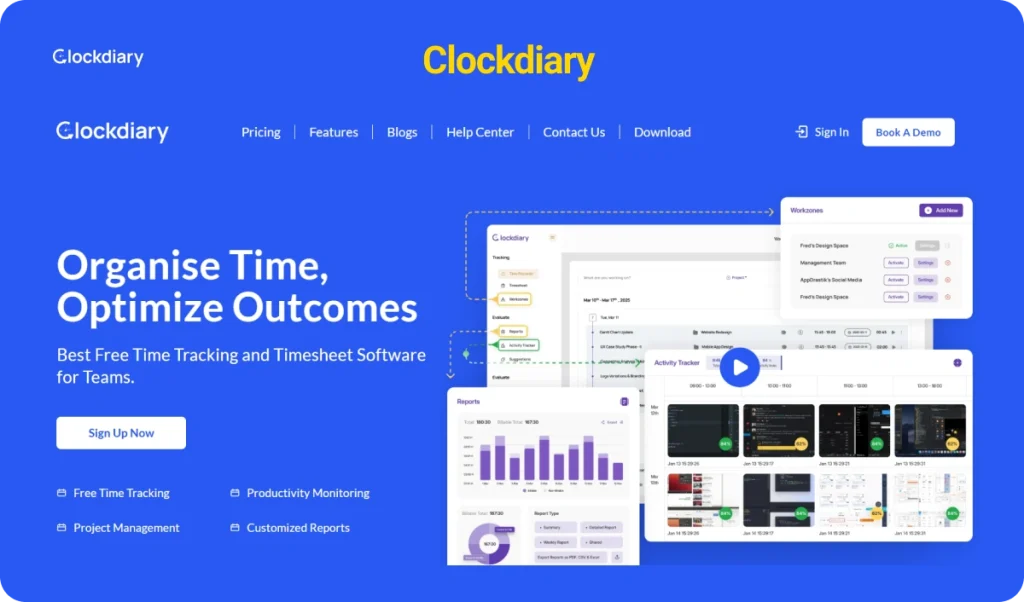
Clockdiary is a free time tracking and timesheet software built to help teams record work hours, monitor productivity, and manage projects with clarity. For architecture firms handling multiple projects and detailed design phases, it provides a structured way to track real working hours without adding unnecessary complexity.
Architects can log time manually or use a timer to capture work in real time. Managers can review timesheets, analyze project progress, and understand how hours are distributed across tasks and phases. If you want a quick baseline on how time tracking systems work before choosing a tool, you can also read our guide on what is a timesheet.
With support across web, desktop, and mobile devices, Clockdiary works well for architecture teams operating from studios, remote offices, or project sites.
For firms looking for reliable time tracking software for architects without a high upfront cost, Clockdiary offers a practical and scalable starting point.
Key Features for Architecture Firms in Clockdiary
Project and Task Time Tracking Teams can track hours against specific projects and tasks. This helps architecture firms measure time spent on concept design, documentation, coordination, revisions, and client communication.
Manual and Real Time Tracking Users can start and stop timers or manually enter time entries. This flexibility supports both structured workflows and creative project environments.
Activity Tracker with Screenshots Clockdiary includes an activity tracker that captures work activity and optional screenshots. This feature improves visibility and accountability, especially for remote teams or distributed architecture firms managing multiple assignments.
Billable and Non Billable Hour Tracking Architecture firms often balance client work with internal planning and administrative tasks. Clockdiary allows teams to separate billable and non billable hours, which supports accurate invoicing and clearer financial reporting.
Detailed Timesheets and Custom Reports Managers can generate detailed timesheets and customized reports to review project progress, team productivity, and total logged hours. These insights help firms improve estimation accuracy and control project budgets.
AI Smart Screen Insights and Assistant The Professional plan includes AI smart screen insights and an AI powered smart assistant that help teams better understand productivity patterns and optimize work allocation.
Multi Device Access and Offline Tracking Clockdiary works across web, desktop, and mobile platforms. It can keep tracking time with or without internet access, which is useful for architects working on site visits or field projects.
Pros
Free plan available with essential tracking features
Easy setup and simple interface
Supports up to 10 users, 10 projects, and 10 teams on the free plan
Includes activity tracker with screenshot capability
Clear reporting for better time visibility
Scalable with Professional and Enterprise plans
Cons
Advanced financial and practice management features may be limited compared to specialized architecture ERP systems
Enterprise level customization requires direct consultation
Pricing
Feature
Startup & SMEs Plan
Professional Plan
Enterprise Plan
Price
$0
$3.49 per seat/month (Monthly Billing)$2.49 per seat/month (Yearly Billing)
Custom Pricing
Users
Up to 10 users
Unlimited users
Custom (Based on Business Needs)
Projects
Up to 10 projects
Unlimited projects
Custom
Teams
Up to 10 teams
Unlimited teams
Custom
Custom Fields
Up to 3
Unlimited
Custom
Data Retention Time
3 days
1 month
Custom
Data Exports
✅ Included
✅ Included
Custom
Activity Tracking (Screenshots)
✅ Included
✅ Included
Custom
Customizable Reports
✅ Included
✅ Included
Custom
Tracking (With/Without Internet)
✅ Included
✅ Included
Custom
24/7 Customer Support
Not Included
✅ Included
Custom
AI Smart Screen Insights
Not Included
✅ Included
Custom
AI Smart Assistant
Not Included
✅ Included
Custom
Priority Ticket Handling
Not Included
✅ Included
Custom
Ideal Firm Size
Clockdiary is best suited for freelance architects, small architecture studios, and growing design firms that need structured time visibility without high software costs. It is also a good fit for teams that want stronger accountability through activity tracking while keeping setup simple.
2. Toggl Track – Best for Flexible Phase Tracking
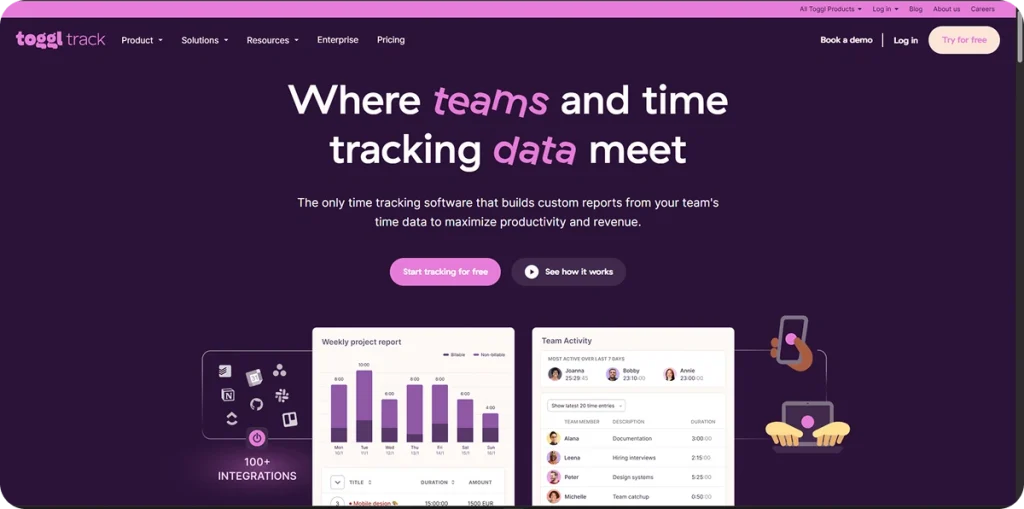
Toggl Track is a cloud based time tracking software designed to help teams record working hours, monitor productivity, and generate detailed reports. For architecture firms managing multiple design stages and overlapping client projects, Toggl Track offers flexible time tracking that adapts to different workflows.
Architects can track time across projects, tasks, and phases using a simple timer or manual entry system. The platform focuses on ease of use, making it suitable for teams that want structured tracking without complex setup. Its clean interface and detailed reporting features allow firms to understand where time is spent and how projects are progressing.
For architecture teams that need flexible phase tracking without heavy administrative overhead, Toggl Track provides a balanced and practical solution.
Key Features for Architecture Firms in Toggl Track
Flexible Project and Phase Tracking Toggl Track allows users to organize time entries by project, client, and task. Architecture firms can create separate entries for design development, documentation, site visits, and revisions to better understand phase level effort.
Manual and Timer Based Logging Users can start and stop a timer or manually add time entries. This supports both structured office environments and more fluid creative workflows.
Detailed Reporting and Insights The software provides visual reports that show total hours, project distribution, and team performance. These insights help architecture firms evaluate project progress and identify time intensive phases.
Team Time Management Managers can view team activity and track workload distribution across projects. For firms that want to improve overall tracking accuracy, our guide on time tracking tips explains practical ways to encourage consistent logging.
Integrations with Other Tools Toggl Track integrates with project management and productivity tools, allowing architecture firms to connect time tracking with existing workflows.
Multi Platform Access Toggl Track is accessible through web, desktop, and mobile applications, allowing architects to track time whether they are working in the studio or visiting a project site.
Pros
Very easy to use interface
Strong reporting and analytics features
Flexible tracking for different project structures
Wide range of integrations
Suitable for remote and distributed teams
Cons
Free plan has limited features compared to paid plans
Advanced budgeting tools may not be as robust as specialized architecture management systems
Pricing increases as team size grows
Pricing
Toggl Track offers multiple pricing tiers:
Plan
Price
Key Features
Free Plan
Free (Up to 5 users)
Basic time tracking, reporting, limited features
Starter Plan
Around $9 per user/month (Monthly)Lower cost on annual billing
Billable rates, time rounding, basic project management tools
Premium Plan
Around $18 per user/month (Monthly)Lower cost on annual billing
Project forecasts, advanced reporting, team management features
Enterprise Plan
Custom pricing
Advanced security and support for large teams
Ideal Firm Size
Toggl Track is best suited for:
Small to mid size architecture firms
Teams that need flexible phase tracking
Firms working on multiple projects simultaneously
Remote or hybrid architecture teams
It is particularly useful for firms that want clean reporting, easy onboarding, and flexible time tracking without adopting a full scale practice management system.
3. Harvest – Best for Client Billing and Invoicing
Harvest is a time tracking and invoicing software designed for professional service teams that need accurate billing and financial visibility. For architecture firms working on fixed fee and hourly projects, Harvest connects tracked time directly to client invoices, making the billing process simple and transparent.
Architects can log hours by project and task, monitor budgets, and convert billable time into invoices without switching tools. This makes Harvest especially useful for firms that rely heavily on structured billing and predictable cash flow.
For teams that want to better understand how billing structures work, our guide on how to bill clients explains the fundamentals of professional invoicing.
Key Features for Architecture Firms
Time Tracking by Project and Task Harvest allows teams to track time against specific clients and projects. Architecture firms can separate design, drafting, revisions, and coordination tasks for better visibility.
Built In Invoicing Tracked hours and expenses can be converted directly into professional invoices. This reduces manual errors and speeds up the billing cycle.
Expense Tracking Teams can log expenses and attach receipts. These expenses can be included in client invoices where applicable.
Project Budget Monitoring Managers can set budgets and track hours against them in real time. This helps architecture firms avoid over servicing clients and protects margins.
Reporting and Team Insights Harvest provides clear reports that show where time is spent and how projects are performing. Firms that want to understand the difference between revenue generating work and internal tasks can also explore our article on billable vs non billable hours.
Integrations with Accounting Tools Harvest connects with accounting and payment systems, allowing firms to streamline their financial workflow.
Pros
Strong invoicing functionality built into the platform
Clear financial reporting
Easy to adopt for small and mid size teams
Suitable for firms that bill clients regularly
Connects time tracking directly to revenue
Cons
Free plan is limited to 1 user and 2 projects
Advanced administrative controls are available only on higher plans
Not a full practice management system for very large architecture enterprises
Pricing
Plan
Price
Key Features
Free Plan
$0
Time tracking and invoicing for 1 user, up to 2 projects
Teams Plan
Around $11 per user/month (Monthly)Around $9 per user/month (Annual)
Teams that want time tracking and invoicing in one system
Firms focused on structured client billing and predictable cash flow
4. BQE Core – Best for Large Architecture Firms
BQE Core is an all-in-one business management platform that combines time tracking, project accounting, resource planning, and reporting in a unified system. For large architecture firms managing complex projects and multiple teams, BQE Core provides deeper visibility into project budgets, profitability, and utilization. It is designed to support firms that need more than simple time tracking, it delivers a full picture of project health and financial performance.
With BQE Core, architecture firms can track time at the task and project level, monitor costs in real time, and streamline billing and payroll. Its comprehensive suite of tools helps firms identify profitability trends and make data-driven decisions about resource allocation and client pricing.
Key Features for Architecture Firms in BQE Core
Comprehensive Time Tracking BQE Core lets teams record hours by project, task, and phase and view time across the firm. This enables detailed analysis of time spent on design, documentation, revisions, and client meetings.
Project Budgeting and Job Costing Firms can set budgets at the project or phase level and monitor actual costs against those budgets in real time. This helps prevent cost overruns and optimize project planning.
Resource Management and Utilization Managers can see which team members are over utilized or under utilized, helping balance workloads and plan staffing more efficiently.
Financial Management and Invoicing BQE Core integrates time tracking with billing, expense management, and payroll. Projects can be invoiced accurately based on actual hours, rates, and expenses, improving cash flow and billing transparency.
Robust Reporting and Dashboards The platform provides deep analytics with customizable dashboards and reports that show performance across projects, teams, and clients.
Integration with Accounting Systems BQE Core connects with major accounting tools, enabling seamless financial workflows without exporting and importing data manually.
Pros
Unified platform for time, billing, and financial management
Strong project cost insights for large firms
Comprehensive reporting and dashboards
Advanced resource planning and utilization tools
Integrates with existing accounting systems
Cons
Higher learning curve compared to simple time tracking tools
May be more than what small firms need
Pricing and setup can be complex for smaller teams
Pricing
BQE Core does not offer fixed public pricing because plans are customized based on firm size, modules selected, and deployment preferences. Architecture firms can contact BQE directly for a personalized quote tailored to their workflow and reporting requirements. Custom pricing ensures you only pay for the features your firm needs.
Ideal Firm Size
BQE Core is best suited for:
Large architecture firms with complex project portfolios
Firms that require integrated financial and resource planning
Teams that need deep insights into utilization and profitability
Organizations that want all billing, payroll, and reporting in one platform
For firms that want simpler explanations about how time tracking supports both billing and profitability before choosing advanced software like BQE Core, our article on billable vs non billable hours provides a helpful primer.
5. Clockify – Best Free Option for Small Architecture Firms
Clockify is a popular time tracking software that allows teams to log hours, manage projects, and generate reports without upfront cost. It offers a generous free plan, which makes it attractive for small architecture firms and freelance architects who need structured time tracking without committing to paid software immediately.
Architecture teams can track time by project and task, monitor productivity, and generate basic reports. Clockify works across web, desktop, and mobile applications, making it accessible for studio work as well as on site project visits.
For firms starting with time tracking and wanting a cost effective solution, Clockify provides a practical entry point.
Key Features for Architecture Firms in Clockify
Unlimited Time Tracking Clockify allows unlimited users and unlimited time tracking on its free plan. Architecture firms can log hours across multiple projects without restrictions.
Project and Task Organization Users can organize tracked time by client, project, and task. This helps architecture firms separate design stages, site visits, drafting, and revisions.
Timesheets and Reports Clockify provides summary and detailed reports showing total hours, team contributions, and project progress. Firms looking to improve overall tracking consistency can also explore our guide on how to fill out a timesheet.
Team Management Features Managers can review team time entries and monitor workload distribution across projects.
Basic Budget and Billable Tracking Clockify allows tracking of billable and non billable hours, which helps architecture firms calculate client invoices more accurately.
Integrations and Extensions Clockify integrates with various productivity and project tools, allowing teams to connect time tracking with their existing workflow systems.
Pros
Free plan with unlimited users
Easy to use interface
Suitable for small teams and startups
Works across web, desktop, and mobile
Simple reporting and billable hour tracking
Cons
Advanced financial features require paid plans
Reporting depth may be limited compared to enterprise level platforms
Some advanced features locked behind upgrades
Pricing
Plan
Price
Key Features
Free Plan
$0
Unlimited users, unlimited time tracking, basic reporting
Basic Plan
Around $3.99 per user/month
Additional administrative features
Standard Plan
Around $5.49 per user/month
Advanced time management and reporting tools
Pro Plan
Around $7.99 per user/month
Advanced reporting, budgeting, permissions
Enterprise Plan
Custom pricing
Advanced security and support for larger teams
Ideal Firm Size
Clockify is best suited for:
Freelance architects
Small architecture studios
Early stage design firms
Teams that want unlimited free time tracking
It is especially useful for firms that want to begin tracking time immediately without budget constraints and upgrade later as needs grow.
6. TimeCamp – Best for Automated Time Tracking
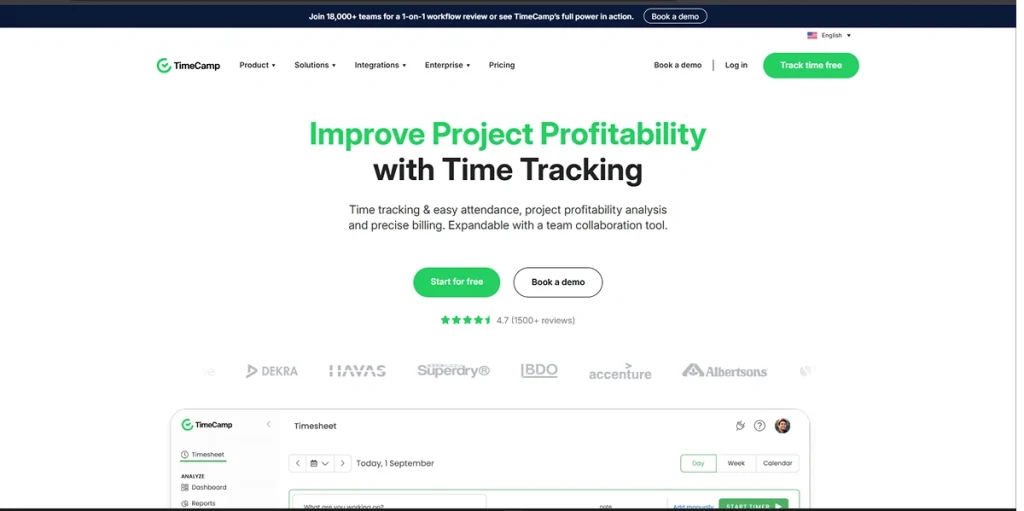
TimeCamp is a user-friendly time tracking and productivity platform designed to help teams record hours automatically, analyze work patterns, and gain insights into how time is used. For architecture firms that want to reduce manual time entry and get automatic visibility into time spent across phases and tasks, TimeCamp offers smart tracking combined with clear reporting.
Architects can use TimeCamp to log time with minimal effort and monitor how different project stages impact overall timelines and budgets. The platform focuses on capturing work activity in the background, giving teams more time to focus on design, planning, and client collaboration.
For firms exploring ways to improve tracking consistency without adding administrative burden, TimeCamp provides a practical automated solution.
Key Features for Architecture Firms in Timecamp
Automatic Time Tracking TimeCamp can record work hours automatically based on activity, reducing the need for manual entry. This is especially useful for architecture teams who switch between tasks throughout the day.
Project and Task Organization Users can categorize time entries by project and task, helping firms separate design work, documentation, coordination, and client reviews.
Detailed Reporting and Insights TimeCamp offers visual reports and dashboards that show total hours, productivity trends, and project breakdowns. Firms looking to analyze team performance across phases can get actionable insights quickly.
Billable and Non Billable Hours The platform supports both billable and non billable tracking, which helps architecture firms calculate client invoices more accurately and understand internal work effort.
Idle Time Detection TimeCamp can differentiate between active work and idle time, which improves the accuracy of tracked data and reduces overstated hours.
Team Management Tools Managers can review timesheets, monitor workload distribution, and set tracking preferences for team members.
Pros
Automated tracking reduces manual effort
Clear productivity reporting
Easy project and task categorization
Supports both billable and non billable tracking
Works across web, desktop, and mobile
Cons
Advanced financial features may require integrations or upgrades
Interface may take time to learn for new users
Some features are locked behind higher tier plans
Pricing
Plan
Price
Key Features
Free Plan
$0
Basic time tracking, automatic time capture, idle detection, reporting for small teams
Basic Plan
Starts around $6.30 per user/month (Annual billing)
Deeper reporting, billable hours, integrations
Pro Plan
Starts around $9.95 per user/month (Annual billing)
Advanced time management tools, team oversight features
Firms that want deeper productivity insights without manual logging
Hybrid and remote teams
It is especially useful for architecture studios that want to reduce administrative time and improve tracking accuracy.
For firms that want clear guidance on how to separate billable time from non billable work before choosing advanced tools like TimeCamp, our article on billable vs non billable hours provides a helpful foundation.
7. My Hours – Best for Simple Project Time and Budget Tracking
My Hours is a straightforward time tracking and project budgeting tool designed for teams that want clarity without complexity. It focuses on helping businesses track time, set project budgets, and monitor profitability in an easy to understand way.
For architecture firms managing multiple clients and fixed fee projects, My Hours provides a clear structure to track hours by project and compare them against planned budgets. The platform is built to simplify time tracking while still offering meaningful financial insights.
Its clean interface makes it suitable for teams that want strong reporting and budget awareness without adopting a full scale enterprise system.
Key Features for Architecture Firms in My hours
Project Based Time Tracking My Hours allows users to log time by project and task. Architecture firms can track time across design phases, documentation work, and client coordination.
Project Budget and Cost Tracking Firms can set project budgets and monitor actual hours against planned limits. This helps prevent overruns and improves cost control.
Detailed Reports and Analytics The platform provides clear reports showing project performance, team activity, and profitability insights. These reports support better planning and client communication.
Billable and Non Billable Hour Tracking My Hours allows teams to distinguish between revenue generating work and internal tasks. Firms that want to better understand this distinction can also review our guide on how to calculate productivity of an employee.
Client and Team Management Users can manage multiple clients and teams within the system, making it easier to oversee active architecture projects.
Invoicing Support Time data can be used to generate invoices and export reports for accounting purposes.
Pros
Simple and clean interface
Strong focus on project budgets
Easy to understand reports
Suitable for teams that prefer structured tracking
Less overwhelming than enterprise systems
Cons
Not as feature rich as full practice management software
Advanced automation features are limited
May require integrations for deeper accounting functionality
Pricing
Plan
Price
Key Features
Free Plan
$0
Time tracking for small teams with limited features
Pro Plan
Around $9 per user/month
Unlimited projects, detailed reporting, budgeting, invoicing support
Ideal Firm Size
My Hours is best suited for:
Small and mid size architecture firms
Design studios managing multiple client projects
Firms focused on budget visibility and profitability
Teams that want simple and structured tracking
It works well for architecture firms that prioritize clarity in budgeting without needing a complex enterprise platform
8. Desklog – Best for Employee Monitoring and Productivity Insights
Desklog is a time tracking and employee monitoring software designed to help teams understand how work hours are spent. It combines automatic time tracking with productivity monitoring features, giving managers deeper visibility into team performance.
For architecture firms managing in office and remote teams, Desklog provides insight into active work hours, project progress, and employee activity. It is particularly useful for firms that want detailed productivity data alongside time tracking.
Desklog focuses on improving accountability and helping teams optimize their work patterns through structured tracking and reporting.
Key Features for Architecture Firms in Desklog
Automatic Time Tracking Desklog records work activity automatically, reducing manual time entry and improving tracking consistency across architecture teams.
Employee Productivity Monitoring The platform provides insights into active work time, application usage, and productivity trends. Firms that want to better understand team output can also explore our guide on employee monitoring.
Project and Task Tracking Teams can log time against projects and tasks, helping architecture firms track hours across design, drafting, and coordination phases.
Timesheets and Reporting Desklog generates detailed timesheets and reports that allow managers to analyze work distribution and project effort.
Screenshot Monitoring Optional screenshot capture improves transparency and accountability, especially for remote teams.
Remote Team Support Desklog is suitable for distributed teams and provides centralized visibility across different locations.
Pros
Strong productivity monitoring features
Automatic time capture
Screenshot and activity tracking support
Useful for remote and hybrid teams
Clear reporting for management oversight
Cons
Monitoring features may feel intrusive for some teams
More focused on productivity tracking than financial management
Advanced customization may require higher tier plans
Pricing
Plan
Price
Key Features
Free Plan
$0
Basic time tracking features for small teams
Pro Plan
Starts around $3–$4 per user/month (depending on billing cycle)
Advanced tracking and monitoring features
Enterprise Plan
Custom pricing
Advanced controls and support for larger organizations
Ideal Firm Size
Desklog is best suited for:
Small and mid size architecture firms
Remote or hybrid architecture teams
Firms that prioritize productivity visibility
Teams that want stronger oversight of project time usage
It works well for architecture firms that want deeper insight into how time is spent across projects and team members.
9. Jibble – Best for Attendance and Compliance Focused Time Tracking
Jibble is a time tracking and attendance management software designed to help teams monitor working hours, manage shifts, and improve compliance. It is especially strong in attendance tracking and workforce accountability, making it suitable for architecture firms that manage both office staff and site based employees.
For architecture teams working across different project locations, Jibble offers reliable clock in and clock out functionality, timesheet tracking, and workforce visibility. It focuses on accurate attendance records while keeping time tracking simple and accessible.
Key Features for Architecture Firms in Jibble
Clock In and Clock Out System Jibble provides a structured clock in and clock out system that records employee attendance in real time. Firms looking to understand structured attendance systems can also review our guide on clock in clock out system.
Face Recognition and Location Tracking The platform supports facial recognition and GPS tracking to verify attendance, which is useful for architecture teams working across different project sites.
Timesheets and Attendance Reports Jibble generates detailed attendance and time reports that help managers monitor total hours and ensure compliance.
Project and Activity Tracking Teams can assign time entries to projects and activities, helping firms track hours across design, planning, and site visits.
Overtime and Payroll Support Jibble helps calculate overtime hours and prepare data for payroll processing.
Mobile and Web Access The platform is accessible through mobile and web applications, making it suitable for field based architecture teams.
Pros
Strong attendance and compliance features
Face recognition and GPS tracking support
Easy to use mobile application
Suitable for remote and field teams
Free plan available
Cons
More focused on attendance than deep project financial management
Advanced features require paid plans
May not provide complex project budgeting tools
Pricing
Plan
Price
Key Features
Free Plan
$0
Basic time tracking and attendance features for unlimited users. Limited advanced capabilities.
Premium Plan
$2.49 per user/month (Annual Billing)
Advanced attendance features and detailed reporting.
Ultimate Plan
$4.99 per user/month (Annual Billing)
Automation, enhanced tracking features, and comprehensive reporting.
Ideal Firm Size
Jibble is best suited for:
Small and mid size architecture firms
Teams managing multiple site locations
Firms that prioritize attendance tracking and compliance
Organizations needing structured clock in systems
It works particularly well for architecture firms that require reliable attendance monitoring alongside basic project time tracking.
How Time Tracking Impacts Architecture Firm Profitability
Architecture firms operate on thin margins where small time losses can reduce overall profit. Without accurate tracking, projects often exceed estimated hours, revisions go unbilled, and teams become overextended.
Using structured time tracking software for architects helps firms connect effort directly to revenue. It turns time data into financial insight and improves decision making across projects.
Reducing Revenue Leakage
Unrecorded revisions and small client requests often go unbilled. Over time, this leads to silent revenue loss.
Consistent tracking ensures every billable hour is captured. Firms that want to understand how structured tracking prevents lost revenue can explore our guide on timekeeping.
Improving Future Project Estimates
Without historical data, pricing becomes guesswork. Architecture firms may underprice complex phases or underestimate coordination time.
Accurate time records provide real benchmarks for future proposals. For deeper planning clarity, our article on how to manage multiple projects explains practical workload forecasting.
Monitoring Resource Utilization
Uneven workload distribution reduces efficiency and affects profitability.
Time tracking reveals who is overloaded and who has capacity. This visibility helps managers rebalance assignments and improve overall output.
Identifying Unprofitable Project Phases
Some project phases consistently exceed estimated hours. Without tracking, these patterns remain hidden.
By reviewing time data by phase, firms can adjust pricing, refine workflows, and protect margins. If teams want to better understand how to measure performance effectively, our guide on business metrics provides useful insight.
Common Pitfalls Architecture Firms Should Avoid
Overcomplicating the Setup
Creating too many categories and tracking rules makes time entry confusing. Keep project phases simple so teams can log hours quickly and consistently.
Ignoring Phase Level Tracking
Tracking only total project hours hides where time overruns happen. Breaking time down by design, documentation, and revisions gives clearer cost visibility.
Delaying Implementation
Waiting too long to introduce time tracking leads to missing data and inaccurate billing. Start small and scale gradually instead of postponing adoption.
Failing to Review Reports Consistently
Collecting time data without reviewing reports regularly limits its value. Weekly or biweekly reviews help identify inefficiencies early and improve decision making.
Conclusion
Choosing the right time tracking software for architects is not just about logging hours. It is about gaining visibility into project phases, improving billing accuracy, and protecting profit margins. Whether you run a small design studio or manage a large architecture firm, structured time tracking helps you understand where effort is spent and how projects perform financially.
The time tracking software for architects covered in this guide offer different strengths. Some focus on free and simple tracking, while others provide advanced reporting, budgeting, automation, or attendance features. The best solution depends on your team size, project complexity, and long term growth plans.
Before making a decision, evaluate how your firm currently tracks time, where revenue leakage may be happening, and what level of reporting you need. When implemented properly, the right time tracking software for architects becomes more than an administrative tool. It becomes a strategic system that improves efficiency, transparency, and sustainable profitability.
Frequently Asked Questions
What is the best free time tracking software for architects?
The best free time tracking software for architects depends on firm size and feature needs. Tools like Clockdiary and Clockify offer free plans with project tracking, timesheets, and basic reporting. Small architecture studios often start with free plans and upgrade as their team grows.
Can architects track time by project phase?
Yes. Most modern time tracking tools allow architects to log hours by project and task. This makes it possible to track time across design development, documentation, site visits, and revisions. Phase level tracking improves budget control and future project estimates.
Is time tracking necessary for small architecture firms?
Yes. Even small firms benefit from accurate time tracking. It helps prevent revenue leakage, improve billing accuracy, and understand how long different project stages actually take. Structured tracking supports better pricing decisions.
Can time tracking software integrate with accounting tools?
Many time tracking platforms integrate with accounting and invoicing systems. This allows architecture firms to convert tracked hours into invoices and sync financial data without manual entry, improving accuracy and saving time.


 Kapil Garg