Timesheets vs Time Tracking Software: Which One Actually Works in 2026?
 Kapil Garg |
Updated: April 23, 2026
Kapil Garg |
Updated: April 23, 2026
- What Are Timesheets? (Quick Refresher)
- What Is Time Tracking Software?
- Timesheets vs Time Tracking Software: The Key Differences
- Pros and Cons of Each Approach
- Hidden Costs of Sticking With Manual Timesheets
- When Each Option Actually Makes Sense
- How to Switch From Timesheets to Time Tracking Software
- How clockdiary Combines Both in One Tool
- Frequently Asked Questions
- Final Thoughts
- What Are Timesheets? (Quick Refresher)
- What Is Time Tracking Software?
- Timesheets vs Time Tracking Software: The Key Differences
- Pros and Cons of Each Approach
- Hidden Costs of Sticking With Manual Timesheets
- When Each Option Actually Makes Sense
- How to Switch From Timesheets to Time Tracking Software
- How clockdiary Combines Both in One Tool
- Frequently Asked Questions
- Final Thoughts
Every Friday, somewhere in your inbox, at least one employee is filling out their timesheet from memory. They're guessing at hours, rounding up breaks, and silently wondering if Tuesday was really a 9-hour day or an 8-hour day. Multiply that by every person on your team and you get a pretty good picture of why timesheets vs time tracking software is such a common debate in 2026.
The real question isn't which one is "better." Both still exist because both still solve problems. The question is which one matches the way your team actually works, and whether the cost of sticking with the old way is quietly adding up. This guide walks you through the real differences, the hidden costs most businesses never calculate, and a clear switching plan if you're ready to upgrade.
Key Takeaways
- A timesheet is a record of hours worked over a period. Time tracking software is the process that captures those hours as they happen.
- Manual timesheets cost businesses 2.8% of gross payroll on average through buddy punching and rounding bias, according to the American Payroll Association.
- Time tracking software reduces admin time on payroll by roughly 5 to 7 hours per week per manager for SMB teams.
- Timesheets still work for very small, single-location teams with predictable schedules and no billable-hour work.
- The hybrid approach wins for most businesses: use time tracking software to capture hours automatically, then let it generate timesheets for payroll and compliance.
What Are Timesheets? (Quick Refresher)
A timesheet is a structured record of hours an employee worked during a set period, usually a week, two weeks, or a month. It lists start times, end times, breaks, and often a breakdown by task, project, or client. You've seen them as paper forms, Excel files, Google Sheets templates, and basic web forms inside HR portals.
The purpose of a timesheet is administrative. It exists so payroll can run, invoices can be issued, and labor laws can be followed. It's a snapshot, taken after the fact, of what already happened.
How timesheets work today
Most modern timesheets aren't the paper kind anymore. They're digital forms, usually filled out at the end of a pay period by the employee, then submitted to a manager for approval. The manager reviews the hours, requests changes if something looks off, and forwards the approved sheet to payroll or finance.
Some digital timesheets pull in data from integrations, like a calendar or a project tool. Others are still entirely manual, with the employee typing in hours from memory. Either way, the defining feature of a timesheet is that it summarizes, it doesn't capture.
Why businesses have used them for decades
Timesheets stuck around because they're cheap, simple, and require almost no setup. Anyone with a spreadsheet can build one in five minutes. For a small business with a handful of salaried employees on a fixed schedule, a timesheet is often enough to satisfy payroll and compliance needs.
They also fit the older, office-based work model well. When everyone clocks in at 9 and out at 5 from the same building, a simple record of hours is low-risk. The problems only appear when work gets distributed, remote, project-based, or tied to billable hours. That's when the timesheet starts to crack.
What Is Time Tracking Software?
Time tracking software is a tool that records work time as it happens, not after it happens. Instead of asking an employee to remember what they did on Tuesday, it captures the data live, attaches it to a project or task, and stores it centrally for the whole team.
Good employee time tracking software does more than just log hours. It tags time to clients, tracks billable vs non-billable work, monitors project budgets, and produces reports that show where hours actually go. Think of it as the instrument that collects the data, while a timesheet is the statement that summarizes it at the end of the month.
The core shift, from logging to capturing
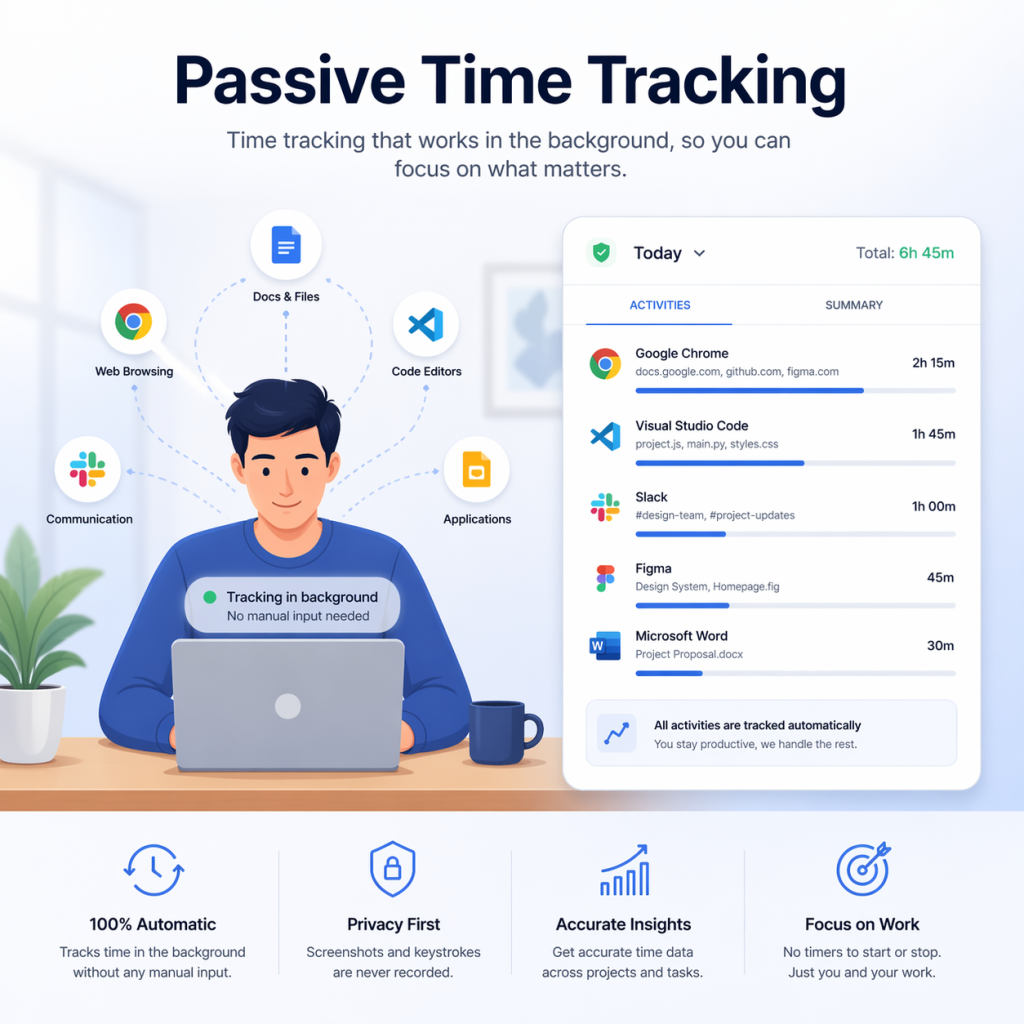
This is the difference that matters most. With a timesheet, you log time. You remember, estimate, round, and enter. With time tracking software, time is captured. You start a timer when work begins, stop it when work ends, and the system writes the entry for you.
That tiny shift in the workflow changes everything downstream. Data accuracy goes up. Rounding disappears. Buddy punching becomes much harder. Reports become useful because the numbers reflect reality, not recollection. It also means you can make decisions during the work week, not just after payroll closes.
Common features you should expect
Not all time tracking tools are the same, but the strong ones share a core feature set. When you're evaluating options, look for these:
What to look for in time tracking software: one-click timers for desktop and mobile, project and client tags, automatic timesheet generation from tracked hours, approval workflows, payroll integration, billable vs non-billable classification, real-time reports, and clear permission controls. Bonus features like idle detection, offline mode, and screenshots are useful for specific team types but aren't universal requirements.
Timesheets vs Time Tracking Software: The Key Differences
On the surface, both give you a number at the end of the week. Underneath, the way they get to that number is completely different, and that's where the real comparison lives. Let's break it down by the four dimensions that matter most.
Data capture method
A timesheet depends on someone remembering what they did and typing it in. Time tracking software watches the clock for you. Hit start, do the work, hit stop, and the entry is filed. You can also use an online time card calculator to double-check totals, but with the right tool you shouldn't need to.
Accuracy and time theft prevention
Manual timesheets are famous for two accuracy problems: honest mistakes and dishonest edits. An employee might genuinely forget a 20-minute meeting. They might also round 7:53 up to 8:00 every single day, adding unpaid minutes that the company pays for. And buddy punching, where one employee clocks in for another, is almost impossible to prevent on paper.
Time tracking software shuts most of this down. Real-time timers, GPS verification for field teams, biometric check-ins, and audit logs mean the hours logged are the hours worked. No guessing, no fudging.
Reporting and insights
A timesheet tells you how many hours Raj worked last week. Time tracking software tells you that Raj spent 14 hours on Client A, 9 hours on Client B, and 3 hours in internal meetings, with 82% of that time classified as billable. One answers the payroll question. The other answers the business question.
This is usually the moment teams realize they've been flying blind. You can't improve what you can't see. When project hours, client profitability, and team utilization all live in one place, decisions get sharper fast.
Scalability across teams
Timesheets work fine for 5 people. They creak at 20. They break at 100. The volume of manual submissions, approvals, corrections, and reminders grows faster than the team does. Time tracking software scales without extra admin overhead. Adding a new employee is just one more user, not one more spreadsheet to chase every Friday.
Pros and Cons of Each Approach
Neither system is perfect. Both have real strengths and real weaknesses, and the right choice depends on what you're willing to trade. Here's an honest look at both sides.
Timesheets, what works and what breaks
What works: Timesheets are dead simple. Zero software cost if you use a free spreadsheet template, no learning curve, and every new hire figures them out in minutes. For businesses where payroll compliance is the only real need, they get the job done.
What breaks: Accuracy suffers because employees reconstruct hours from memory. Submissions come in late, which delays payroll. There's no way to verify that the hours written down match the hours worked. Reporting is limited to totals, with zero insight into productivity or project costs. And as teams grow or go remote, the manager hours spent chasing, correcting, and approving sheets balloon.
Time tracking software, strengths and tradeoffs
Strengths: Real-time accuracy, automatic timesheet generation, rich reports, payroll integrations, and scalability. A good clock in clock out system removes friction for both employees and managers, and the data it produces is actually useful for decisions.
Tradeoffs: There's a monthly cost, though free tiers exist. Employees may push back on anything that feels like surveillance, which is why transparent tools that avoid screenshots and keystroke logging tend to land better. Setup takes a few days, especially if you're configuring projects, roles, and integrations. For a 3-person startup, it may be more tool than you need. For almost everyone else, the return on time saved is obvious within the first month.
Hidden Costs of Sticking With Manual Timesheets
Most companies comparing timesheets vs time tracking software only weigh the visible cost: the monthly software fee. They rarely calculate what manual timesheets are already costing them. Those numbers are usually bigger than the software bill by a wide margin.
Buddy punching and rounding bias
Buddy punching is when one employee clocks in or out for another. On paper timesheets and basic clock-in systems, it's trivial to do and nearly impossible to detect. Rounding bias is more subtle: employees regularly round clock-in times down and clock-out times up, adding a few minutes of unpaid-but-billed time to every shift. Over a year, those minutes turn into weeks of salary.
Admin hours lost to chasing submissions
Ask any manager how their Friday afternoons go. A large chunk is spent chasing late timesheets, fixing errors, approving corrections, and forwarding everything to payroll. For a team of 20, this is easily 4 to 6 hours of manager time per pay period. That's manager salary going into admin work instead of managing.
With time tracking software, hours are already captured. A timesheet exists automatically at the end of the period. The manager opens the app, scans the entries, and approves in bulk. The same task shrinks from hours to minutes.
Payroll errors that compound
Manual entry means typos. A 7 entered as 9, an overtime hour missed, a break forgotten. Each error triggers a correction cycle: the employee flags it, the manager verifies it, payroll reruns it. Each correction costs time and damages trust. When you calculate billable hours accurately from tracked data instead of memory, client invoices also stop surprising anyone.
When Each Option Actually Makes Sense
The honest answer is that neither tool is universally right. Match the tool to your team profile, not the other way around.
When timesheets are still the right call
Basic timesheets hold up in a few specific situations:
- Your team has fewer than 5 people, all in one location, all on fixed schedules.
- Every employee is salaried with no overtime rules to calculate.
- You don't bill clients by the hour or track project profitability.
- Payroll is the only thing you need the data for, nothing else.
- Your budget genuinely cannot cover even a free-tier tool (rare, since most good tools now offer unlimited free plans).
If all five apply, a simple spreadsheet template or timesheet software for small business with a free tier will serve you well enough.
When time tracking software pays for itself
Time tracking software usually pays back its cost in the first month when any of these apply:
- You bill clients by the hour, or you quote fixed-price projects and need to know real cost.
- You have remote, hybrid, or field employees you can't physically see.
- Your team is 10 or more people, making manual admin unsustainable.
- You run multiple projects or clients at once and need to know which are profitable.
- You've caught payroll errors, time theft, or missed overtime in the last 6 months.
Agencies, consultancies, software teams, and any time tracking software for freelancers use case tends to fall squarely into this group.
The hybrid approach most teams land on
Here's what most teams actually do once they move past the debate: they use time tracking software as the data layer, and let it produce timesheets as the output layer. The software captures hours in real time. At the end of each pay period, it assembles those hours into a clean, formatted timesheet that goes to payroll.
You get accuracy without giving up the familiar document. Payroll still receives a timesheet, employees still get approved hours, but nobody spends Friday afternoon chasing missing forms. This is the model almost every mid-sized and larger team converges on eventually.
How to Switch From Timesheets to Time Tracking Software
If you're ready to move, don't try to flip the switch overnight. A clean migration takes about 4 weeks and follows five steps. Done right, your team barely notices the change and your next payroll run is the smoothest in years.
-
1
Audit your current process
Write down exactly how timesheets work today. Who fills them in, who approves, who pays. Note the pain points: late submissions, errors, compliance gaps. This becomes your baseline for measuring improvement and the checklist for picking features.
-
2
Pick the right tool for your team size
Match tool features to your audit. Small teams don't need enterprise features like SSO and custom workflows. Freelancers need invoicing built in. Field teams need GPS and mobile. Make a shortlist of 2 to 3, compare free trials, and pick the one your team actually enjoys using.
-
3
Run a 2-week pilot
Pick a small team or department and run both systems in parallel for 2 weeks. The pilot group uses the software while still submitting timesheets. Compare the two sets of numbers. This catches setup issues before they affect payroll and builds internal champions who can train others.
-
4
Train the team and go live
Host a 30-minute walkthrough, share a short written guide, and turn the software on for everyone on the first day of a new pay period. Be transparent about what the tool does and does not track. Trust matters more than features during rollout.
-
5
Review and refine after 30 days
After the first full month, gather feedback and check the data. Are hours more accurate? Has admin time dropped? Are there employees struggling with adoption? Use this review to tune settings, adjust project categories, and lock in the workflow that works for your team.
How clockdiary Combines Timesheets and Time Tracking in One Tool
If you've read this far, you've already spotted the theme: the smart play isn't picking between timesheets and time tracking software, it's using a tool that does both without making anyone choose. That's exactly what clockdiary is built for.
Real-time tracking with auto-generated timesheets
Employees start a timer when they begin work and tag it to a project or client. That's the whole input. From that one action, clockdiary builds a live timesheet in the background. At the end of the week, the timesheet is already done. No typing, no guessing, no Friday scramble. If you need a dedicated view, the timesheet app gives managers a single screen to see every entry across the team.
Approvals, payroll sync, and reports
Approvals are one-click. Managers see the week, spot anomalies with highlights, and approve in bulk or per-entry. Approved hours flow straight into payroll time tracking software integrations, which means no more manual data transfer between systems. Reports cover billable hours, project profitability, team utilization, and overtime, exactly the data a manual timesheet never gave you.
The result is a team that spends less time logging hours and more time doing work. Payroll runs faster. Client invoices are accurate. And the old question of timesheets vs time tracking software stops being a debate at all.
Frequently Asked Questions
Q: What is the difference between timesheets and time tracking software?
A timesheet is a record of hours worked over a defined period, usually filled in manually at the end of the day, week, or month. Time tracking software is a live tool that captures those hours as the work happens and then generates a timesheet automatically. Timesheets summarize data, time tracking software creates it.
Q: Are timesheets still useful in 2026?
Yes, but mostly as an output rather than an input. Timesheets still matter for payroll, client billing, and legal compliance. What has changed is how they're created. Most modern teams now use time tracking software to build their timesheets automatically instead of filling them in by hand.
Q: Can time tracking software replace timesheets?
Not exactly. A good time tracking tool replaces the manual process of filling out timesheets, but the timesheet itself, the summary of approved hours for a period, still exists. The software generates it for you, so you get the accuracy of live tracking plus the familiar document payroll and finance teams expect.
Q: Is time tracking software worth the cost for small businesses?
For most small businesses, yes. Many tools offer a free plan that covers core features for small teams, and the time saved on admin alone usually outweighs any subscription cost. The payback is even faster if you bill clients hourly, have remote staff, or have ever caught a payroll error on a manual sheet.
Q: What are the disadvantages of manual timesheets?
Manual timesheets rely on memory, which leads to rounding bias and missed entries. They're vulnerable to buddy punching and time theft, which costs U.S. employers about 2.8% of gross payroll a year. They also produce minimal reporting, offer no project-level insight, and create significant admin work at payroll time.
Q: How do I switch from timesheets to time tracking software?
Run the migration in five steps over about 4 weeks. Audit your current process, pick a tool that matches your team size, run a 2-week pilot with a small group, train everyone and go live at the start of a new pay period, then review after 30 days. The gradual rollout avoids payroll disruption and builds adoption from the inside.
Q: Do time tracking tools also generate timesheets automatically?
Yes, most modern time tracking tools do this by default. As employees log hours through timers or entries, the software compiles them into a weekly, bi-weekly, or monthly timesheet ready for approval. You get live tracking accuracy and a clean timesheet output in the same workflow.
Final Thoughts
The debate of timesheets vs time tracking software is really a debate about how you want to run your business. If your team is tiny, fixed-schedule, and office-based, a simple timesheet still works. For almost everyone else, especially teams that bill clients, work remotely, or juggle multiple projects, the switch to time tracking software pays for itself within weeks.
The best modern tools don't force you to pick. They capture hours in real time and turn them into clean timesheets automatically. You stop chasing submissions, your payroll runs clean, and you finally see where your team's hours actually go.