Time tracking tools for virtual assistants have become essential in 2026 as remote work continues to expand globally. Studies show that remote professionals spend nearly 28 percent of their work week switching between tasks and managing communication. Without proper time tracking software for virtual assistants, it becomes easy to lose track of billable hours, delay invoicing, and reduce overall income. Choosing the right solution ensures accurate reporting, stronger productivity, and steady business growth.
Accurate time tracking directly affects revenue. Research suggests that freelancers who consistently track their billable hours can increase their earnings by up to 20 percent simply by identifying unrecorded work time. Understanding the difference between billable and non billable hours is crucial when managing multiple clients. If you want a deeper breakdown of calculations and real examples, this guide on how to calculate billable hours explains the process clearly.
Modern time tracking software does much more than record start and stop times. Today’s tools offer automated tracking, project monitoring, productivity insights, and detailed reports that improve transparency with clients. Many platforms also support payroll processing and structured time logging, similar to complete time tracking software for virtual assistants designed specifically for remote professionals.
Businesses that implement structured tracking systems often report measurable improvements in accountability and performance. Industry research indicates that companies using consistent time monitoring systems experience up to 15 percent higher productivity levels. If you want to understand the broader impact, you can explore the benefits of time tracking and how it supports long term efficiency.
In this comprehensive guide, we compare the best time tracking tools for virtual assistants in 2026. You will find a detailed comparison table, in depth reviews, pricing insights, and practical recommendations tailored for freelancers, growing teams, and remote agencies. By the end of this article, you will have a clear understanding of which time tracking solution aligns best with your workflow, client expectations, and income goals.
What Are the Best Time Tracking Tools for Virtual Assistants in 2026?
The best time tracking tools for virtual assistants in 2026 are Clockdiary, Toggl Track, Clockify, Hubstaff, Harvest, Time Doctor, Everhour, RescueTime, Paymo, My Hours, Timely, and TrackingTime. These tools help virtual assistants track billable hours, manage multiple clients, automate reporting, and improve productivity based on individual business needs.
How We Tested and Selected These Time Tracking Tools
We did not randomly pick these tools. Each time tracking software was evaluated based on real virtual assistant workflows, billing accuracy, ease of use, and long term business value. The goal was simple: identify tools that actually help virtual assistants track billable hours, manage multiple clients, and improve productivity without adding complexity.
First, we reviewed core tracking accuracy. Research shows that professionals lose nearly 20 percent of billable time due to inconsistent time logging. Tools that offered reliable manual tracking, automatic capture, and detailed reports were prioritized. If you want to understand how accurate billing impacts revenue, this guide on how to calculate billable hours explains the financial difference clearly.
Second, we evaluated features relevant to virtual assistants. This included client level tracking, project segmentation, exportable timesheets, invoicing support, and reporting clarity. Platforms that aligned with modern tracking standards and reflected current time tracking trends scored higher in our evaluation.
Third, pricing transparency and scalability were carefully compared. Many virtual assistants start solo and later grow into small teams. We analyzed free plans, paid tiers, feature restrictions, and overall value for money. Understanding the difference between billable and non billable hours was also important in assessing whether a tool truly supports income growth.
Finally, usability and workflow compatibility were tested. Virtual assistants often manage clients across regions, so tools needed to support remote coordination and flexible reporting. If you manage clients in different regions, this guide on managing teams in different time zones provides helpful context on why tracking clarity matters.
Only tools that performed consistently across these areas were included in this list. The result is a selection based on accuracy, practical use, and measurable business impact rather than marketing claims.
Comparison Table of the Best Time Tracking Tools for Virtual Assistants
Below is a simplified side by side comparison to help virtual assistants quickly evaluate the right time tracking tool based on features, pricing, automation, and billing support.
Name of the Tool
Pricing
Free Plan Available
Overall Rating
Clockdiary
from $3.49 per seat per month
Yes
9.5 / 10
Toggl Track
from ~$10 per user per month
Yes
8.5 / 10
Clockify
from ~$4 per user per month
Yes
9.0 / 10
Hubstaff
from ~$7 per user per month
No
8.0 / 10
Harvest
from ~$12 per user per month
Yes (limited)
8.5 / 10
Time Doctor
from ~$7.20 per user per month
No
8.5 / 10
Everhour
from ~$8 per user per month
Yes (limited)
8.0 / 10
RescueTime
from ~$12 per month
Yes (limited)
8.0 / 10
Paymo
from ~$6 per user per month
Yes (limited)
8.0 / 10
My Hours
from ~$9 per user per month
Yes
7.5 / 10
Timely
from ~$11 per user per month
No
8.5 / 10
TrackingTime
from ~$5 per user per month
Yes (limited)
7.5 / 10
1. Clockdiary – Best All in One Time Tracking Tool for Virtual Assistants
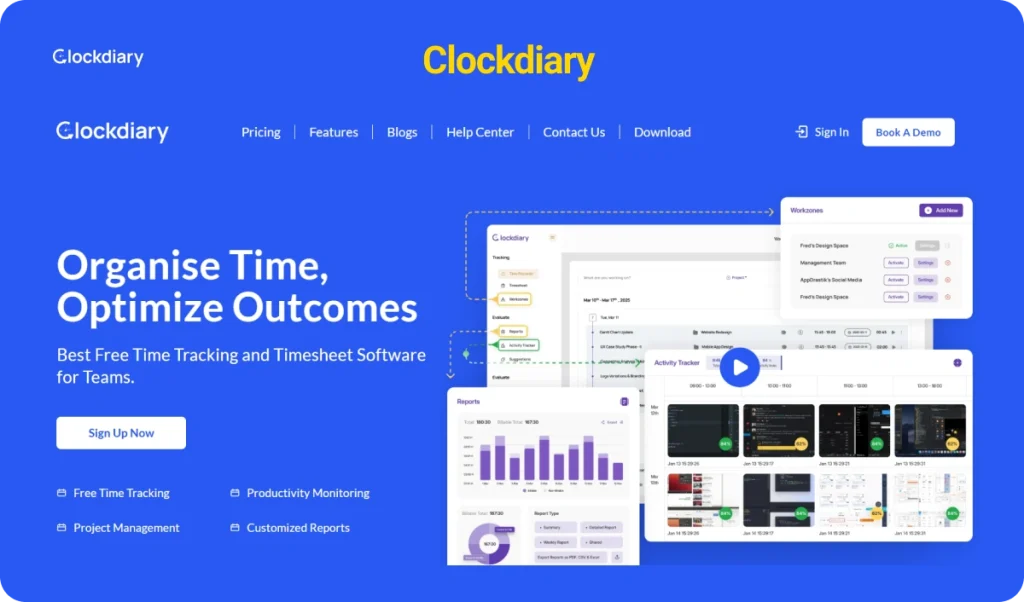
Clockdiary is a complete time tracking solution designed for virtual assistants who need better control over working hours and clearer visibility into billable work. It helps manage multiple clients, organize project based tasks, and prevent revenue loss caused by missed time entries. For those looking for a purpose built solution, you can explore the dedicated time tracking software for virtual assistants.
Unlike basic timer tools, Clockdiary combines time logging, project tracking, structured timesheets, and detailed reporting in one dashboard. This makes it ideal for virtual assistants who want both simplicity and depth without switching between multiple tools.
Key Features
Flexible Time Tracking You can track time using a live timer or add entries manually. This ensures that every billable minute is recorded properly. If you are unsure how to calculate your working hours accurately, learninghow to calculate billable hours can improve billing clarity.
Project and Client Based Tracking Assign hours directly to clients or specific service categories. This makes it easier to separate paid tasks from internal work. To better understand the financial difference, it helps to reviewbillable vs non billable hours.
Structured Timesheet Views Daily and weekly timesheets allow virtual assistants to review completed work and ensure consistency. If you need a broader understanding of structured logging, you can read more aboutwhat is a timesheet.
Detailed Reporting Clockdiary generates clear reports that can be shared with clients or used for invoice preparation. If you are refining your invoicing process, understanding how to bill clients can help streamline payments.
Screenshot Monitoring Option For agencies or teams that require additional accountability, screenshot tracking adds transparency during active sessions. Businesses that require deeper oversight can also explore remote employee monitoring software.
Multi Time Zone Support Virtual assistants working across countries can manage time differences without confusion. If you collaborate globally, reviewing best practices for managing teams in different time zones can improve coordination.
Pros and Cons
Pros
• Easy interface suitable for solo virtual assistants • Supports both manual entries and real time tracking • Strong reporting for accurate client billing • Free plan available with essential features • Scales from individual use to small teams
Cons
• Advanced administrative features are available only in paid plans • Screenshot monitoring may not be necessary for independent freelancers
Pricing
Plan
Startup / SMEs
Professional
Enterprise
Price
$0
$3.49 per seat per month (Monthly)$2.49 per seat per month (Yearly)
Solo virtual assistants who need accurate billable hour tracking
Freelancers managing multiple clients and recurring tasks
Small virtual assistant teams that require structured reporting
Agencies looking for optional activity transparency
If you are comparing alternatives, reviewing Clockify vs Toggl can provide additional context before making a decision.
Final Verdict
Clockdiary offers a strong balance between ease of use and advanced tracking capabilities. It supports accurate time logging, structured reporting, and scalable features that grow with your business. The free plan makes it accessible for new virtual assistants, while paid plans provide deeper insights for expanding teams.
For virtual assistants seeking clarity, accountability, and reliable billing support, Clockdiary remains one of the most dependable all in one time tracking tools in 2026.
2. Toggl Track – Best for Simple and Easy Time Tracking
Toggl Track is one of the most popular time tracking tools used by freelancers and remote professionals. It is known for its clean interface, fast setup, and minimal learning curve. For virtual assistants who want a straightforward way to track hours without complex configurations, Toggl Track offers a simple and reliable solution.
Unlike more advanced workforce monitoring tools, Toggl focuses on ease of use. It is ideal for virtual assistants who primarily need accurate time logging and clear reporting without heavy administrative controls.
Key Features
One Click Time Tracking Toggl allows users to start and stop timers instantly. This makes it easy to track tasks in real time without interruption.
Manual Time Entry If you forget to start a timer, you can add time entries later. This ensures flexibility for busy workdays.
Project and Client Organization Tasks can be grouped by client or project, helping virtual assistants keep billing structured and organized.
Detailed Reporting Toggl provides visual reports that show how time is distributed across tasks and projects. These reports can be exported for invoicing or internal review.
Cross Platform Access Toggl works on web browsers, desktop apps, and mobile devices, allowing virtual assistants to track time from anywhere.
Integrations It integrates with several productivity tools, which helps streamline workflow management.
Pros and Cons
Pros
• Very easy to use interface • Fast setup with minimal configuration • Generous free plan for small users • Strong reporting for individual freelancers • Works across devices
Cons
• Limited advanced team monitoring features • No screenshot tracking in standard plans • Can become expensive for larger teams
Pricing
Plan
Free
Starter
Premium
Enterprise
Price
0
Around $9 per user per month
Around $18 per user per month
Custom pricing
Users
Up to 5 users
Unlimited
Unlimited
Custom
Core Tracking
Included
Included
Included
Included
Reporting
Basic reports
Advanced reports
Advanced reports
Advanced reports
Time Tracking Reminders
Limited
Included
Included
Included
Priority Support
Not included
Not included
Included
Dedicated support
Pricing may vary depending on billing cycle and promotions.
Who It Is Best For
Toggl Track is best suited for:
Solo virtual assistants who want simple time logging
Freelancers working with a small number of clients
Professionals who prefer minimal interface complexity
Individuals who need clean reporting without monitoring features
It works especially well for virtual assistants who value simplicity over detailed oversight.
Final Verdict
Toggl Track is a strong choice for virtual assistants who want an easy and lightweight time tracking tool. It does not overwhelm users with advanced features, which makes it attractive for beginners or independent freelancers.
However, for virtual assistants managing multiple clients at scale or requiring structured reporting and accountability features, more advanced tools may offer greater long term value.
3. Clockify – Best Free Time Tracking Software for Virtual Assistants
Clockify is widely known as one of the most generous free time tracking tools available. It is designed for freelancers, small teams, and businesses that need unlimited tracking without upfront cost. For virtual assistants who want a budget friendly way to monitor billable work, Clockify offers a practical starting point. If you are exploring similar tools, you can also review free timesheet apps to compare available options.
The platform focuses on simplicity while still providing essential tools such as project tracking, reporting, and team collaboration. It works well for virtual assistants who need structured tracking without advanced monitoring requirements.
Key Features
Unlimited Time Tracking Clockify allows unlimited time entries even on its free plan. This makes it suitable for virtual assistants managing multiple clients. If you are new to structured tracking, understanding how a time tracker works can help you use it more effectively.
Project and Client Tracking Users can organize hours by project or client, which helps maintain clear billing records. For freelancers handling overlapping assignments, learning how to manage multiple projects at once as a freelancer can improve workflow clarity.
Timesheets and Calendar View Time can be logged through a timer, timesheet entry, or calendar view. If you need a refresher on structured tracking formats, reviewing what is a timesheet can provide helpful context.
Basic Reporting Clockify provides summary and detailed reports that help virtual assistants review productivity and prepare invoices. If you are calculating earnings based on tracked time, knowing how to calculate hours worked ensures accuracy.
Team Management Teams can be added to track collective hours and assign responsibilities. If you are scaling operations, exploring strategies for managing virtual teams can help improve collaboration.
Cross Platform Availability Clockify works across web browsers, desktop apps, and mobile devices, making it convenient for remote professionals.
Pros and Cons
Pros
• Completely free core time tracking • Unlimited users on free plan • Easy setup and clean interface • Suitable for individuals and small teams • Multiple ways to log time
Cons
• Advanced features require paid upgrades • Limited automation in free version • Reporting customization is basic compared to premium tools
Pricing
Plan
Free
Basic
Standard
Pro
Enterprise
Price
0
Around $3.99 per user per month
Around $5.49 per user per month
Around $7.99 per user per month
Around $11.99 per user per month
Unlimited Time Tracking
Included
Included
Included
Included
Included
Unlimited Users
Included
Included
Included
Included
Custom
Advanced Reporting
Not included
Limited
Included
Included
Included
Time Tracking Controls
Not included
Basic controls
Advanced controls
Advanced controls
Custom controls
Priority Support
Not included
Not included
Not included
Included
Dedicated support
Pricing may vary depending on billing cycle and feature selection.
Who It Is Best For
Clockify is best suited for:
Virtual assistants looking for a completely free tracking solution
Freelancers who want unlimited time logging without monthly expense
Small teams managing shared client projects
Professionals who need basic reporting and structured tracking
If you are comparing paid upgrades across platforms, reviewing best time tracking apps can help you evaluate feature depth before committing.
Final Verdict
Clockify stands out as one of the strongest free time tracking software options for virtual assistants. Its unlimited tracking and multi user support make it highly accessible. While advanced automation and detailed reporting require paid plans, the free version is sufficient for many independent professionals.
For virtual assistants starting out or operating with limited budget, Clockify remains a reliable and cost effective choice in 2026.
4. Hubstaff – Best for Remote Team Monitoring
Hubstaff is a time tracking and workforce management tool built for businesses that require visibility, accountability, and performance insights. It is commonly used by remote teams, agencies, and service based companies that need structured monitoring alongside time tracking.
For virtual assistants working independently, Hubstaff may feel more advanced than necessary. However, for agencies managing multiple remote assistants, it offers strong oversight tools that go beyond simple time logging.
Key Features
Automatic Time Tracking Hubstaff allows users to track time through desktop and mobile apps with automatic logging. This helps reduce missed entries and improves reporting accuracy.
Activity Monitoring The platform includes activity level tracking and optional screenshots. Businesses that require structured oversight often use tools similar to remote employee monitoring software to maintain transparency.
GPS and Location Tracking For teams working outside traditional office settings, Hubstaff provides GPS tracking through mobile devices.
Project and Budget Management Projects can be assigned budgets and hourly rates. This helps agencies monitor profitability and manage resource allocation more effectively. If you want to understand how tracked time affects revenue, reviewing how to bill clients can provide useful financial context.
Detailed Reporting Hubstaff offers productivity and payroll reports that help managers review team performance and export data for invoicing or payments.
Payroll Integration The platform supports automatic payroll calculations based on tracked hours. If you are learning about structured payment cycles, understanding different payroll schedule formats can help.
Pros and Cons
Pros
• Strong monitoring and accountability features • Suitable for managing remote teams • Automated payroll support • Project budget tracking • Detailed productivity reports
Cons
• Can feel intrusive for independent freelancers • More expensive than basic time tracking tools • May offer more monitoring than solo virtual assistants require
Pricing
Plan
Starter
Grow
Team
Enterprise
Price
Around $4 per user per month
Around $7 per user per month
Around $10 per user per month
Around $25 per user per month
Time Tracking
Included
Included
Included
Included
Activity Monitoring
Basic
Included
Included
Included
Reporting
Basic
Advanced
Advanced
Advanced
Payroll
Not included
Included
Included
Included
Support
Standard
Standard
Priority
Dedicated
Pricing varies depending on billing cycle and selected features.
Who It Is Best For
Hubstaff works best for:
Agencies managing multiple virtual assistants
Remote teams that require structured monitoring
Businesses paying assistants based on tracked hours
Managers who need productivity visibility
It is less ideal for solo virtual assistants who prefer lightweight tracking without monitoring features.
Final Verdict
Hubstaff is a powerful time tracking and monitoring solution designed for structured remote work environments. While it may be more advanced than necessary for independent freelancers, it provides strong accountability and payroll integration for agencies and growing teams.
For businesses managing distributed virtual assistant teams, Hubstaff offers a robust monitoring focused solution in 2026.
5. Harvest – Best for Invoicing and Client Billing
Harvest is a time tracking and billing tool focused on helping professionals not only track hours but also turn those hours directly into client invoices. It is popular among freelancers and small businesses that need clear financial reporting along with tracking tools.
For virtual assistants who spend a lot of time preparing invoices or managing client payments, Harvest offers the right mix of time tracking and billing support. Its clean design and intuitive workflow make it easy to track hours and generate invoices without complications.
Key Features
One Click Time Entry Harvest allows you to start a timer with a single click or enter hours manually at any time.
Invoicing and Client Billing You can convert tracked hours into professional invoices. If you need guidance on how to prepare client billing effectively, reviewing how to bill clients can help.
Expense Tracking Harvest lets you add expenses to projects so you can include reimbursable costs in invoices.
Project Budget Tracking Set budget limits for projects and receive alerts when you approach limits.
Reporting and Insights Visual reports show work distribution across clients and projects, helping you plan future workload or pricing.
Integrations With Other Tools Harvest integrates with popular project management and productivity tools to sync tasks, time entries, and billing.
Pros and Cons
Pros
• Easy to generate invoices directly from tracked time • Visual reporting helps you analyze revenue and work patterns • Expense tracking supports fuller client billing • Integrates well with other productivity tools • Simple and intuitive interface
Cons
• Pricing is higher than basic time tracking tools • Limited team monitoring features • Core configuration is focused on billing, not activity tracking
Pricing
Plan
Free
Enterprise
Team
Price
0 for one user
Customizable
Around $9 per user per month
Time Tracking
Included
Included
Included
Number of Users
1
Unlimited
Unlimited
Invoicing Features
Limited
Full
Full
Expense Tracking
Included
Included
Included
Reporting
Basic
Advanced
Advanced
Support
Standard
Priority
Priority
Pricing details may vary based on billing cycle and promotions.
Who It Is Best For
Harvest is a strong choice for:
Virtual assistants who need built in billing and client invoicing
Freelancers who want clear project cost summaries
Professionals who invoice clients frequently
Small business owners who want better financial tracking
While it provides time tracking, its standout strength is billing and revenue visibility.
Final Verdict
Harvest is well suited for virtual assistants who spend significant time managing client billing and preparing invoices. Its billing engine and expense tracking eliminate the need for separate invoicing tools, making it an efficient choice for professionals focused on revenue clarity.
For virtual assistants who want the ability to convert tracked hours into polished client invoices without exporting time data to other apps, Harvest delivers a focused and user friendly experience in 2026.
6. Time Doctor – Best for Productivity Insights
Time Doctor is a time tracking and productivity tool that goes beyond basic timers. It is built for people who want clear visibility into how work hours are spent, what distracts focus, and where efficiency can improve. For virtual assistants who handle multiple tasks daily, this kind of insight can support better planning and stronger output. If you want to understand the bigger picture of why structured tracking matters, these are the real benefits of time tracking for long term consistency.
Unlike simple trackers that only log hours, Time Doctor focuses heavily on productivity insights and work behavior reporting. This makes it a strong option for agencies and teams that want more transparency and performance visibility.
Key Features
Accurate Time Tracking Time Doctor helps track time consistently while work is being done. For a quick refresher on how tracking systems work in general, this guide on a time tracker explains the basics clearly.
Productivity Monitoring It provides productivity insights that help virtual assistants see patterns in work sessions and improve efficiency. If you want a broader view of improving output, this resource on how to improve team productivity offers useful practices that apply to individuals too.
Optional Screen Monitoring Time Doctor includes optional screenshot style monitoring depending on settings and plan. If your work setup needs similar oversight features, you can compare it with remote employee monitoring software to understand the difference in monitoring depth.
Distraction Alerts Time Doctor can help identify distractions by highlighting unproductive activity. If you are dealing with focus issues, you can also explore tactics in how to overcome procrastination to improve daily discipline.
Reporting and Analytics Reports show where time goes across tasks and work categories. If you want to calculate tracked time correctly for billing, learning how to calculate billable hours makes a big difference.
Payroll and Payment Support Time Doctor is often used where tracked hours are tied to payments. If you manage recurring payment cycles, reviewing a typical payroll schedule can help you align reporting and payouts properly.
Pros and Cons
Pros
• Strong productivity insights, not just time logging • Detailed reporting for individuals and teams • Useful for agencies managing remote assistants • Optional monitoring for accountability • Helps identify distractions and time leaks
Cons
• Can feel complex for solo virtual assistants who only need basic tracking • Monitoring features may feel intrusive in some client relationships • Higher cost compared to simple time trackers
Pricing
Plan
Basic
Standard
Premium
Price
Around $6.67 per user per month
Around $11.67 per user per month
Around $16.70 per user per month
Time Tracking
Included
Included
Included
Productivity Monitoring
Included
Included
Included
Activity Reports
Included
Included
Included
Screenshot Monitoring
Not included
Included
Included
Priority Support
Not included
Not included
Included
Pricing can vary by billing cycle and region.
Who It Is Best For
Time Doctor is best suited for:
Virtual assistants who want productivity visibility, not just timers
Agencies managing multiple remote assistants and needing accountability
Teams that want performance reporting and time based payroll workflows
Professionals who want to reduce distractions and improve work habits
Final Verdict
Time Doctor is a strong choice when productivity insights matter as much as time tracking. It provides deeper reporting, distraction awareness, and optional monitoring features that help teams and agencies manage remote work more effectively. If your workflow requires visibility into how time is spent and not just how many hours were logged, Time Doctor is a solid tool to consider in 2026.
7. Everhour – Best for Project Based Virtual Assistants
Everhour is a time tracking tool designed to work closely with project management systems. It is especially useful for virtual assistants who manage ongoing client projects, recurring tasks, and milestone based work.
Unlike standalone timers, Everhour integrates with task management workflows, letting users track time directly while working on assignments. For virtual assistants handling overlapping work streams, learning how to manage multiple projects at once as a freelancer can help improve coordination and reduce context switching.
Key Features
Built In Project Tracking Everhour connects time tracking to tasks inside project workflows, helping you understand where time is actually going. If you want a foundation level view of tracking methods, this guide on a time tracker explains core tracking logic clearly.
Budget and Cost Monitoring You can set limits and monitor progress against planned hours. For agencies or teams that track profitability, reviewing business metrics helps frame project cost decisions better.
Task Level Time Logging Time can be logged against specific tasks, which is helpful when clients want clear breakdowns. If you also bill based on time entries, understanding how to calculate billable hours improves billing accuracy.
Detailed Reports Everhour provides reports that break down tracked time by client, project, and task. If you are turning tracked hours into invoices, learning how to bill clients can help streamline your process.
Team Collaboration Support For teams, reporting and workload visibility can improve accountability. If you manage multiple assistants or work in a remote setup, these strategies for managing virtual teams are useful.
Time Zone Friendly Workflow Everhour is often used across distributed teams. If you work with clients across countries, best practices for managing teams in different time zones can reduce coordination issues.
Pros and Cons
Pros
• Strong fit for project based workflows • Task level visibility improves client reporting • Budget tracking supports agency style delivery • Reporting helps plan recurring client work • Works well for team collaboration
Cons
• Best experience depends on project management workflow setup • Not as lightweight as basic timer tools • Can be expensive for larger teams
Pricing
Plan
Free
Paid Plan
Price
Limited free version
Paid plans vary by user count and billing cycle
Time Tracking
Included
Included
Reporting
Basic
Advanced
Budgeting
Limited
Included
Integrations
Limited
Included
Pricing varies depending on billing cycle and team size.
Who It Is Best For
Everhour is best suited for:
Virtual assistants who work on structured client projects
Freelancers who track time by task and deliverables
Teams that need project budgeting and reporting
Agencies that want deeper visibility into project profitability
Final Verdict
Everhour is a strong option for project based virtual assistants who want time tracking inside a structured workflow. Its reporting and budgeting features make it useful for client projects where accountability matters.
For virtual assistants who deliver milestone driven work and want clear task level tracking, Everhour is a reliable tool to consider in 2026.
8. RescueTime – Best for Automatic Time Tracking
RescueTime is an automatic time tracking tool focused on measuring productivity without requiring manual timers. Instead of asking users to start and stop tracking, it runs in the background and records how time is spent across applications and websites.
For virtual assistants who often forget to log time manually, RescueTime provides a passive tracking system that captures daily activity automatically. If you want to understand the broader value of consistent tracking, these are the real benefits of time tracking for long term productivity.
Unlike client billing focused tools, RescueTime is centered more on personal productivity improvement than structured invoicing.
Key Features
Automatic Background Tracking RescueTime runs quietly in the background and records time spent on apps and websites. If you are new to digital tracking systems, understanding how a time tracker works can give useful context.
Productivity Scoring The platform assigns productivity ratings based on how time is spent. If your goal is improving efficiency, learning how to increase productivity in the workplace can complement these insights.
Focus Sessions RescueTime allows users to block distracting websites during work sessions. If distractions are a problem, reviewing strategies in how to overcome procrastination can strengthen focus habits.
Detailed Activity Reports Users can see daily summaries showing time spent on productive versus distracting activities. If you want to analyze your workload more deeply, exploring different business metrics can help you evaluate performance from a broader angle.
Goal Setting RescueTime allows users to set time based productivity goals. If you prefer structured work planning, applying techniques like time blocking tips can improve daily scheduling.
Cross Platform Support The tool works across desktop and mobile platforms, ensuring consistent tracking throughout the day.
Pros and Cons
Pros
• Fully automatic tracking with no manual timer required • Helpful productivity scoring and insights • Focus tools to reduce distractions • Clean reports for personal performance analysis • Useful for individuals seeking efficiency improvements
Cons
• Not built for client invoicing • Limited team management features • Less suitable for agencies managing multiple assistants
Pricing
Plan
Lite
Premium
Price
Free version available
Around 12 per month
Automatic Tracking
Included
Included
Productivity Reports
Basic
Advanced
Focus Sessions
Limited
Included
Detailed Insights
Limited
Included
Pricing may vary depending on billing cycle and features.
Who It Is Best For
RescueTime is best suited for:
Solo virtual assistants who want automatic tracking
Professionals focused on improving personal productivity
Individuals who struggle with distractions
Users who do not require built in billing features
It is less suitable for assistants who need structured client reporting or invoice generation.
Final Verdict
RescueTime is ideal for virtual assistants who want automatic time tracking and productivity insights without manually starting timers. It focuses on improving work habits and reducing distractions rather than billing or team oversight.
For independent professionals aiming to optimize their daily workflow and build stronger focus habits in 2026, RescueTime is a strong automatic tracking option
9. Paymo – Best for Freelance Business Management
Paymo is a time tracking and business management tool built for freelancers and small teams. It combines time tracking with project planning, task management, invoicing, and workflow oversight. For virtual assistants who manage client work along with business operations, Paymo can reduce tool switching by keeping everything in one system.
It is especially useful when you handle multiple deliverables across several clients. If you want a practical framework for staying organized, this guide on how to manage multiple projects at once as a freelancer is helpful.
Key Features
Integrated Time Tracking Paymo supports timer based tracking and manual time entry. If you want a clearer understanding of the basics behind time tracking systems, review how a time tracker works.
Task and Project Management Tasks can be planned and tracked inside projects, which helps virtual assistants stay consistent. If you are comparing task organization methods, this overview of task management software gives useful context.
Invoicing and Client Billing Tracked time can be turned into invoices inside the platform. If you want to improve how you charge and collect payments, this guide on how to bill clients can make the workflow clearer.
Budget Awareness and Cost Tracking Paymo helps you track budgets and understand how time affects project profitability. If you want to measure your performance and costs more clearly, reviewing business metrics can help.
Reporting Tools Reports summarize time, task progress, and project activity. If your goal is improving output across your schedule, this resource on increase productivity in the workplace adds practical ideas.
Collaboration for Small Teams Paymo supports teams working together through shared tasks and tracking. If you manage remote assistants or work in a distributed setup, these strategies for managing virtual teams are worth using.
Pros and Cons
Pros
• Combines time tracking with task and project workflows • Built in invoicing helps reduce admin work • Reporting supports billing and client updates • Useful for freelancers and small teams
Cons
• More complex than basic timer tools • May include features solo assistants do not need • Pricing can be higher than simple tracking apps
Pricing
Plan
Free
Starter
Small Office
Business
Price
Free limited version
Pricing varies by billing cycle
Pricing varies by billing cycle
Pricing varies by billing cycle
Time Tracking
Included
Included
Included
Included
Project and Task Tools
Included
Included
Included
Included
Invoicing
Limited
Included
Included
Included
Reporting
Basic
Advanced
Advanced
Advanced
Support
Standard
Standard
Priority
Priority
Paymo pricing changes based on billing cycle and current offers.
Who It Is Best For
Paymo works best for:
Virtual assistants who manage projects, tasks, and client billing together
Freelancers who want tracking plus project planning in one system
Small teams that need collaboration and reporting
Professionals who want clearer structure around workload and delivery
Final Verdict
Paymo is a strong option for virtual assistants who want time tracking plus business workflow features like project planning and invoicing. It is most valuable when you need structure around tasks, delivery, and client payments in one place.
For project heavy virtual assistant work in 2026, Paymo can be a practical choice.
10. My Hours – Best Budget Friendly Time Tracking Tool
My Hours is a simple and affordable time tracking tool built for freelancers and small teams. It focuses on clear time logging, project organization, and client billing without overwhelming users with advanced monitoring features.
For virtual assistants who want a structured system at a lower price point, My Hours offers a practical balance between usability and reporting. If you are exploring cost effective options, reviewing other free timesheet apps can also help you compare entry level solutions.
Key Features
Flexible Time Logging My Hours supports both live timer tracking and manual time entry. If you are new to digital logging systems, understanding how a time tracker works can improve accuracy.
Project and Client Tracking Time can be assigned to specific clients and projects, making billing more organized. To ensure accurate billing separation, reviewing billable vs non billable hours is helpful.
Budget and Cost Tracking You can set project budgets and monitor progress against them. If you want to calculate revenue properly from tracked time, learning how to calculate billable hours provides clarity.
Reporting and Export My Hours generates reports that can be shared with clients or used for invoice preparation. If you want to refine your invoicing workflow, this guide on how to bill clients can improve structure.
Team Collaboration Teams can be added to track collective hours and monitor project progress. If you manage remote assistants, these strategies for managing virtual teams are useful for coordination.
User Friendly Interface The interface is clean and focused on essential features, which makes it suitable for beginners.
Pros and Cons
Pros
• Affordable pricing compared to premium tools • Simple and easy to use interface • Supports project budgeting • Good reporting for freelancers • Suitable for small teams
Cons
• Limited automation compared to advanced tools • Fewer integrations than larger platforms • Not designed for deep monitoring or productivity analytics
Pricing
Plan
Free
Pro
Price
Free limited plan
Around 9 per user per month
Time Tracking
Included
Included
Project Budgeting
Limited
Included
Reporting
Basic
Advanced
Team Features
Limited
Included
Support
Standard
Priority
Pricing may vary based on billing cycle and user count.
Who It Is Best For
My Hours is best suited for:
Budget conscious virtual assistants
Freelancers managing multiple small clients
Small teams needing structured time tracking
Professionals who want clarity without complex monitoring features
Final Verdict
My Hours delivers essential time tracking and budgeting tools at an affordable price. It does not focus on heavy monitoring or advanced automation, but it provides enough structure for virtual assistants who need accurate tracking and clean client reporting.
For virtual assistants looking for a reliable and budget friendly time tracking tool in 2026, My Hours is a strong option.
11. Timely – Best AI Powered Time Tracking Tool
Timely is an automatic time tracking tool that uses artificial intelligence to capture work activity in the background. Instead of relying on manual timers, it records activity across apps and organizes entries automatically. This makes it appealing to virtual assistants who want accurate records without constantly starting and stopping timers.
For professionals who struggle with forgotten time entries, automatic capture can prevent revenue loss. If you want to understand why consistent logging matters, reviewing the long term benefits of time tracking can provide helpful insight.
Timely is particularly useful for virtual assistants who manage many short tasks throughout the day and need automatic documentation of their workflow.
Key Features
Automatic Time Capture Timely tracks work in the background and organizes activities into time entries. If you want to compare how manual systems differ, this guide on a time tracker explains traditional tracking methods.
Smart Categorization The system suggests categories for tasks based on usage patterns. This reduces manual data entry and improves reporting clarity.
AI Based Productivity Insights Timely analyzes how time is spent and highlights trends. If improving performance is your goal, exploring ways to increase productivity in the workplace can strengthen these insights.
Project and Client Organization Tracked time can be grouped by project or client for billing. If you want to ensure accuracy in payments, understanding how to calculate billable hours can help prevent undercharging.
Reporting and Export Timely provides reports that can be used for invoicing or performance review. For structured payment workflows, reviewing how to bill clients adds clarity.
Team Visibility For small teams, managers can review time entries across members. If you coordinate across locations, learning about managing teams in different time zones can improve planning.
Pros and Cons
Pros
• Fully automatic tracking reduces missed entries • Smart organization of tasks • Useful productivity insights • Clean reporting interface • Good for professionals who multitask frequently
Cons
• Higher pricing compared to basic trackers • Requires user review to confirm automatic entries • Less focused on built in invoicing compared to billing centered tools
Pricing
Plan
Starter
Premium
Unlimited
Price
Around 11 per user per month
Around 20 per user per month
Custom pricing
Automatic Tracking
Included
Included
Included
AI Insights
Limited
Included
Included
Reporting
Included
Advanced
Advanced
Team Features
Limited
Included
Included
Support
Standard
Priority
Dedicated
Pricing may vary depending on billing cycle and region.
Who It Is Best For
Timely is best suited for:
Virtual assistants who forget to start timers
Professionals who want automatic activity capture
Freelancers who multitask throughout the day
Teams that want AI driven productivity insights
Final Verdict
Timely stands out for its automatic time capture and AI powered organization. It reduces the need for manual tracking and helps virtual assistants maintain accurate records without interruption. While it is more expensive than basic tools, it offers convenience and intelligent reporting.
For virtual assistants who value automation and minimal manual input, Timely is one of the strongest AI powered time tracking tools in 2026.
12. TrackingTime – Best for Small Virtual Assistant Teams
TrackingTime is a collaborative time tracking tool designed for small teams that need structure without heavy monitoring. It combines time logging, task management, and team coordination features in a clean and easy to use interface.
For virtual assistant teams working together on shared client projects, TrackingTime provides a simple system for tracking hours and reviewing workload distribution. If you are organizing tasks across multiple assignments, reviewing how to use effective task management software can improve coordination.
Unlike monitoring focused platforms, TrackingTime emphasizes collaboration and structured reporting rather than activity surveillance.
Key Features
Manual and Timer Based Tracking TrackingTime supports both real time timers and manual entries. If you want a deeper understanding of how tracking systems function, this guide on a time tracker explains the fundamentals.
Task and Project Organization Users can organize work by tasks within projects, which helps keep client deliverables clear. If you handle overlapping deadlines, learning how to manage multiple projects at once as a freelancer can strengthen workflow structure.
Shared Team Workspaces Team members can collaborate inside shared project dashboards, making it easier to track collective progress. For distributed teams, exploring strategies for managing virtual teams can enhance accountability.
Reporting and Export Options TrackingTime generates reports that summarize time entries by project and team member. If you convert tracked hours into invoices, reviewing how to bill clients helps align reporting with payment workflows.
Calendar and Scheduling View The calendar feature allows teams to visualize workload distribution. If you prefer structured planning methods, applying time blocking tips can improve schedule clarity.
Cross Platform Support TrackingTime works through web and browser extensions, allowing assistants to track time across different work environments.
Pros and Cons
Pros
• Easy to use for small teams • Strong task and project organization • Good reporting for collaborative work • Less intrusive than monitoring heavy tools • Suitable for structured client projects
Cons
• Limited advanced productivity analytics • Fewer automation features compared to AI based tools • Not designed for deep workforce monitoring
Pricing
Plan
Free
Pro
Business
Price
Free limited version
Around 5 to 7 per user per month
Around 10 per user per month
Time Tracking
Included
Included
Included
Task Management
Included
Included
Included
Reporting
Basic
Advanced
Advanced
Team Collaboration
Limited
Included
Included
Support
Standard
Priority
Priority
Pricing may vary based on billing cycle and selected features.
Who It Is Best For
TrackingTime is best suited for:
Small virtual assistant teams
Freelancers collaborating on shared projects
Agencies that want structured tracking without heavy monitoring
Teams that prioritize task visibility and reporting
Final Verdict
TrackingTime offers a balanced approach to team focused time tracking. It supports structured project management and clear reporting while avoiding complex monitoring features. For small virtual assistant teams that value collaboration and organized workflows, TrackingTime is a practical solution in 2026.
Key Features to Look for in a Time Tracking Tool
Choosing the right time tracking tool is not only about price. Virtual assistants need a system that supports accurate billing, productivity visibility, and client transparency. The right features can prevent missed hours, improve reporting, and simplify workflow management.
Below are the most important features to evaluate before selecting a time tracking tool.
Manual Versus Automatic Time Tracking
Some tools require you to start and stop a timer manually, while others track activity automatically in the background. Manual tracking offers full control, but it can lead to forgotten entries. Automatic tracking reduces human error but may require review before submitting reports.
If you are unsure which system fits your workflow, understanding how a time tracker works can help you decide between manual logging and automated tracking.
Virtual assistants who handle many short tasks throughout the day often benefit from automatic tracking, while those working in structured time blocks may prefer manual control.
Built In Invoicing and Billing Support
For virtual assistants who charge clients hourly, built in invoicing can save time. Some tools allow you to convert tracked hours directly into invoices, while others require exporting data into separate billing software.
If billing accuracy is important to your income stability, reviewing how to structure payments in how to bill clients can clarify what features you should prioritize.
A strong time tracking tool should make it easy to separate billable and non billable work. Understanding the difference between billable vs non billable hours ensures you do not lose revenue.
Reporting and Analytics Capabilities
Clear reporting helps virtual assistants understand workload distribution, revenue patterns, and client profitability. Look for tools that provide:
If you want deeper insight into performance, reviewing different business metrics can help you evaluate reporting quality.
Strong reporting is essential when managing multiple clients and recurring projects.
Team Monitoring and Collaboration Features
If you work alone, advanced monitoring may not be necessary. However, agencies and small teams often require visibility into team activity, task completion, and productivity.
If you manage remote assistants, learning about effective strategies for managing virtual teams can help you decide whether monitoring features are required.
For distributed teams working across regions, proper coordination becomes even more important. Reviewing best practices for managing teams in different time zones can improve communication and scheduling.
Integration With Project and Productivity Tools
Many virtual assistants rely on task management platforms, calendars, and communication apps. A time tracking tool that integrates with these systems reduces duplicate work and improves workflow efficiency.
If you frequently switch between tasks and systems, exploring structured task management software can help you identify integration needs.
Seamless integration ensures time tracking becomes part of your workflow rather than an extra task.
Mobile and Cross Platform Accessibility
Virtual assistants often work from different locations and devices. A good time tracking tool should support web access, desktop apps, and mobile functionality.
If you work remotely or in flexible setups, reviewing the benefits of a strong remote work setup can highlight why cross platform access matters.
Mobile access ensures that time entries are recorded even when you are away from your primary workstation.
Who This Guide Is For
Not every time tracking tool works the same way for every professional. Virtual assistants operate in different environments, from solo freelance setups to structured remote agencies. This guide is designed to help you find the right tool based on how you work, who you serve, and how you bill.
Below are the specific types of virtual assistants this guide is built for.
Solo Virtual Assistants
If you work independently and manage your own client relationships, accurate time tracking directly affects your income. Missing even small time entries can reduce your monthly earnings.
Solo virtual assistants benefit from tools that are easy to use, affordable, and focused on billable hour clarity. If you are still building your freelance foundation, reading about how to start freelancing can help you structure your workflow correctly from the beginning.
You likely need:
• Simple time tracking • Clear reporting • Easy invoice preparation • Flexible manual or automatic tracking
Heavy monitoring features are usually unnecessary for independent professionals.
If you handle several clients at once, organization becomes critical. You may work on overlapping projects, recurring tasks, and deadline based assignments throughout the week.
Managing time across multiple clients requires structured project tracking and strong reporting. If this sounds familiar, learning how to manage multiple projects at once as a freelancer can improve task clarity and reduce stress.
For this group, important features include:
• Project level tracking • Client specific reports • Budget awareness • Clear separation of billable and non billable work
Understanding billable vs non billable hours becomes especially important when balancing internal tasks and client work.
Growing Virtual Assistant Teams
As your workload increases, you may hire additional assistants to support operations. At this stage, visibility and accountability become more important.
Team focused virtual assistants need tools that support collaboration and structured reporting. If you manage remote contributors, reviewing strategies for managing virtual teams can improve coordination.
Important features for this group include:
• Team dashboards • Shared project tracking • Role based access • Structured reporting
In some cases, productivity visibility tools may also be required.
Agencies Managing Remote Staff
If you operate as an agency and manage several virtual assistants, your needs are different from solo freelancers. You may require:
• Advanced reporting • Productivity visibility • Payroll integration • Budget control • Cross time zone coordination
Agencies working across different regions should understand the impact of managing teams in different time zones to avoid scheduling and reporting confusion.
At this level, time tracking is not just about logging hours. It becomes part of operational control and financial planning.
Free vs Paid Time Tracking Tools for Virtual Assistants
Decision Factor
Free Time Tracking Tool
Paid Time Tracking Tool
Cost
No monthly cost
Monthly or yearly subscription
Best For
Solo beginners with simple workflows
Growing virtual assistants and agencies
Number of Clients
Few clients
Multiple active clients
Time Tracking
Basic manual or timer based tracking
Advanced tracking with automation options
Reporting
Simple summaries
Detailed client ready reports
Invoicing
Usually requires separate tool
Built in invoicing or advanced export
Budget Tracking
Rarely included
Included in most paid plans
Team Management
Limited or restricted users
Full team dashboards and role control
Productivity Insights
Minimal
Advanced analytics and performance tracking
Payroll Support
Not available
Often included
Scalability
Limited growth support
Built for long term business growth
Ideal Choice If
You want basic hour logging without cost
You rely on time tracking for income and client billing
Conclusion
Choosing the best time tracking tool for virtual assistants in 2026 depends on how you work, how you bill, and how you plan to grow. Some virtual assistants need simple manual tracking for a few clients, while others require automated tracking, invoicing support, team dashboards, or productivity visibility.
If you are just starting out, a reliable free time tracking tool may be enough to build structure and protect your billable hours. As your client base grows, advanced reporting, project segmentation, and billing automation become more important. Agencies and remote teams may also require budget tracking, payroll integration, and accountability features.
The key is not just tracking hours. It is tracking them accurately and consistently. Even small missed entries can reduce monthly income. A structured system helps you separate billable and non billable work, generate clearer reports, and maintain client transparency.
In 2026, time tracking is no longer optional for virtual assistants who want predictable income and scalable operations. The right tool should:
• Fit naturally into your workflow • Make billing easier, not harder • Provide visibility into how your time is spent • Support your growth from solo work to team collaboration
Start with the tool that matches your current needs, test it in your daily workflow, and upgrade only when your business demands more structure. The goal is not complexity. It is clarity, accountability, and revenue protection.
With the right time tracking system in place, virtual assistants can improve productivity, strengthen client trust, and build a more sustainable remote business in 2026 and beyond.
Frequently Asked Questions About Time Tracking Tools for Virtual Assistants
What Is the Best Time Tracking Tool for Virtual Assistants?
The best time tracking tool depends on your workflow. If you want an all in one solution with reporting and scalability, Clockdiary is a strong choice. If you prefer simplicity, Toggl Track works well. For free unlimited tracking, Clockify is popular. Agencies managing teams may prefer Hubstaff or Time Doctor.
Are There Free Time Tracking Tools Available for Virtual Assistants?
Yes. Several tools offer free plans, including Clockify, Clockdiary, My Hours, and TrackingTime. Free versions usually include basic time tracking and limited reporting. However, advanced features like invoicing, automation, and detailed analytics are typically available in paid plans.
How Do Virtual Assistants Track Billable Hours?
Virtual assistants track billable hours by logging time against specific clients or projects using a timer or manual entry system. The tracked time is then reviewed and converted into invoices. To avoid revenue loss, it is important to clearly separate billable and non billable work before sending client reports.
Which Tool Works Best for Managing Multiple Clients?
Tools that support project based tracking work best for multiple clients. Clockdiary, Everhour, and Paymo allow time to be organized by client and project. These tools provide structured reporting, which makes billing and workload management easier.
Is Automatic Time Tracking Better Than Manual Tracking?
Automatic tracking reduces missed entries and is helpful for multitasking professionals. Manual tracking gives more control and works well for structured work sessions. The better option depends on your work style. If you often forget to start timers, automatic tracking tools like Timely or RescueTime may be more suitable.


 Kapil Garg